
Your customer feedback data is some of the most valuable information your company produces. It tells you what users want, what's broken, and where to invest next. Handing that data to a third-party SaaS vendor means trusting them with your product strategy, your users' identities, and your compliance posture. For a growing number of teams, that trade-off no longer makes sense.
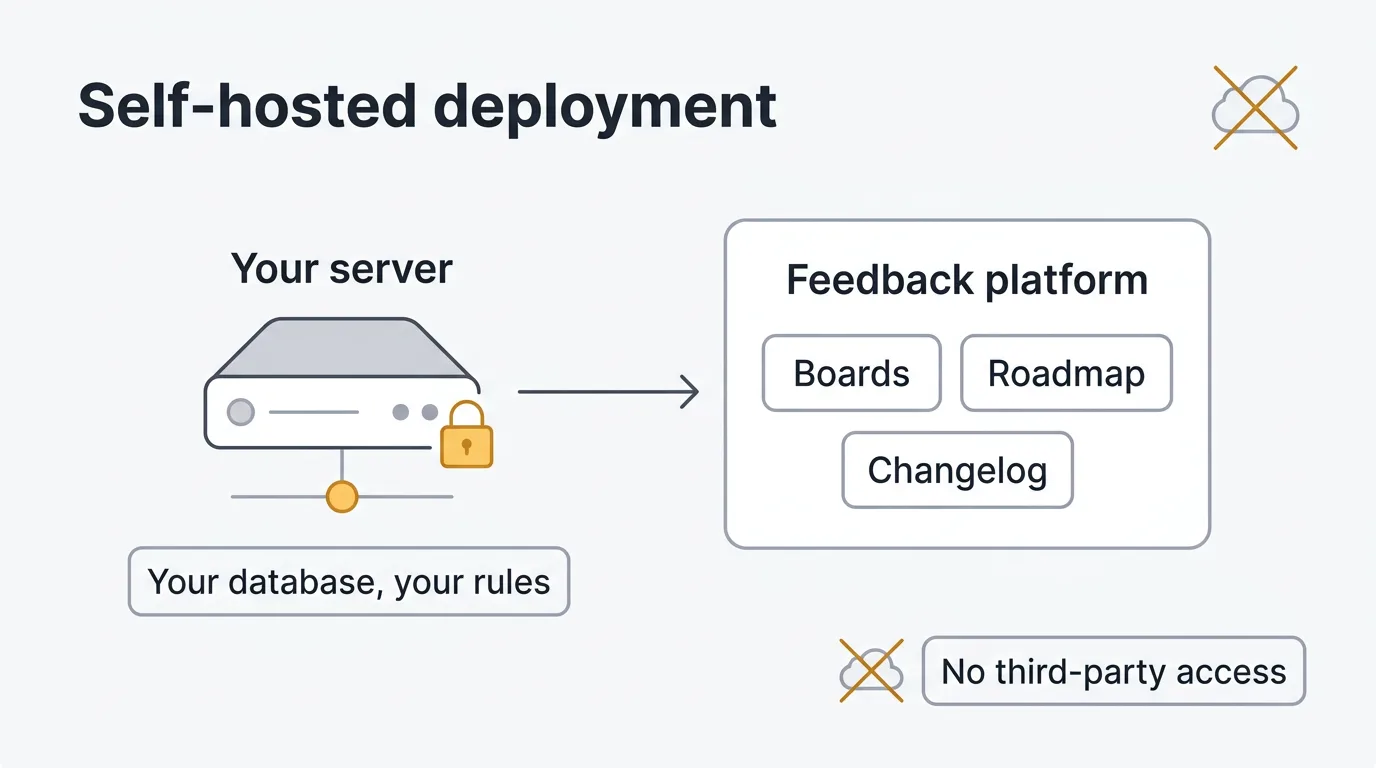
Self-hosting your feedback tool gives you full control. Your data stays in your database, on your infrastructure, behind your firewall. You choose the region. You control the encryption. You decide who has access. For teams operating under GDPR, SOC 2, or HIPAA-adjacent requirements, this isn't a nice-to-have. It's a prerequisite.
There's also the cost argument. SaaS feedback tools charge per seat, per tracked user, or per feature tier. Those costs compound as your team and user base grow. Self-hosting converts that variable expense into a predictable infrastructure cost. A $20/month VPS can run a feedback platform that would cost $200+/month on a SaaS plan. And if the vendor raises prices or paywalls features you depend on, you have no leverage. With self-hosted software, you do.
TLDR: The best self-hosted feedback tools: Quackback (most complete — AI, integrations, MCP server), Fider (simple voting boards), Astuto (lightweight), and ClearFlask (feature-rich but heavy). All deploy with Docker. Infrastructure costs range from $10-100/mo depending on scale.
Pricing last verified March 2026. Vendors may change plans and pricing without notice. Check each vendor's pricing page for the latest figures.
Benefits of self-hosting your feedback platform
Data sovereignty and compliance
When you self-host, feedback data never leaves your infrastructure. You control the database, the backups, the encryption keys, and the access logs. This matters for teams subject to GDPR (data must stay in the EU), SOC 2 (you need to demonstrate access controls), or any policy that requires knowing exactly where customer data lives. You can also run your feedback tool on air-gapped networks or private VPCs that have no public internet exposure.
Predictable costs
SaaS feedback tools use variable pricing models that can change. Canny moved from per-admin to tiered tracked-user billing. Productboard charges $15–19/maker/month with AI limited to 250 credits per maker. UserVoice starts at $16,000/year. With self-hosting, your cost is the server. A small team can run a feedback platform on a $10-20/month VPS. A larger team might spend $50-100/month on a dedicated server or managed Kubernetes cluster. Either way, the cost doesn't scale with the number of users submitting feedback.
No vendor lock-in
SaaS vendors control the data format, the export options, and the API. If they shut down, raise prices, or change the product direction, migration requires effort. Self-hosted open-source tools reduce this risk. You own the database directly. You can fork the codebase. Your data remains accessible regardless of the vendor's decisions.
Full customization and extensibility
Self-hosted tools give you access to the source code. You can modify the UI, add custom integrations, change the data model, or extend the API to fit your workflow. You're not limited to what the vendor decides to build. If you need a custom field, a unique notification flow, or an integration with an internal tool, you can build it yourself.
Air-gapped and private network deployment
Some organizations cannot send data to external services. Government contractors, healthcare companies, financial institutions, and defense teams operate environments where internet-connected SaaS is prohibited by policy. Self-hosted feedback tools can run entirely within a private network. The process: pull Docker images on an internet-connected machine, transfer them to your air-gapped environment via approved media, and run the containers. The application needs no outbound connectivity after initial setup. Note that AI features requiring external LLM APIs will not work in fully air-gapped environments unless you run a local model.
Self-hosted vs SaaS feedback tools
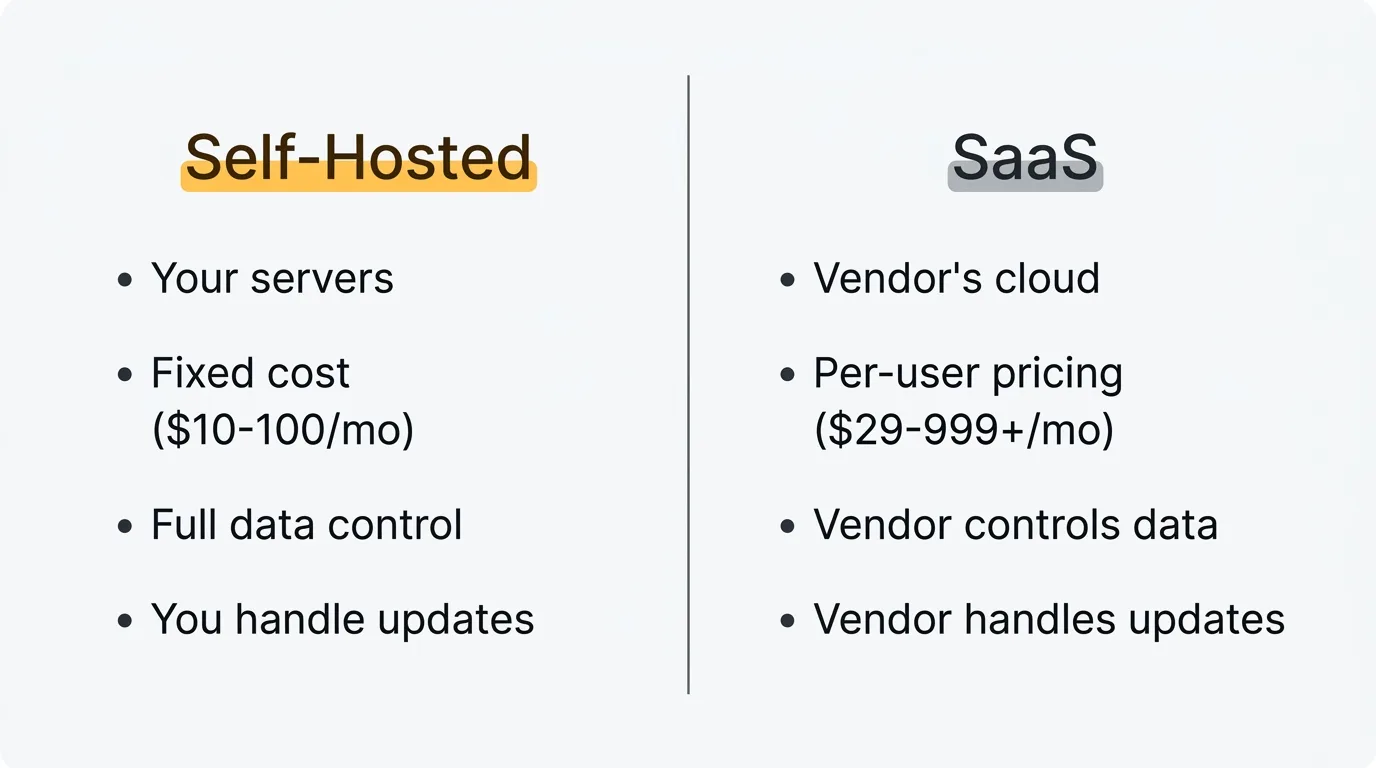
Both approaches have legitimate use cases. Here's how they compare across the dimensions that matter most.
| Factor | Self-Hosted | SaaS |
|---|---|---|
| Data location | Your servers, your region, your rules | Vendor's cloud (usually US) |
| Cost model | Fixed infrastructure cost ($10-100/mo) | Per-seat or per-user pricing ($29-999+/mo) |
| Compliance | Full control over access, encryption, audit logs | Dependent on vendor's certifications |
| Customization | Source code access, unlimited modifications | Limited to vendor's configuration options |
| Maintenance | You handle updates, backups, monitoring | Vendor handles everything |
| Setup time | 5-30 minutes with Docker | Instant sign-up |
| Scaling | You manage infrastructure scaling | Vendor scales automatically (and charges accordingly) |
The trade-off is clear: self-hosting gives you control and cost predictability at the expense of maintenance responsibility. SaaS gives you convenience at the expense of control and long-term cost certainty. Most teams that choose self-hosting do so because they've already been burned by a SaaS pricing change or because their compliance requirements make third-party hosting a non-starter.
Best self-hosted feedback tools
Quackback
License: AGPL-3.0 Stack: Docker Compose, PostgreSQL, Dragonfly (Redis-compatible) Best for: Teams that want a complete feedback platform with AI, integrations, and agent access.
Quackback is an open-source feedback platform that covers the full workflow: feature voting boards, a public roadmap, changelogs, feedback collection, and built-in AI. It deploys with Docker Compose and uses PostgreSQL as its database.
What sets Quackback apart from other self-hosted options is the breadth of included features. You get 25 integrations (Slack, Linear, Jira, GitHub, Intercom, Zendesk, Salesforce, and more), SSO/OIDC authentication, a full REST API, and an MCP server that lets AI agents in Claude, Cursor, or Windsurf search, triage, and respond to feedback directly.
The AI features include duplicate detection, merge suggestions with reasoning, sentiment analysis, and post summaries. You configure an OpenAI-compatible provider (OpenAI, Azure OpenAI, Cloudflare AI Gateway, or any compatible provider). For air-gapped environments, you can point the AI configuration at a locally-hosted model.
Deployment takes under five minutes with Docker Compose. See the quick start below or the documentation for the full deployment guide.
Fider
License: AGPL-3.0 Stack: Go, React, PostgreSQL, Docker Best for: Teams that need a simple voting board and nothing more.
Fider has been around since 2017 and covers the basics well. You get feedback boards with voting, comments, tags, status updates, and a REST API. The Go binary is efficient — 256MB of RAM is typically enough — and it deploys with a single Docker image plus PostgreSQL.
The limitation is scope. Fider has no changelog, no roadmap view, no AI features, and integrations are limited to webhooks for Slack, Discord, and Teams. There is no native connection to Jira, Linear, GitHub, or any issue tracker. The project moved to an open-core model in v0.33.0, which put content moderation and SEO indexing behind the paid cloud tier. If you need a no-frills voting board, Fider works. If you expect to need roadmaps, changelogs, or deeper integrations over time, you will outgrow it. See the Quackback vs Fider comparison for a feature-by-feature breakdown.
Astuto
License: GPL-3.0 Stack: Ruby on Rails, PostgreSQL, Docker Best for: Small teams that want a lightweight, self-hosted feedback board.
Astuto is built with Ruby on Rails and PostgreSQL. It provides feedback boards, voting, comments, and basic status tracking. A single Docker Compose file gets you running. Resource requirements are low — 512MB of RAM handles small to moderate deployments.
The feature set is limited to the core feedback loop. There are no integrations with issue trackers, no AI features, no SSO, and no roadmap view. The codebase is approachable for Rails developers who want to extend the platform. The community is small, so expect to troubleshoot independently. A good fit for internal tools, side projects, or teams that want the lightest possible self-hosted option.
ClearFlask
License: AGPL-3.0 Stack: Java, React, Docker Best for: Teams with Java expertise who want a self-hosted option.
ClearFlask offers feedback boards, voting, a roadmap, and a changelog. The feature set is broader than Fider or Astuto, but the setup is more involved. The Java (Spring Boot) backend requires a JVM — plan for at least 2GB of RAM for the application server alone. The deployment involves multiple services: the application server, a MySQL or DynamoDB database, and optionally an Elasticsearch instance for search.
Development has slowed in recent years. If you choose ClearFlask, plan to maintain it yourself. The documentation for self-hosting is sparse, and you will need familiarity with Java application servers to troubleshoot issues.
Quick start: deploying Quackback with Docker
You can go from zero to a running feedback platform in under five minutes. All you need is Git, Bun, and Docker installed on your machine.
1. Clone and set up
git clone https://github.com/QuackbackIO/quackback.git
cd quackback
bun run setup    # Install deps, start Docker (Postgres + Dragonfly + MinIO), run migrations
The setup command starts a Docker Compose stack with PostgreSQL, Dragonfly (Redis-compatible), and MinIO (S3-compatible storage). It also runs database migrations automatically.
2. Start the dev server
bun run dev3. Open your browser
Navigate to http://localhost:3000. Create your admin account, set up your first board, and start collecting feedback. You can configure your branding (logo, colors, custom domain), invite team members, and connect integrations like Slack and Linear from the admin dashboard.
For production deployments, build the Docker image (docker build -t quackback -f apps/web/Dockerfile .) and deploy with your own PostgreSQL and Redis-compatible store. You can also deploy in one click on Railway. The docs cover production setup in detail, including environment variables for email, SSO, AI, and integrations.
When SaaS makes more sense
Self-hosting is not the right choice for every team. If you don't have anyone comfortable with Docker, server administration, or basic infrastructure management, the maintenance burden will slow you down. Updates, backups, monitoring, and security patches all become your responsibility.
If your team is small and non-technical, a hosted solution removes that overhead entirely. Tools like Canny or Productboard handle hosting, updates, and scaling for you. You pay more per month, but you pay nothing in engineering time.
There's also the question of time-to-value. A SaaS tool is ready the moment you sign up. Self-hosting requires setup, even if it's only five minutes. For a team that needs to collect feedback today and doesn't have infrastructure preferences, SaaS is the faster path.
The good news is that this isn't a permanent decision. If you start with a SaaS tool and later decide you want more control, open-source tools like Quackback support data import. And if you start self-hosted and later decide you'd rather not own the ops — the backups, updates, patching, and uptime — Quackback Cloud takes all of that off your plate, and your data migrates across without loss.
For a broader comparison of feedback tools across both self-hosted and SaaS categories, see the full comparison of feedback tools. If you're specifically interested in open-source options, see open-source feedback tools.
Frequently asked questions
What does self-hosted mean for a feedback tool?
Self-hosted means the software runs on your own servers instead of the vendor's cloud. You download the application (usually as a Docker image), deploy it to your infrastructure, and connect it to your own database. All data stays on your machines. You control updates, backups, access, and security. The vendor provides the software, but you operate it. This is the opposite of SaaS, where the vendor runs everything and you access it through a browser.
How much does it cost to self-host a feedback tool?
The software itself is free if you use an open-source tool like Quackback or Fider. Your costs are infrastructure: a server to run the application and a database. A small team can run Quackback on a $10-20/month VPS (DigitalOcean, Hetzner, or similar). Larger teams with higher traffic might spend $50-100/month on a more capable server or managed database. Compare that to SaaS tools that charge $29-999+/month depending on your team size and feature needs. The self-hosted cost stays relatively flat regardless of how many users submit feedback.
Can I migrate from a SaaS feedback tool to self-hosted?
Yes, though the ease of migration depends on the tools involved. Most SaaS feedback tools offer some form of data export (CSV, API access, or a migration tool). Quackback supports importing data from other platforms, so you can bring your existing feedback, votes, and user data with you. The key is to export your data before canceling your SaaS subscription. Check your current tool's export capabilities and the self-hosted tool's import documentation before starting. Plan for a transition period where both systems run in parallel so you can verify the migration is complete before cutting over.
Is self-hosting secure?
Self-hosting can be more secure than SaaS, but only if you manage it properly. You control the firewall rules, encryption, access policies, and update schedule. That means no one else can access your data, but it also means you're responsible for applying security patches, configuring TLS, and maintaining backups. Use strong database passwords, keep your Docker images updated, run the application behind a reverse proxy with SSL, and restrict network access to the ports you need. Quackback supports SSO/OIDC for authentication, and the API uses token-based access control. The documentation includes a production security checklist.

Authored by James Morton
Founder of Quackback. Building open-source feedback tools.
Try Quackback
The open-source feedback platform. Boards, voting, and roadmaps.
Get startedStar on GitHub305