
A user story is one sentence. Getting it right determines whether your team builds the right thing or wastes a sprint on the wrong interpretation.
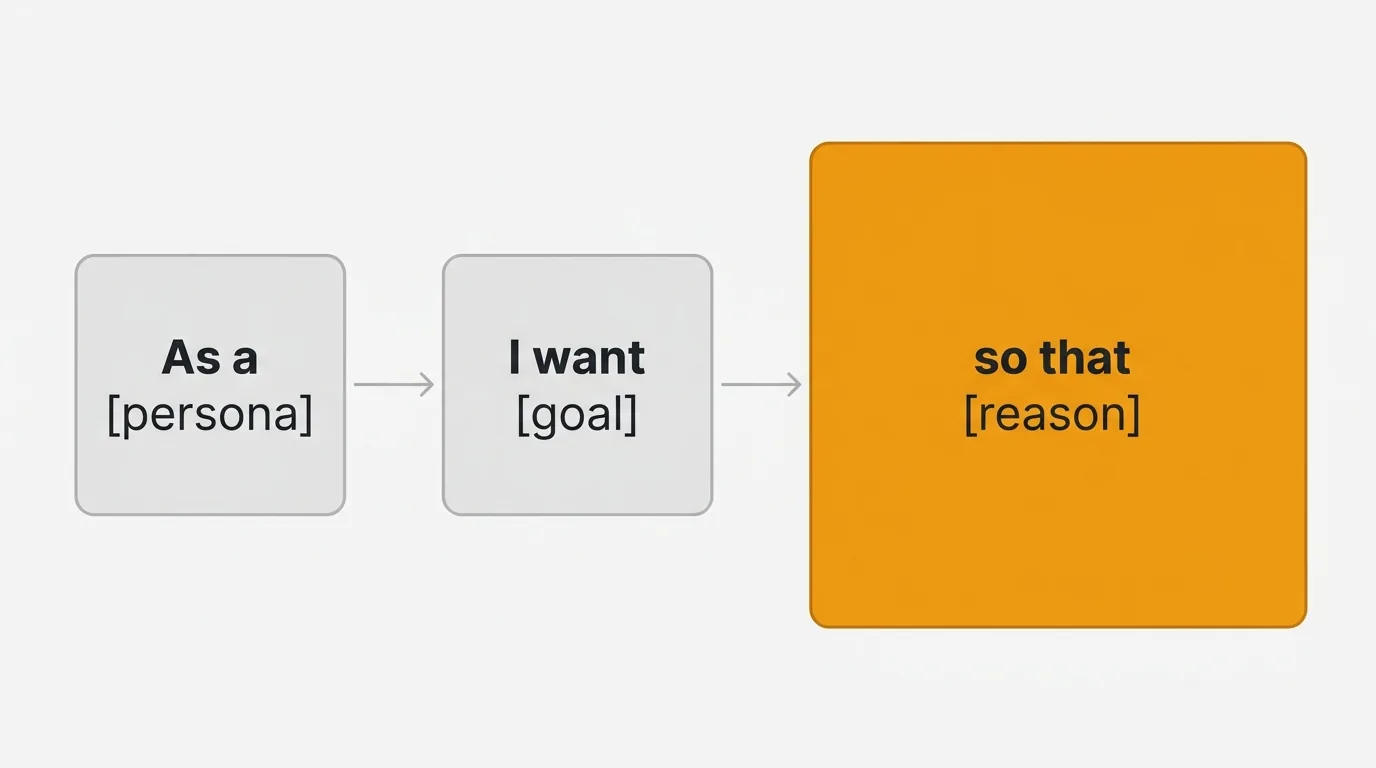
The standard format is: "As a [persona], I want [goal], so that [reason]." The "so that" clause is the most important part — and the most frequently omitted. Without it, you have a feature request. With it, you have context that lets engineering make better implementation decisions.
A user story is a short, plain-language description of a feature from the user's perspective, written as "As a [persona], I want [goal], so that [reason]." The persona names who needs it, the goal describes what they want to accomplish without specifying the UI, and the reason explains why it matters so engineering can make better trade-off decisions. Good stories follow the INVEST criteria and stay small enough to finish in a single sprint.
The format explained
As a [persona] — who is this for? Not "as a user" (too generic) but "as a team admin" or "as a free-tier customer" or "as a first-time visitor." The persona constrains the scope and tells engineering whose workflow this affects.
I want [goal] — what does the persona need to accomplish? Describe the goal, not the UI. "I want to filter the dashboard by date" is better than "I want a dropdown with date options." Goals leave room for design exploration. UI specifications do not.
So that [reason] — why does this matter? "So that I can share last week's metrics with my manager" reveals that the output needs to be shareable — maybe as a PDF, a link, or a screenshot. Without the reason, engineering might build a filter that works perfectly but produces output that cannot be shared.
Good vs bad examples
| Bad | Good | Why it is better |
|---|---|---|
| As a user, I want search | As a support agent, I want to search tickets by customer email, so that I can find a customer's history without scrolling through the full list | Specific persona, specific goal, clear reason |
| As a user, I want a dark mode toggle | As a developer who works late, I want a dark mode, so that the interface does not strain my eyes during evening sessions | The reason reveals the use case and who it is for |
| Build CSV export | As a team lead, I want to export my team's task data as CSV, so that I can build custom reports in Excel for quarterly reviews | Transforms a task into a story with context |
| Add Slack integration | As a product manager, I want feedback from Slack channels to appear on our feedback board, so that feature requests do not get lost in conversation threads | The reason explains the problem, not just the feature |
15 user story examples by category
Onboarding
1. As a new user, I want a guided setup wizard that walks me through creating my first project, so that I can reach a useful state without reading documentation.
2. As a team admin who just signed up, I want to invite team members by email during onboarding, so that my team is ready to use the product by the time I finish setup.
3. As a returning user who abandoned onboarding, I want to resume where I left off, so that I do not repeat steps I already completed.
Collaboration
4. As a team member, I want to leave comments on specific tasks with @mentions, so that the relevant person gets notified and the context stays attached to the work.
5. As a project manager, I want to see which tasks were updated in the last 24 hours, so that I can review progress in my daily standup without asking each person individually.
Admin and settings
6. As a workspace admin, I want to assign roles (Admin, Editor, Viewer) to team members, so that I can control who can modify settings and who can only view data.
7. As a billing admin, I want to update our payment method without contacting support, so that I can fix a declined card before the next billing cycle.
Reporting and analytics
8. As a product manager, I want to see a dashboard showing feedback volume by category over the past 90 days, so that I can identify which product areas generate the most requests and prioritize accordingly.
9. As an executive, I want a weekly email summary of key metrics, so that I stay informed without logging into the product every day.
Integrations
10. As a support agent, I want to forward a Zendesk ticket to our feedback board with one click, so that feature requests from support conversations are captured without copy-pasting.
11. As a developer, I want new feedback posts to create issues in our Jira project automatically, so that the engineering backlog stays synchronized with customer requests.
Billing and pricing
12. As a customer on the free plan, I want to see a clear comparison of what the paid plan offers, so that I can decide whether to upgrade without contacting sales.
13. As a finance manager, I want to download invoices for the past 12 months in PDF format, so that I can submit them to our accounting department for tax reporting.
Notifications
14. As a user who submitted a feature request, I want to receive an email when the status changes to "Planned" or "Shipped," so that I know my feedback was heard and can see the result.
15. As a team admin, I want to configure which notification types are enabled for my workspace, so that my team is not overwhelmed by alerts they do not need.
The INVEST criteria
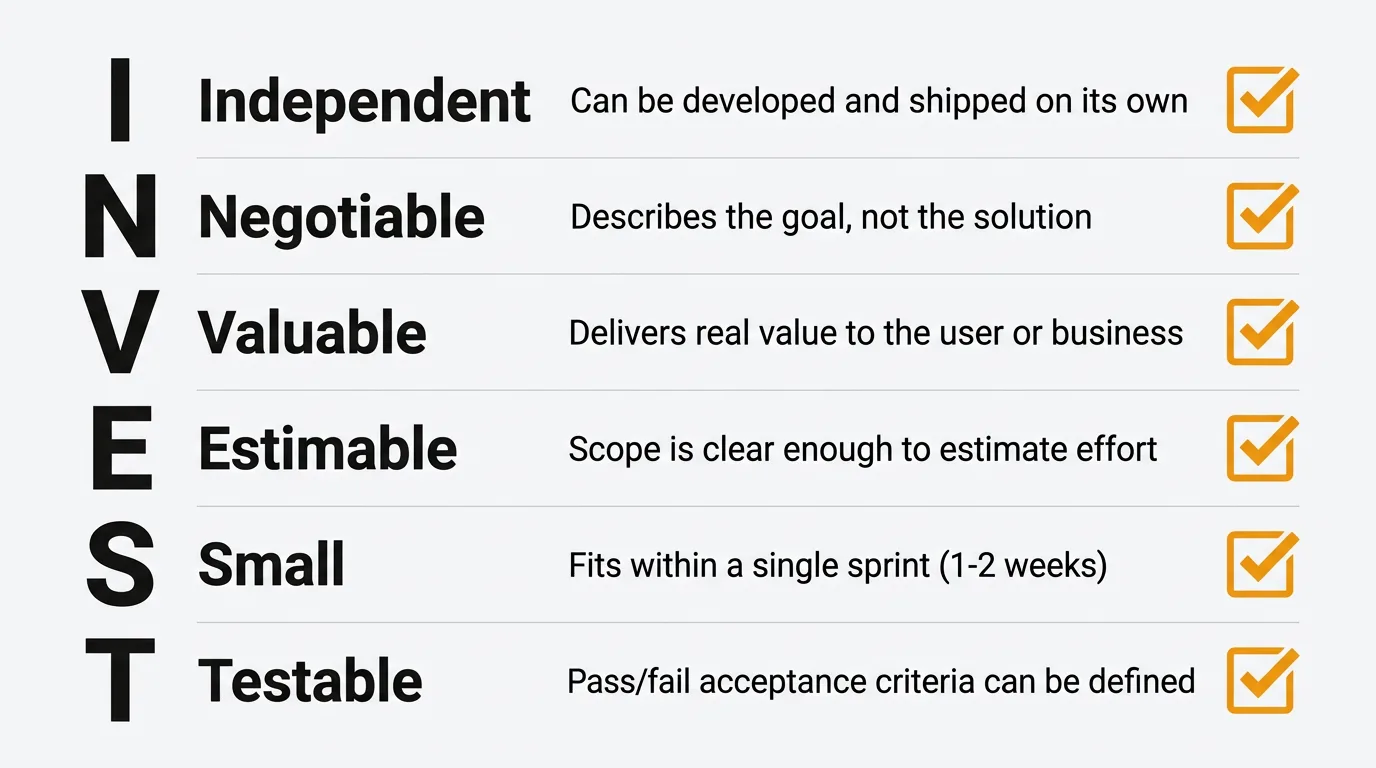
Good user stories follow the INVEST framework:
| Criterion | What it means | How to check |
|---|---|---|
| Independent | The story can be developed without depending on other stories | Can it be built and shipped on its own? |
| Negotiable | The implementation details are open for discussion | Does the story describe the goal, not the solution? |
| Valuable | The story delivers value to the user or business | Does the "so that" clause describe real value? |
| Estimable | The team can estimate the effort required | Is the scope clear enough to assign story points? |
| Small | The story fits within a single sprint | Can it be completed in 1-2 weeks? |
| Testable | You can write acceptance criteria for it | Can you define pass/fail conditions? |
If a story fails any of these tests, it needs refinement. The most common failures are stories that are too large (not Small) and stories that describe a solution instead of a goal (not Negotiable).
Splitting large stories
When a story is too large for a sprint, it is an epic that needs to be split into smaller stories. Here are practical splitting patterns:
By user workflow step:
Epic: "As a user, I want to manage my subscription"
Split into:
- As a user, I want to view my current plan and billing details
- As a user, I want to upgrade to a higher plan with prorated billing
- As a user, I want to downgrade to a lower plan at the end of my billing period
- As a user, I want to cancel my subscription with a confirmation step
By user role:
Epic: "As a user, I want to manage team members"
Split into:
- As an admin, I want to invite new team members by email
- As an admin, I want to change a team member's role
- As a member, I want to leave a workspace
By data variation:
Epic: "As a user, I want to export data"
Split into:
- As a user, I want to export data as CSV
- As a user, I want to export data as PDF
- As a user, I want to schedule recurring exports
From customer feedback to user stories
Feature requests submitted through a feedback board are user stories waiting to be formalized. The translation is often straightforward:
Feedback submission: "It would be great if I could see which features my team voted for. Right now I have to check each person individually."
User story: As a team admin, I want to see a summary of my team's votes across all feature requests, so that I can understand our collective priorities without checking each person's profile individually.
The feedback provides the persona (team admin), the goal (see team votes), and the reason (understand collective priorities). Your job is to formalize the language and validate that the stated problem represents broader demand — which is what vote counts on a feedback board tell you.
When multiple users submit variations of the same request, the combined feedback reveals the user story more clearly than any single submission. Five people asking for "team analytics" in different words tells you the story is about visibility into team activity, not a specific chart or dashboard.
Quackback is an open-source feedback board (AGPL-3.0) built for this workflow. Its MCP server lets you query feedback from an AI assistant, so you can turn the top-voted requests into draft user stories without copy-pasting between tools. You can invite your whole team to read and vote on feedback.
Common mistakes
Omitting the "so that" clause. Without the reason, engineering cannot make trade-off decisions. "I want to export data" could mean exporting to CSV for Excel, exporting to JSON for API consumption, or exporting to PDF for a presentation. The reason narrows the scope.
Writing solutions instead of goals. "I want a dropdown menu" is a UI specification, not a user story. "I want to filter my view by project" is a goal that might be implemented as a dropdown, a sidebar filter, a search bar, or something else entirely.
Using "as a user" for every story. If the persona is always "user," you are not distinguishing between different user types with different needs. An admin story and a viewer story have different constraints even if the feature overlaps.
Making stories too large. If a story takes more than two weeks to complete, it is too large. Split it using the patterns above. Large stories hide complexity and make estimation unreliable.
Writing acceptance criteria into the story. The story describes the goal. Acceptance criteria describe the conditions for completion. Keep them separate so the story stays concise and the criteria stay testable.
Try Quackback — open source with a managed cloud option. Start free. Get started | View on GitHub
Frequently asked questions
How long should a user story be?
One to two sentences. The story itself is deliberately concise — it is a placeholder for a conversation, not a specification document. Details belong in acceptance criteria and design documents, not in the story.
Who writes user stories?
The product manager writes most user stories, but anyone can contribute. Engineering, design, support, and sales teams all observe user needs that should become stories. The PM's role is to validate, prioritize, and ensure stories follow a consistent format.
How many user stories should be in a sprint?
Enough to fill the team's capacity based on story point estimates, typically five to fifteen stories depending on team size and story complexity. The number matters less than whether each story is small enough to complete within the sprint.
Should user stories include technical details?
No. User stories describe what the user needs, not how to implement it. Technical details belong in implementation notes, architecture documents, or spike stories. Keeping stories non-technical ensures they remain negotiable and focused on user value.
How do user stories relate to feature requests?
A feature request is a raw expression of user need; a user story is the formalized version naming the persona, goal, and reason. Requests collected on a feedback board are the input, and stories are the output. Converting one means validating demand, clarifying the problem, and scoping the smallest valuable story.

Authored by James Morton
Founder of Quackback. Building open-source feedback tools.
Try Quackback
The open-source feedback platform. Boards, voting, and roadmaps.
Get startedStar on GitHub305