
Your customers are already telling you what they want. The problem is they are telling you in Slack, and nobody is writing it down.
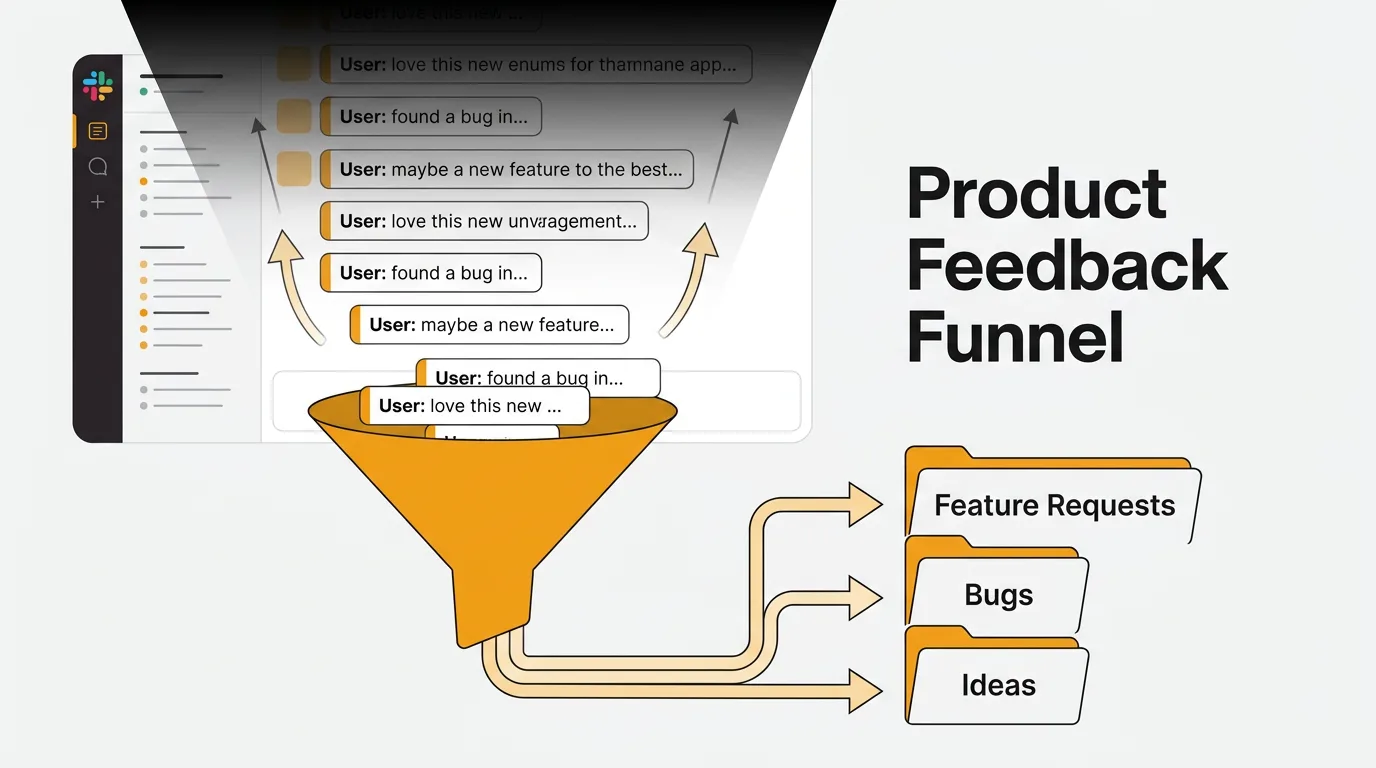
A customer mentions a missing integration in a shared channel. A sales rep pastes a deal-losing objection into a DM. A support engineer flags a recurring complaint in a thread that gets twelve replies and zero follow-up. By next week, all three are buried under thousands of new messages. The feedback still exists somewhere in Slack's search index, but practically speaking, it is gone.
This is not a discipline problem. It is a structural one. Slack was built for conversation, not for collecting and organizing product signals. If you want to use Slack as a feedback channel — and you should, because that is where your team already talks to customers — you need a system that pulls feedback out of the stream before it disappears.
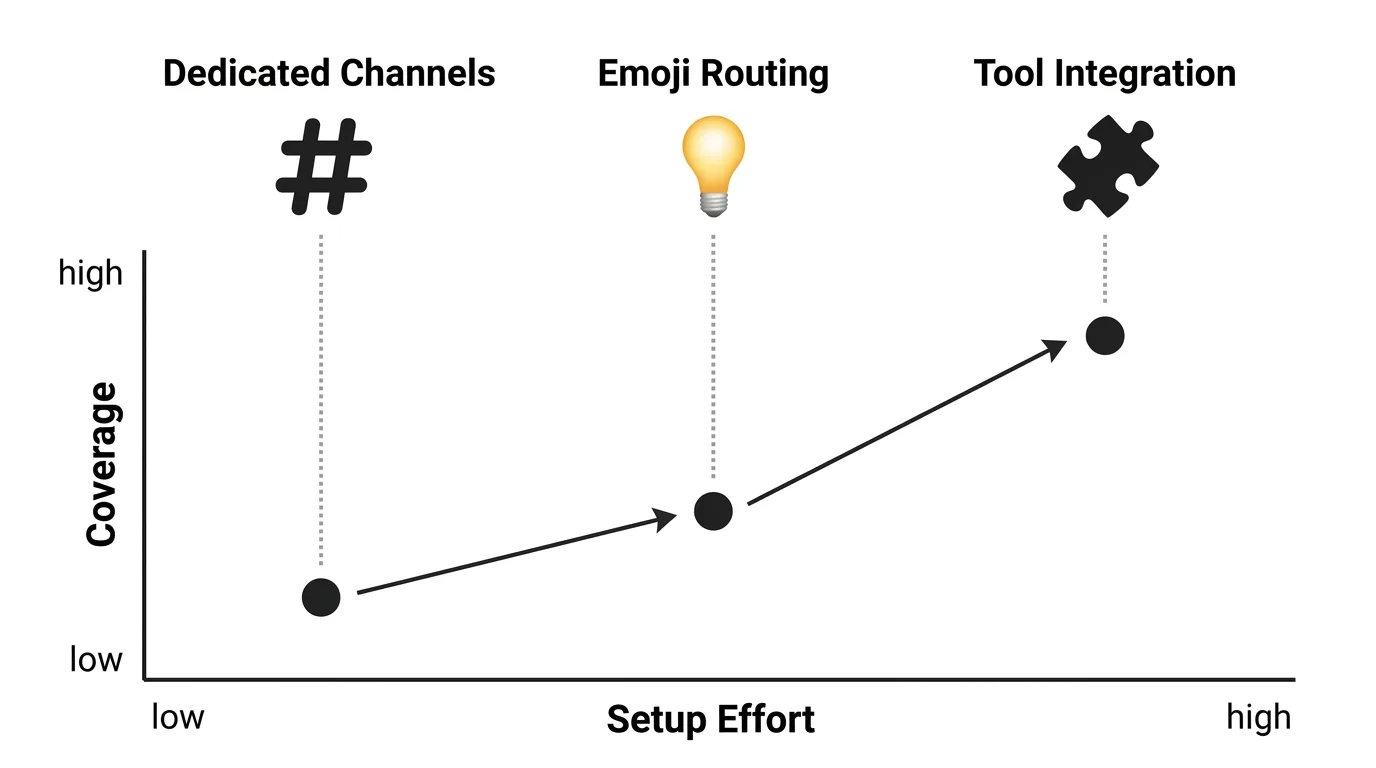
To collect customer feedback in Slack without losing it, you need a way to pull signals out of the conversation stream and into a structured system. Three approaches work: dedicated feedback channels with workflow forms, emoji-triggered routing that captures messages from any channel, and a feedback tool integration that automatically creates trackable, deduplicated requests. For teams past 50 feedback messages a month, a tool integration is the most reliable because it survives across channels and DMs.
Why feedback gets lost in Slack
The volume problem. Active Slack users send dozens of messages a day. Across an organization, that adds up to thousands of messages flowing through channels every hour. Feedback is a tiny fraction of that volume, and there is no native way to distinguish a feature request from a meeting reminder.
The fragmentation problem. Your CS team has a channel. Sales has a channel. Support has a channel. Each one generates customer signals daily, but none of them talk to each other. CS mentions three customers found onboarding confusing. Sales mentions two deals fell through because onboarding looked complicated in the demo. Support closed 40 tickets tracing back to the same onboarding step. Nobody connects the dots because the feedback lives in three different places.
The DM problem. A large share of Slack activity happens in direct messages and private channels rather than public ones. When a customer shares critical feedback in a DM with an account manager, that insight is invisible to the product team.
The "eyes emoji" problem. Someone reacts with an eyes emoji or writes "interesting, let me flag this." The conversation moves on. Nobody follows up. The feature request is still not built two months later. Emoji reactions feel like action, but they are acknowledgement without accountability.
Three approaches to capturing Slack feedback
1. Dedicated feedback channels with workflow forms
The simplest approach is to create structured channels — #feature-requests, #bug-reports, #customer-feedback — and use Slack's Workflow Builder to replace free-text messages with intake forms.
A workflow form captures structured fields: customer name, product area, request type, and description. This is already better than a wall of unformatted messages because it forces the submitter to categorize their feedback before posting.
How to set it up:
- Create channels with clear naming conventions and a consistent prefix like
#feedback- - Pin submission guidelines explaining how to use the form, what qualifies as feedback, and expected response times
- Build a Workflow Builder form that posts structured submissions to the channel
- Assign a weekly rotation for someone to review and route submissions
Where it breaks down: This approach depends on people using the form every time. In practice, they do not. Someone will drop a quick message instead of clicking through the workflow, and you are back to unstructured text. It also does nothing about feedback shared in other channels or DMs. You are only capturing what people deliberately route to your feedback channel.
Best for: Small teams with low feedback volume where one person can manually review submissions weekly.
2. Emoji-triggered routing
A step up from dedicated channels: configure automations that trigger when someone reacts to any message with a specific emoji. When a team member spots customer feedback in any channel, they react with a designated emoji (like :feedback: or :bulb:), and an automation captures the message and routes it to a tracker.
This works across all channels, not just dedicated feedback channels. It turns every team member into a feedback sensor without requiring them to copy-paste messages or fill out forms.
How to set it up:
- Create a custom emoji (
:feedback:) that signals "this is a product signal" - Build a Slack workflow triggered by that emoji reaction
- Route captured messages to a spreadsheet, Notion database, or feedback tool
- Include the original message link so reviewers can see the full context
Where it breaks down: It still requires someone to notice and tag the feedback. DM feedback stays invisible. And emoji routing creates a flat list with no deduplication — if five people share the same request in different channels and all get tagged, you have five entries for one request.
Best for: Mid-size teams where feedback appears across many channels and you need lightweight capture without changing how people communicate.
3. Dedicated tool integration with automatic routing
The most reliable approach is to connect Slack to a feedback management tool that automatically creates trackable requests from Slack messages. Instead of relying on manual tagging or dedicated channels, the integration pulls feedback directly into a system designed for organizing, deduplicating, and prioritizing it.
This solves the core problem: feedback stays in Slack for the conversation, but a structured copy lives in a tool where it can be voted on, categorized, linked to roadmap items, and tracked to resolution.
How to set it up:
- Connect your feedback tool's Slack integration to relevant channels
- Configure routing rules: which channels map to which boards or categories
- Team members forward messages to the tool with a shortcut or slash command
- The tool deduplicates incoming requests and merges them with existing ones
Quackback's Slack integration supports multi-channel routing. When a team member spots feedback in any Slack channel, they can forward it to Quackback with a shortcut. The message becomes a post on your feedback board, where it can be voted on, commented on, and tracked through your public roadmap. If a similar request already exists, you see it immediately instead of creating a duplicate.
Because Quackback is open source (AGPL-3.0), you can route every person on your team through Slack. It runs as managed Quackback Cloud or self-hosted for free. And the built-in MCP server lets you query and triage that captured Slack feedback from an AI assistant, with built-in AI summaries.
Best for: Any team that wants to capture feedback systematically without changing how people use Slack.
How to choose the right approach
| Approach | Effort | Coverage | Deduplication | Scale |
|---|---|---|---|---|
| Dedicated channels + forms | Low | Single channel only | None | Small teams |
| Emoji-triggered routing | Medium | All public channels | None | Mid-size teams |
| Tool integration | Medium | All channels + shortcuts | Automatic | Any team size |
Start with approach 1 if you have fewer than 50 feedback messages per month. Move to approach 2 or 3 when you notice feedback slipping through the cracks — duplicate requests appearing that nobody connected, or customer complaints surfacing in retros that the product team never saw.
Setting up a triage workflow
Capturing feedback is half the problem. The other half is making sure someone actually reviews it. Without a triage process, your feedback tracker becomes another inbox that nobody checks.
Assign a weekly owner. Rotate responsibility for reviewing new feedback across the product team. One person reviews, categorizes, and routes everything that came in that week. This takes 30 minutes for most teams.
Categorize immediately. Every piece of feedback should get a type (feature request, bug report, UX issue, question) and a product area. If you cannot categorize it, you do not have enough context — go back to the original Slack thread and ask.
Merge duplicates. Multiple customers asking for the same thing is the strongest signal you can get. But only if you recognize it as one request with multiple voices, not five separate entries. Deduplication is where AI-powered feedback tools earn their keep.
Close the loop. When you build something a customer asked for, tell them. When you decide not to build something, explain why. Customers who feel heard keep giving feedback. Customers who feel ignored stop — and then they churn. Research shows 79% of consumers who tried to share feedback about a poor experience were ignored.
Common mistakes
Treating Slack as your system of record. Slack is a communication tool, not a feedback database. Use it as an input channel, not a storage system. Feedback that stays in Slack is feedback that gets lost.
Creating too many channels. Channel sprawl is as bad as having no channels at all. If 80% of your feedback channels are dead, people stop trusting the system and go back to DMs. Start with one or two channels and expand only when volume justifies it.
No ownership. If nobody is explicitly responsible for reviewing and routing feedback from Slack, nobody will do it. Assign ownership, even if it rotates weekly.
Ignoring DMs and private channels. Some of your most valuable feedback lives in DMs between account managers and customers. Build a culture where team members forward relevant DM feedback to the shared system, whether that is a channel, a form, or a tool integration.
Collecting without acting. The fastest way to kill a feedback program is to collect feedback and never do anything with it. If your team stops seeing feedback turn into product changes, they stop submitting it. If your customers stop seeing their requests acknowledged, they stop sharing. Most brands hear from fewer than 1% of their customers in the first place — do not give them a reason to stop.
If you are weighing a dedicated tool, it is worth comparing options side by side — see how Quackback stacks up against Canny and Featurebase, or read the docs to see how the Slack integration works end to end.
Try Quackback — open source with a managed cloud option. Start free. Get started | View on GitHub
Frequently asked questions
How do I get my team to actually use a Slack feedback workflow?
Make it easier than the alternative. If submitting feedback through your workflow takes more effort than dropping a message in a channel, people will drop a message in a channel. Use Slack shortcuts and slash commands that take under ten seconds. And visibly act on what comes in — when people see their submissions turn into shipped features, they submit more.
Should I use a dedicated Slack channel or integrate with a feedback tool?
Dedicated channels work for small teams with low volume. Past 50 feedback messages per month, or when feedback spans multiple channels, a tool integration saves time on deduplication and routing. The two are not mutually exclusive: many teams keep a channel for visibility and a tool for tracking.
How do I handle feedback that comes through Slack DMs?
You cannot automate DM capture without significant privacy concerns. Instead, build a team norm: when someone receives product feedback in a DM, they forward it to the shared feedback channel or tool using a Slack shortcut. Make this a one-click action, and it becomes habit within a few weeks.
What about feedback from Slack Connect channels with external customers?
Slack Connect channels are one of the best sources of unfiltered customer feedback because conversations happen naturally. Apply the same emoji-tagging or tool-integration approach to these channels. The key difference is sensitivity — external channels may require more careful handling of who sees the feedback and how it is categorized.
How often should I review Slack feedback?
Weekly at minimum. Daily if your volume is high or you are in a rapid iteration phase. The longer feedback sits unreviewed, the more likely it is to become stale or get duplicated. A dedicated 30-minute weekly review session works for most teams under 100 feedback messages per month.

Authored by James Morton
Founder of Quackback. Building open-source feedback tools.
Try Quackback
The open-source feedback platform. Boards, voting, and roadmaps.
Get startedStar on GitHub305