
ClickUp is an all-in-one project management platform used by teams of every size. It covers task management, docs, whiteboards, goals, time tracking, and dashboards in a single workspace. Since launching in 2017, it has grown into one of the most feature-dense tools in the category.
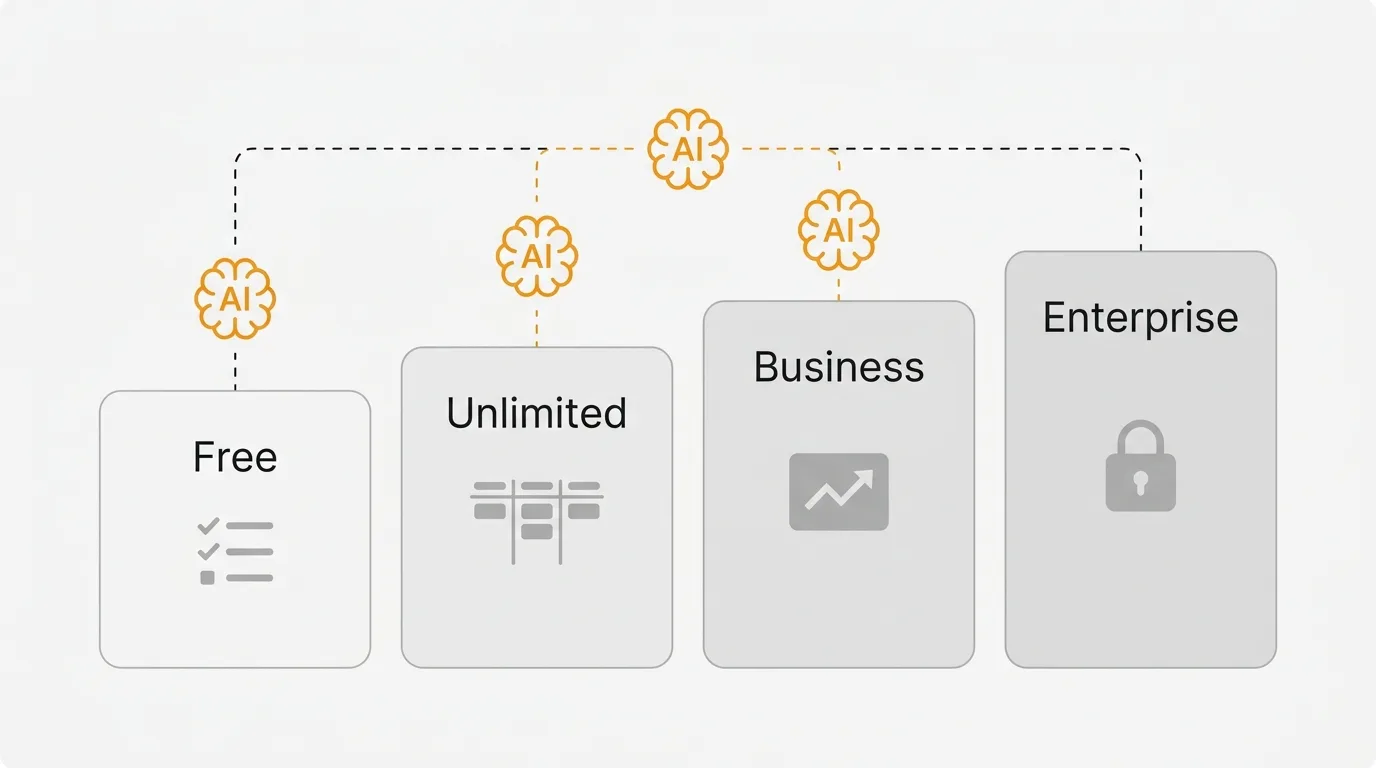
ClickUp pricing has two billing layers: workspace plans (from free to Enterprise, paid plans starting at $7/user/month billed yearly) and Brain AI plans (sold separately at $9 or $28/user/month). A 50-person team on Business plus Everything AI pays roughly $2,000/month before credit overages, and the workspace-wide upgrade requirement means one person needing Business features moves everyone to Business pricing. Budget for both layers before you commit.
Pricing last verified March 2026. Vendors may change plans and pricing without notice. Check ClickUp's pricing page for the latest figures.
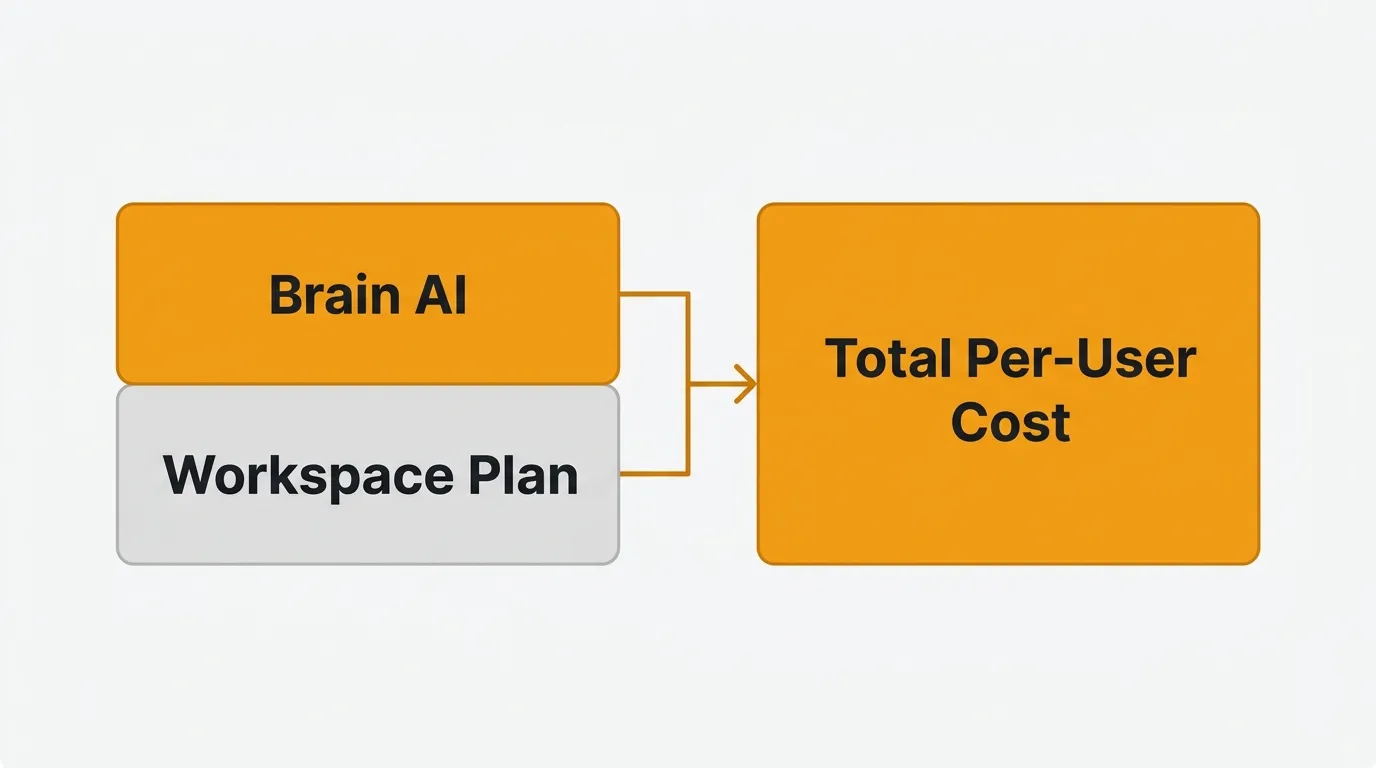
ClickUp's pricing has two layers: workspace plans and Brain AI plans. They are billed separately. This matters because the sticker price on a workspace plan does not include AI, and the AI add-on can more than double your per-user cost. If you are evaluating ClickUp in 2026, you need to understand both layers to calculate your actual spend.
If you use ClickUp for project management and need a dedicated feedback and roadmap tool, you may also want to read our feedback tool pricing comparison to understand that part of the stack.
ClickUp's workspace plans
ClickUp offers four main workspace tiers plus a Business Plus tier that sits between Business and Enterprise. Every member of your workspace must be on the same plan — you cannot mix and match.
| Plan | Monthly (annual billing) | Monthly (month-to-month) | Key Features |
|---|---|---|---|
| Free Forever | $0 | $0 | 60MB storage, unlimited tasks, basic custom fields, 1 form, kanban boards |
| Unlimited | $7/user/mo | $10/user/mo | Unlimited storage, Gantt charts, integrations, custom fields, time tracking, goals |
| Business | $12/user/mo | $19/user/mo | Unlimited dashboards, timeline views, webhooks, 5K automations/month, sprint reporting |
| Business Plus | $19/user/mo | $29/user/mo | Custom roles, 50K automations/month, subtasks in multiple lists, priority support |
| Enterprise | Custom | Custom | SAML SSO, audit logs, 250K automations/month, custom branding, HIPAA/MSA available |
A few things to note about each tier.
The Free Forever plan caps you at 60MB of storage across the entire workspace. That is not a typo — a single PDF could eat a large chunk of it. Unlimited tasks and unlimited free members sound generous, but the storage limit and the restriction to 1 form and basic custom fields make this a trial, not a real working environment.
The Unlimited plan at $7/user/month (annual) is the first viable tier for most teams. It unlocks unlimited storage, integrations, time tracking, and Gantt charts. If you are paying monthly instead of annually, expect $10/user/month — a 30% premium.
The Business plan at $12/user/month (annual) adds dashboards, automations (5,000/month), and sprint reporting. This is where most mid-size teams land because automations and advanced reporting are table-stakes for growing teams.
The Business Plus plan at $19/user/month (annual) is not always prominently displayed on ClickUp's pricing page but exists in their documentation. It adds custom role creation, subtasks in multiple lists, 50,000 automations per month (a 10x jump from Business), and priority support. If you need granular permissions or heavy automation, this is the tier to evaluate before jumping to Enterprise.
Enterprise pricing is custom and negotiated directly with sales. It includes SAML SSO, audit logs, 250,000 automations per month, custom branding, and compliance features (HIPAA, MSA). Industry data suggests Enterprise contracts land around $25-$40/user/month depending on seat count and negotiation.
The workspace-wide upgrade requirement is the most important thing to understand about ClickUp pricing. If one person on your team needs Business-tier features like automations or sprint reporting, your entire workspace moves to Business. You cannot put a few users on Unlimited and a few on Business. This means one team's requirements dictate the cost for the entire organization.
ClickUp Brain AI pricing
Brain AI is a separate product line with its own pricing. It is not included in any workspace plan. You buy it on top of whatever workspace tier you are on. This two-layer billing model is the single biggest source of confusion in ClickUp pricing.
| Brain AI Plan | Monthly Price | Key Features |
|---|---|---|
| Free | $0 | Trial access to AI |
| Brain AI | $9/user/mo | Unlimited assistant, @Brain Agent, AI chat (ChatGPT, Gemini, Claude), enterprise search, 1,500 AI Super Credits/month |
| Everything AI | $28/user/mo | All Brain AI features + ambient answers, talk-to-text, notetaker, image generation, AI automations, AI fields, 5,000 AI Super Credits/month |
The free AI tier gives you trial access only — enough to test the feature, not enough to rely on it. Brain AI is only available on paid workspace plans. You cannot add it to the Free Forever workspace.
The Brain AI plan at $9/user/month includes the core assistant, the @Brain Agent for searching across your workspace, and AI chat with access to multiple model providers (ChatGPT, Gemini, Claude). You get 1,500 AI Super Credits per month per user.
Everything AI at $28/user/month is ClickUp's recommended tier and the one they push hardest. It adds ambient answers (AI that proactively surfaces relevant information), talk-to-text transcription, an AI notetaker for meetings, image generation, and AI-powered custom fields. The credit allowance increases to 5,000 AI Super Credits per month per user.
AI Super Credits are the usage-based component. Credits are consumed when you use AI features beyond the basics. Additional credits cost $0.001 per credit, or $10 for 10,000 credits. The costs seem small per credit, but they accumulate across a team. A 50-person team on Everything AI gets 250,000 credits per month. If your team is running AI automations, generating content, and using the notetaker daily, you can burn through that allocation. There is no hard cap — overages are billed automatically to your account.
Brain AI is billed per paid user seat, not per actual user of AI features. If you enable Everything AI for your workspace, every paid member pays $28/month for the AI add-on whether they use it or not. You cannot selectively enable AI for just the team members who need it.
ClickUp pricing at scale
The real cost of ClickUp is workspace plan + Brain AI plan per user. Here is what that looks like at different team sizes, all on annual billing.
| Team Size | Business Only | Business + Brain AI | Business + Everything AI |
|---|---|---|---|
| 10 users | $120/mo ($1,440/yr) | $210/mo ($2,520/yr) | $400/mo ($4,800/yr) |
| 25 users | $300/mo ($3,600/yr) | $525/mo ($6,300/yr) | $1,000/mo ($12,000/yr) |
| 50 users | $600/mo ($7,200/yr) | $1,050/mo ($12,600/yr) | $2,000/mo ($24,000/yr) |
| 100 users | $1,200/mo ($14,400/yr) | $2,100/mo ($25,200/yr) | $4,000/mo ($48,000/yr) |
| 200 users | $2,400/mo ($28,800/yr) | $4,200/mo ($50,400/yr) | $8,000/mo ($96,000/yr) |
All prices reflect annual billing on the Business workspace plan ($12/user/mo).
The numbers tell the story. At 50 users on the Business plan alone, you pay $600/month. Add Everything AI and that becomes $2,000/month — a 233% increase. The AI add-on pushes per-user cost from $12 to $40 per month.
At 200 users on Business + Everything AI, you are spending $96,000 per year. That puts ClickUp in the same price range as enterprise tools that include AI in the base price. For comparison, a 200-person team on Jira Standard at $7.53/user/month would pay roughly $18,072/year — though Jira charges extra for its own AI and marketplace add-ons.
These figures do not include AI Super Credit overages. A 50-person team on Everything AI gets 250,000 credits per month. Heavy AI usage — automations, content generation, meeting notetaker — could add $100-$500/month on top of the base price depending on usage patterns.
Enterprise pricing is custom. If you need SAML SSO, HIPAA compliance, or more than 250,000 automations per month, you will need to contact sales. Industry data from Spendbase suggests Enterprise contracts typically land at $25-$40/user/month, and standard negotiated discounts of 20-25% off list pricing are common.
How to save on ClickUp
There are concrete steps you can take to reduce your ClickUp bill.
Audit your seat count before renewal. ClickUp charges for every active member — owners, admins, members, and limited members all count as paid seats. Run a usage audit before your annual renewal. Remove inactive users, convert rarely-active members to guests where possible, and eliminate duplicate accounts. On a team of 50 or more, trimming even a handful of unused seats can save thousands of dollars a year.
Start with annual billing. The difference between monthly and annual billing is significant. On the Business plan, monthly billing costs $19/user/month versus $12/user/month annually — a 37% premium for flexibility. If you are confident in the tool, commit annually from the start.
Control Brain AI adoption. Brain AI is billed per seat, not per actual AI user. If only 10 of your 50 team members actively use AI, you are paying for 40 unused AI seats. Consider whether the AI add-on is worth it for your entire workspace or if a standalone AI tool (ChatGPT, Claude) would be cheaper for the few people who need it.
Negotiate at renewal. Industry data suggests standard negotiated discounts of 20-25% off list pricing are achievable. Larger organizations can push for more. Time your negotiations near the end of ClickUp's fiscal quarter for better leverage.
Consider Business Plus before Enterprise. The jump from Business (5,000 automations/month) to Enterprise (250,000 automations/month) is a large cost increase. Business Plus at $19/user/month gives you 50,000 automations/month — a 10x increase over Business — which may be enough for your needs without the Enterprise price tag.
Hidden costs to consider
The sticker price on ClickUp's pricing page does not tell the full story. Here are the costs that catch teams off guard.
Brain AI more than doubles your per-user cost. The workspace plan and AI plan are billed separately, but both charge per user. A Business plan user at $12/month becomes a $21/month user with Brain AI, or a $40/month user with Everything AI. The AI add-on is where ClickUp's pricing gets expensive fast. As of early 2026, competitors like Asana (which includes core AI on paid plans) and Linear (which includes AI agents on all plans) bundle AI into their base pricing, while ClickUp treats AI as a premium upsell.
Workspace-wide upgrades are mandatory. Every member of your workspace must be on the same plan. If one team needs Business-tier automations, your entire organization upgrades. A 100-person company where only 10 people need automations still pays Business pricing for all 100. This is the single most expensive gotcha in ClickUp's model.
Automation limits create cliff pricing. The Business plan includes 5,000 automations per month. Business Plus includes 50,000. Enterprise includes 250,000. If you hit the Business cap, your automations stop running until the next billing cycle or you upgrade. For teams that rely heavily on automation workflows, this ceiling can force an expensive tier jump — and the jump from Business to Business Plus is $7/user/month for every seat in your workspace.
Monthly billing is 30-45% more expensive. The prices most often quoted are annual billing rates. If you pay monthly, Unlimited jumps from $7 to $10/user/month, Business from $12 to $19/user/month, and Business Plus from $19 to $29/user/month. A 50-person team on monthly Business billing pays $11,400/year instead of $7,200/year — a $4,200 premium for the flexibility to cancel.
Free plan storage is 60MB. The free plan gives you 60 megabytes of storage across your entire workspace. A single design file or screen recording exceeds that. The free plan is a demo, not a working environment.
AI Super Credit overages have no cap. Credits cost $0.001 each. The costs are small per credit, but they accumulate across teams without any spending limit. Overages are billed automatically — there is no alert threshold or hard cap to prevent surprise charges.
ClickUp alternatives
If ClickUp's pricing does not fit your budget, or if the two-layer billing model is more complexity than you want, here are alternatives worth considering.
Asana
Asana offers a free plan for up to 10 users and paid plans starting at $10.99/user/month (Premium). It covers task management, timelines, portfolios, and workflow builder. AI features (Asana Intelligence) are included on paid plans without a separate add-on — a meaningful cost advantage over ClickUp's layered AI billing. The trade-off is fewer built-in features compared to ClickUp — no native docs, whiteboards, or time tracking.
Monday.com
Monday.com starts at $9/seat/month (Basic) and goes up to $19/seat/month (Pro). It is strong on visual project management with customizable boards and dashboards. AI features are available as an add-on. Like ClickUp, the per-seat pricing can get expensive at scale, but Monday.com's minimum seat requirement (3 seats on paid plans) means solo users pay more than expected.
Linear
Linear focuses on product development teams. Pricing starts at $10/user/month (Basic, billed annually) with a free plan that includes unlimited members but limits you to 250 issues and 2 teams. It is opinionated toward engineering workflows — issues, cycles, roadmaps — rather than being an all-in-one workspace. AI agents are included on all plans at no extra cost. If your use case is software development, Linear is worth evaluating.
Jira
Jira's free plan supports up to 10 users with most features included. Standard starts at $7.53/user/month billed annually. It is far more customizable than ClickUp but also more complex. For teams that need deep workflow customization or enterprise compliance features, Jira is the more established choice. Read our Jira pricing breakdown for details.
Quackback for the feedback layer
If you use ClickUp for project management but need a dedicated feedback and roadmap tool, Quackback covers that layer. Quackback is open source (AGPL-3.0) and self-hosted for free, with a managed Quackback Cloud if you would rather not run it yourself. Adding teammates does not trigger the workspace-wide upgrades ClickUp requires. Its AI features are built in.
You get feedback boards, voting, public roadmaps, and changelogs, plus an MCP server that lets AI assistants read and triage feedback directly. Quackback has a native ClickUp integration so feature requests flow into your ClickUp workspace as tasks. You get the feedback collection ClickUp does not provide, connected to the project management ClickUp does well.
Try Quackback — open source with a managed cloud option. Start free. Get started | View on GitHub
Frequently asked questions
Does ClickUp have a free plan?
Yes. ClickUp's Free Forever plan includes unlimited tasks, kanban boards, and basic custom fields. The limitations are significant: 60MB storage and 1 form. It is best suited for personal use or a quick evaluation. Most teams will need the Unlimited plan at $7/user/month as a minimum.
Is ClickUp AI included in the workspace plans?
No. Brain AI is a separate product with its own pricing. The workspace plans (Free, Unlimited, Business, Business Plus, Enterprise) do not include AI features. You need to add Brain AI ($9/user/month) or Everything AI ($28/user/month) on top of your workspace plan. Brain AI is only available on paid workspace plans — you cannot add it to the Free Forever tier.
How much does ClickUp cost for 50 users?
On the Business plan with annual billing, 50 users cost $600/month ($7,200/year) for the workspace alone. Add Brain AI and it becomes $1,050/month ($12,600/year). Add Everything AI and it becomes $2,000/month ($24,000/year). Enterprise pricing is custom — contact sales for a quote. Negotiated discounts of 20-25% are common at this team size.
Can I put different users on different ClickUp plans?
No. ClickUp requires your entire workspace to be on the same plan. If one team member needs Business-tier features, every member of the workspace must upgrade to Business. This applies to both workspace plans and Brain AI plans.
What is the difference between monthly and annual billing?
Annual billing saves 30-45% depending on the plan. Unlimited is $7/user/month (annual) versus $10/user/month (monthly). Business is $12 versus $19. Business Plus is $19 versus $29. The savings are substantial, but annual billing requires an upfront commitment.
Does ClickUp offer a money-back guarantee?
Yes. ClickUp advertises a 100% money-back guarantee. If you are testing the platform, this reduces the risk of committing to an annual plan.
What is Business Plus and how does it differ from Business?
Business Plus ($19/user/month annual) sits between Business and Enterprise. It includes everything in Business plus custom role creation, 50,000 automations per month (versus 5,000 on Business), subtasks in multiple lists, custom capacity in workload view, and priority support. It is not always prominently displayed on the pricing page but is available through ClickUp's help center and sales team.

Authored by James Morton
Founder of Quackback. Building open-source feedback tools.
Try Quackback
The open-source feedback platform. Boards, voting, and roadmaps.
Get startedStar on GitHub262