
Feature prioritization is hard. Every sprint has more candidates than capacity, and every stakeholder has a different view of what matters most. MoSCoW gives you a simple, structured way to sort the essential from the optional before those debates start.
The method doesn't require a spreadsheet or a formula. It requires a shared vocabulary and a willingness to say no — at least for now.
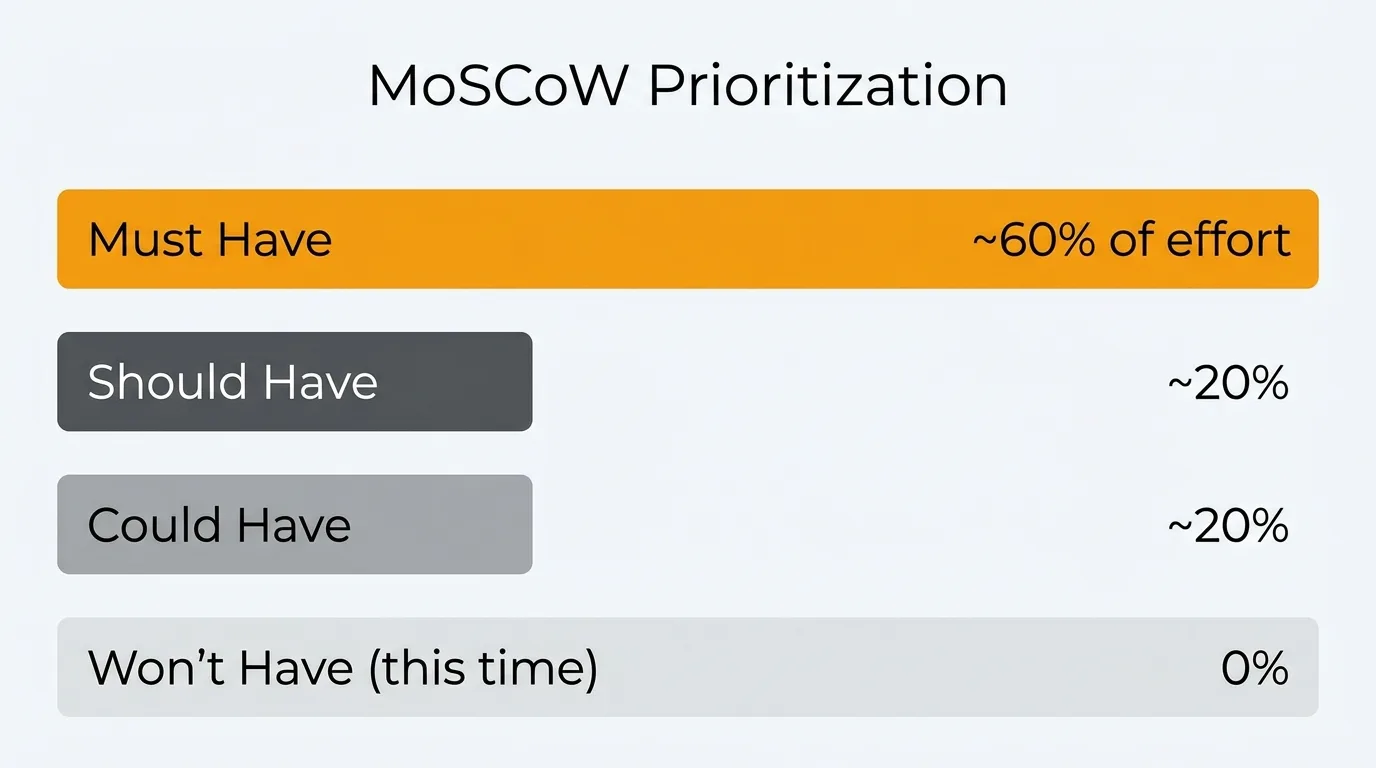
MoSCoW prioritization sorts features into four buckets — Must have, Should have, Could have, and Won't have (this time) — so a team agrees on what a release contains before planning starts. Musts are non-negotiable; Won'ts are explicitly out of scope. Use it to scope and align, then pair it with a numeric method like RICE to sequence the work inside each bucket.
What is MoSCoW prioritization?
MoSCoW is a prioritization method that sorts features into four categories: Must have, Should have, Could have, and Won't have. The name is an acronym formed from the first letter of each category, with the vowels added to make it pronounceable.
The method was created by Dai Clegg at Oracle in 1994 and later formalized as part of the Dynamic Systems Development Method (DSDM) agile framework. It was designed specifically for time-boxed delivery — situations where the scope must be adjusted to meet a fixed deadline or release window.
The core idea is simple. Not everything in your backlog is equally important. MoSCoW forces you to make that explicit before planning begins, rather than discovering it mid-sprint when the team runs out of time.
The four categories explained
Must have
Must-haves are non-negotiable. The product, release, or sprint does not work without them. If a Must is not delivered, the outcome is a failure.
When evaluating whether something is a Must, ask: would the product be unusable or unshippable without this? Would it violate a legal requirement, contractual obligation, or critical safety standard? If the answer is yes, it is a Must.
Must-haves typically account for around 60% of the total effort in a sprint or release. If your Musts already consume more than that, you need to either extend scope (add resources or time) or recategorize some items.
Examples:
- User authentication before launching a product with user accounts.
- A payment flow before going live with a paid tier.
- Compliance with GDPR data deletion requirements before launch in the EU.
- Core API endpoints a partner integration depends on for a committed launch date.
The discipline with Musts is resisting the urge to inflate them. When everything feels essential, nothing is. Treat "Must" as a high bar, not a default bucket.
Should have
Should-haves are important but not critical. The product ships without them, but their absence is noticeable. Users may be frustrated or need workarounds, but the core experience holds.
Should-haves are often features that would be Musts in an ideal world with unlimited time — but given constraints, they can be deferred to the next release without breaking anything.
These typically account for around 20% of total effort. If a Should slips, the team should flag it and plan to address it soon. Repeatedly deferring the same Should-haves is a sign they should be promoted to Must for the next cycle.
Examples:
- Email notifications when a user's request changes status.
- A keyboard shortcut for a common action used by power users.
- Sorting and filtering options on a list view where users can currently scroll to find items.
- A confirmation dialog before a destructive action (where the action is still possible without it).
Could have
Could-haves are nice to have. They improve the experience but have low effort relative to their benefit, or they're low stakes enough that skipping them causes minimal friction.
These are the first things to cut when the sprint is at risk. They're also where unexpected delight often lives — small touches that users appreciate even though they never explicitly requested them.
Could-haves also account for roughly 20% of effort. In practice, many Coulds never ship in the sprint they were planned for. That's by design. They act as a buffer: if the team has capacity, they pull Coulds forward; if not, they drop without consequence.
Examples:
- A hover tooltip explaining a setting that most users understand intuitively.
- Animated transitions between views.
- A "copy link" button on a record that users can also copy from the browser URL bar.
- An optional onboarding video for a feature that already has inline documentation.
Won't have (this time)
Won't-haves are explicitly out of scope for the current sprint or release. "Won't" does not mean "never." It means "not now, and we've agreed on that."
This category is the most underused — and the most valuable. An explicit Won't list prevents scope creep, sets expectations with stakeholders, and reduces the background pressure on the team to somehow fit everything in.
When you write down what you're not doing, you make a decision. That decision is communicated, documented, and no longer an open question. The team can focus.
Examples:
- A mobile app when the team is shipping a web MVP.
- Multi-language support in a product's first international market before validating demand.
- An advanced analytics dashboard when you're shipping basic reporting first.
- A public API when internal integrations are not yet stable.
Revisit your Won't list at the start of each planning cycle. Items may move into Should or Must as the product matures or as user demand grows.
MoSCoW vs other prioritization frameworks
MoSCoW is not the only way to prioritize. Here's how it compares to the alternatives most product teams use.
| Framework | Output | Best for | Limitation |
|---|---|---|---|
| MoSCoW | Category buckets | Stakeholder alignment, sprint scoping | No ranking within buckets |
| RICE | Numeric score | Comparing features objectively | Requires data for reliable inputs |
| ICE | Numeric score | Fast, lightweight scoring | No Reach component; less rigorous |
| Value/Effort | 2x2 matrix | Quick visual triage | Oversimplifies complex trade-offs |
| Kano model | Satisfaction categories | Strategic feature discovery | Requires user research; no build order |
| Weighted Scoring | Ranked list | When criteria importance varies | Setup overhead; can hide assumptions |
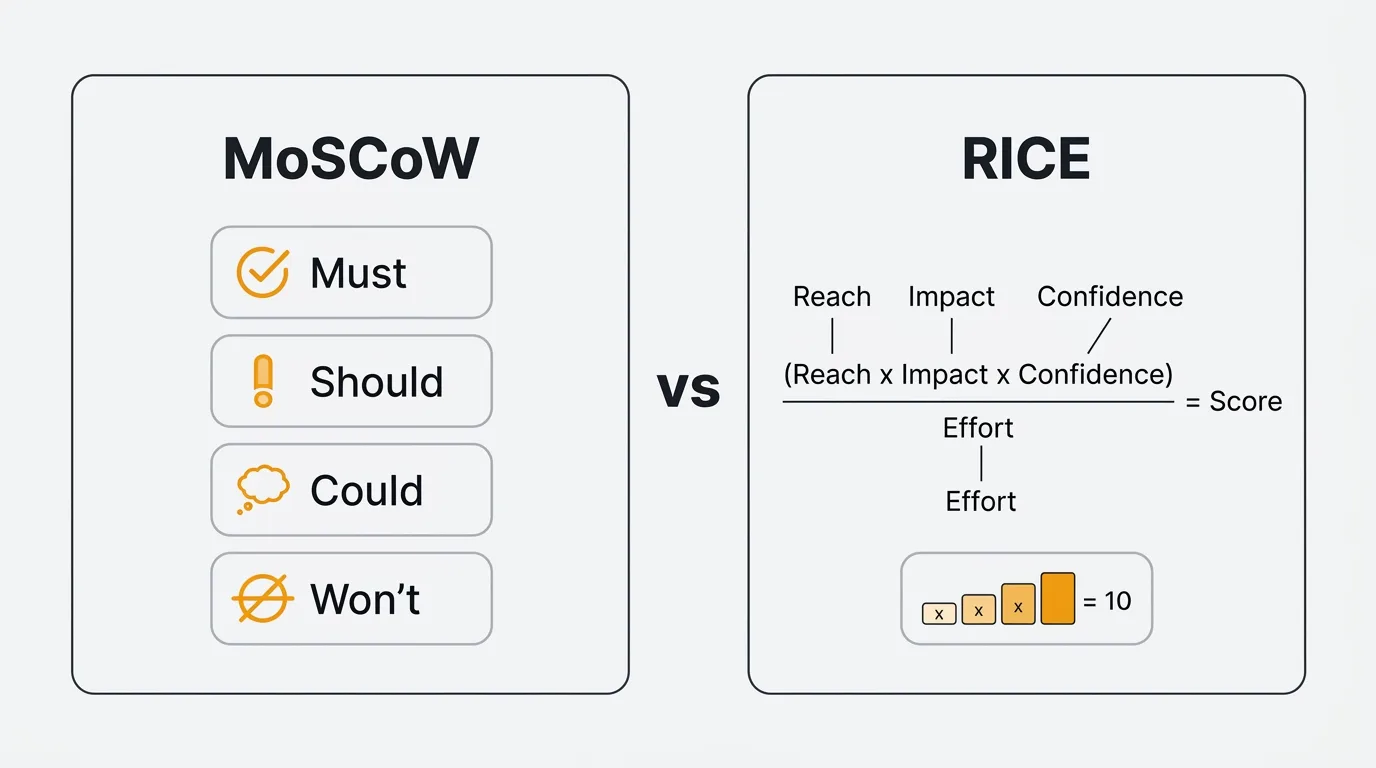
MoSCoW works best as a communication and scoping tool. It aligns teams and stakeholders on what a release contains before planning begins. It is not designed to rank features within a category — if you have 12 Musts and need to decide which three ship first, you still need a second method.
RICE is the better choice when you need a defensible, numeric ranking across your full backlog. The two frameworks are complementary: use MoSCoW to scope a release, then use RICE to sequence what you build within it.
Use ICE when you want the speed of a numeric score without the overhead of estimating Reach. Use a Value/Effort matrix for a quick visual triage during early brainstorming. Use the Kano model when you're doing discovery and want to understand how different feature types affect user satisfaction.
How to run a MoSCoW session
Step 1: List the features
Gather all candidate features for the release or sprint into a single list. This is your raw material. Include everything currently under consideration — don't pre-filter. If something is on someone's mind, it belongs in the session.
Step 2: Involve the right stakeholders
MoSCoW requires input from anyone who has a stake in the outcome: product managers, engineering leads, designers, and relevant business stakeholders. Keep the group small enough to move quickly — five to eight people is usually the right size.
Assign a facilitator whose job is to keep the session moving and prevent any single voice from dominating. The PM typically fills this role.
Step 3: Categorize collaboratively
Go through each feature as a group. For each item, ask: "Is this a Must, Should, Could, or Won't for this release?" Start with obvious Musts and Won'ts to anchor the conversation, then work through the contested items in the middle.
When there's disagreement, make it explicit. "You think this is a Must — what would break without it?" is a more productive question than debating in the abstract. Disagreements often reveal unstated assumptions about the product's goals or user expectations.
Set a time limit per item. No more than three to five minutes for contested features. If you can't resolve it quickly, park it and return at the end.
Step 4: Validate with data
After the initial categorization, check your decisions against available data. Do vote counts on your feature backlog support the Must classifications? Are the features in your Should bucket the ones users mention most in support tickets? Is the effort estimate for each category consistent with the 60/20/20 guideline?
Data doesn't override the group's judgment — but it should inform it. A feature everyone assumed was a low-priority Could might have 200 votes on your feedback board. That's worth knowing before you finalize the list.
Step 5: Document and communicate
Record every decision: the category, the rationale, and the evidence used. Distribute the output to the full team and any stakeholders who weren't in the room.
The Won't list is especially important to communicate. When a stakeholder asks about a feature they care about, "we discussed it and decided not to include it in this release because X" is a far better answer than silence or ambiguity.
Using feedback data in MoSCoW
One of the weakest points in any MoSCoW session is the evidence base for decisions. Teams often categorize features based on gut feel, recency bias, or whoever spoke loudest in the last meeting.
Feedback data changes that.
Vote counts on your feedback board directly inform Must and Should decisions. A feature with 300 votes from active users has a stronger claim to Must status than one mentioned twice in sales calls. Low vote counts on a feature you assumed was critical is a signal worth examining.
Support ticket frequency tells you what's causing friction right now. Features that resolve high-volume support issues belong in the Must or Should bucket — the data makes the case without debate.
User comments add qualitative signal to the quantitative. When users explain why they voted for something, you learn whether the underlying need is urgent or aspirational. "I can't complete my workflow without this" belongs in Must. "This would be convenient" belongs in Could.
Quackback's voting feature surfaces this data automatically. You can see vote counts, user comments, and request frequency in one place before your MoSCoW session starts. Instead of walking into a prioritization meeting with opinions, you walk in with evidence.
Because Quackback ships an MCP server, you can pull that same vote and comment data straight into an AI assistant during the session — ask it to draft a first-pass MoSCoW categorization from your live feedback, then have the group refine it. Quackback is open source (AGPL-3.0) and self-hosted, so every stakeholder in the room can have an account, and the categorized output can flow back into a public roadmap. See the docs for setup.
For more on the tools that support this kind of workflow, see best feature request tools and best feature voting tools.
MoSCoW template
Use this table to document the output of your MoSCoW session. One row per feature. Keep the rationale concise — one or two sentences is enough.
| Feature | Category | Rationale | Evidence |
|---|---|---|---|
| User authentication | Must | Product cannot function without login | Core requirement; no workaround |
| Email notifications on status change | Should | Users expect updates; workaround is manual refresh | 140 votes on feedback board |
| Keyboard shortcuts for common actions | Could | Useful for power users; standard users unaffected | Mentioned in 3 user interviews |
| Mobile app | Won't | Web-first release; mobile validated after web traction | Strategic decision; low current demand |
Copy this table into your planning documents, sprint retros, or roadmap documentation. The Evidence column is the one teams most often skip — and the one most worth filling in.
Common mistakes
Treating everything as a Must. When your Must list covers 80% of the planned work, MoSCoW stops functioning as a prioritization tool and becomes a rubber stamp for the existing plan. Force the question: "What actually breaks if we don't ship this?" If the answer is "nothing immediately," it's not a Must.
Skipping the Won't list. Teams that don't document Won'ts leave scope undefined. Undefined scope expands to fill available time. An explicit Won't list is how you prevent features from quietly reappearing in the sprint after they were cut.
Ignoring data. MoSCoW sessions based purely on stakeholder opinion reproduce existing biases. Vote counts, support volume, and user comments are available for most products — use them to pressure-test categorizations before they're finalized.
Setting it and forgetting it. Categories that made sense at the start of a sprint may not make sense three weeks later. If engineering discovers that a Should has a dependency on an unplanned infrastructure change, it needs to be re-evaluated. Treat MoSCoW as a living document, not a one-time exercise.
Not revisiting Won'ts across cycles. Features in the Won't list should be reviewed at the start of each planning cycle. User demand changes. Product strategy evolves. A Won't from six months ago might be a Should today.
Try Quackback — open source with a managed cloud option. Start free. Get started | View on GitHub
Frequently asked questions
Is MoSCoW only for agile teams?
No. MoSCoW originated in DSDM, an agile method, but the framework itself is format-agnostic. Waterfall teams use it to scope releases. Product teams use it for quarterly planning. Individual contributors use it to manage their own workloads. Anywhere you need to distinguish between essential and optional work, MoSCoW applies. The time-boxed delivery context it was designed for is common across methodologies, not exclusive to agile.
How do you handle disagreements during a MoSCoW session?
Make the disagreement explicit and trace it to its root. If one stakeholder insists a feature is a Must and another says it's a Should, the disagreement usually comes down to different assumptions about users, the product's goals, or what "the product working" means. Ask each person to explain what breaks if the feature isn't included. That question surfaces the actual dispute — whether it's about user expectations, business commitments, or personal priorities — and makes it resolvable. If the group genuinely cannot agree, defer to the person with the clearest ownership of the outcome and document the dissent.
Should you use MoSCoW or RICE?
Use both, for different purposes. MoSCoW is a scoping tool — it answers "what goes into this release?" RICE is a ranking tool — it answers "in what order do we build things?" Start a planning cycle with MoSCoW to agree on scope with stakeholders. Then use RICE to sequence the work within each category. The two frameworks complement each other. MoSCoW without RICE leaves you with buckets but no build order. RICE without MoSCoW can produce a ranked list that includes items no one has agreed to ship.
How many features should be in each category?
There is no fixed rule, but the 60/20/20 effort split is a useful guide. Musts should consume roughly 60% of available capacity, Shoulds and Coulds about 20% each. If your Musts already fill the sprint, you have no buffer — and real projects always need buffer. The category counts matter less than the effort distribution. Five Musts with equal effort split is fine. Fifteen Musts that collectively consume 90% of the sprint is a problem.

Authored by James Morton
Founder of Quackback. Building open-source feedback tools.
Try Quackback
The open-source feedback platform. Boards, voting, and roadmaps.
Get startedStar on GitHub305