
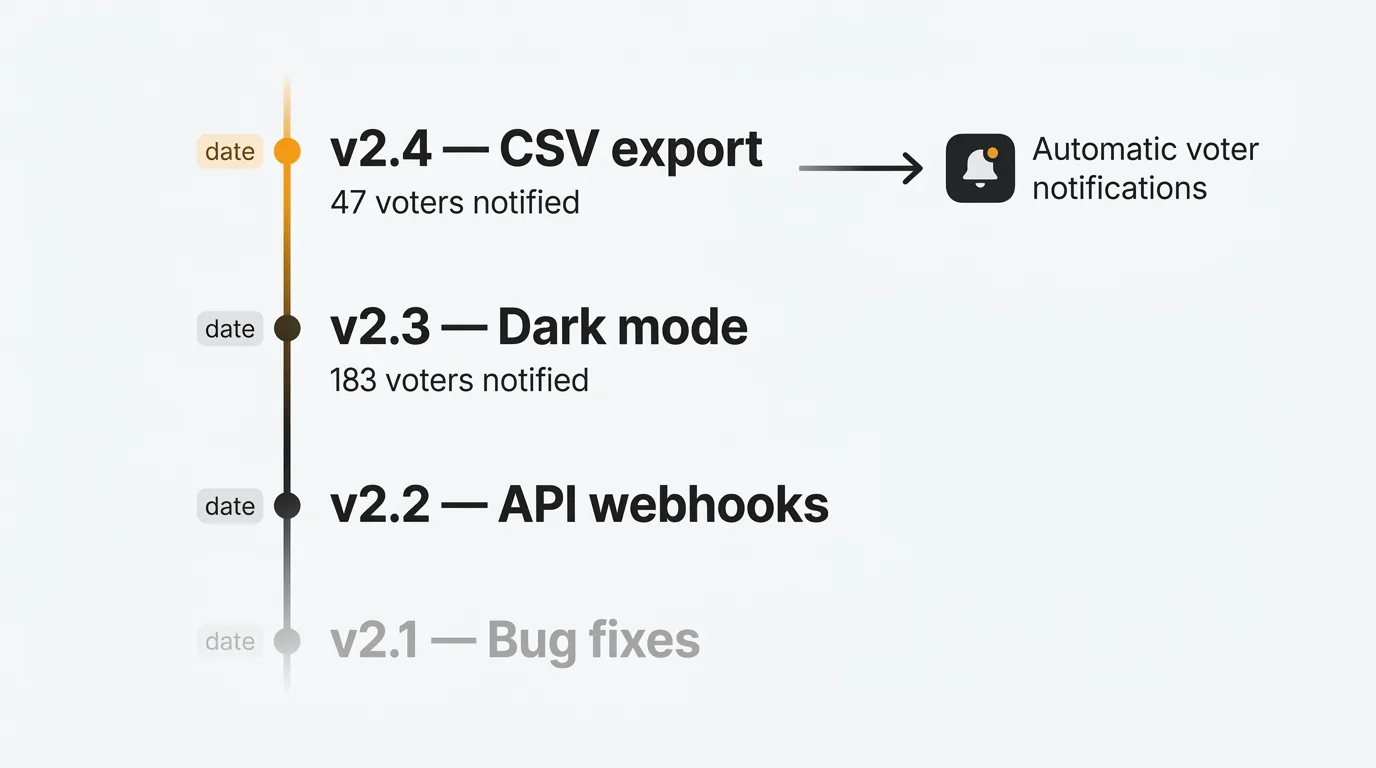
The best changelog tool depends on whether you need standalone announcements or a feedback-connected release workflow. Quackback is the best overall: it automatically notifies every voter when their requested feature ships, with AI-drafted release notes, and runs as open source self-hosted or managed cloud. Beamer and LaunchNotes are stronger if you need audience segmentation and marketing-grade announcements. The seven best changelog tools in 2026 ranked:
- Quackback — Open source, self-hosted or cloud. AI-drafted release notes with automatic voter notifications.
- Canny — Hosted changelog connected to feature request boards. Voters notified when entries publish.
- Featurebase — Changelog that doubles as a knowledge base for the Fibi AI support agent.
- Sleekplan — Embeddable widget-first changelog with read tracking and satisfaction surveys.
- Beamer — Standalone in-app notification tool with audience segmentation and push notifications.
- LaunchNotes — Marketing-grade release announcements with multi-channel delivery and subscriber preferences.
- Headway — Simple, lightweight changelog with in-app widget and emoji reactions.
Pricing last verified March 2026. Vendors may change plans and pricing without notice. Check each vendor's pricing page for the latest figures.
Your users want to know what changed. Every product update that ships without an announcement is a missed opportunity to build trust, reduce support tickets, and re-engage users who stopped paying attention.
A changelog is the simplest way to keep your users informed. When done well, it tells users what you shipped, why it matters, and what to do next. It reduces "is this feature available yet?" support tickets. It gives your team a visible record of progress. And it signals to customers that the product is alive and actively improving.
The problem is that most teams treat changelogs as an afterthought. They write release notes in a Google Doc, paste them into a Slack channel, and move on. Users never see them. The feedback loop stays broken.
A dedicated changelog tool solves this. It gives you a structured place to write and publish release notes, notify users through email and in-app widgets, and connect updates to the feature requests and feedback that drove them. Here are seven changelog tools in 2026, compared by features, pricing, and trade-offs.
1. Quackback
Best for: Teams that want an open-source changelog that automatically notifies the users who asked for each feature.
Quackback is an open-source product feedback platform (AGPL-3.0) where the changelog is connected to feedback boards, feature voting, and a public roadmap. The key difference from standalone changelog tools: every entry can link to the feedback posts that drove the work. When you publish a changelog entry for a shipped feature, Quackback automatically notifies every user who voted or commented on it. The feedback loop closes without manual effort.
The changelog editor supports rich text with markdown, images, and embedded media. Each entry can be categorized with labels and linked to the feedback posts that drove the work. You can publish entries immediately or schedule them. Users can subscribe to updates via email or follow specific categories. An RSS feed is generated automatically.
Where Quackback differs from every other changelog tool on this list is AI draft generation and the MCP server. AI generates draft release notes from linked feedback posts, summarizes what shipped and why, and suggests which user segments to notify. Your team edits and publishes. The MCP server lets AI agents in Claude, Cursor, or Windsurf create changelog entries directly. Every agent action is attributed and auditable.
Self-host with Docker or deploy on Railway, or use the managed Quackback Cloud and skip the infrastructure. Custom domain, custom branding with themes and CSS, and no "powered by" watermark on any plan. Self-hosted, your data stays in your own PostgreSQL database.
Key changelog features:
- Rich text changelog editor with markdown, images, and scheduling
- Automatic voter and commenter notifications when features ship
- Categories, labels, and links to feedback posts
- Email subscriber management and RSS feed
- AI-generated draft release notes from linked feedback
- MCP server for AI agents to create and draft changelog entries
- Custom domain, branding, and no watermark
- In-app widget for surfacing updates inside your product
- 25 integrations: Slack, Linear, Jira, GitHub, and more
Pricing: Free and open source (AGPL-3.0). Self-host at no cost, or use Quackback Cloud from $29/mo with a 14-day free trial.
Pros:
- Changelog fully integrated with feedback boards, voting, and roadmap
- Automatic notifications close the feedback loop without manual work
- AI drafts release notes and suggests notification segments
- MCP server lets AI agents draft and publish changelog entries
- Open source with no vendor lock-in
Cons:
- AGPL-3.0 license requires care if you modify and redistribute the code
- Newer than incumbents like Canny and Beamer
Ship your changelog with Quackback — open source with a managed cloud option. Start free. Get started | View on GitHub
2. Canny
Best for: SaaS teams that want a hosted changelog connected to feature request boards and voter data.
Canny's changelog is part of its feedback suite. The main advantage: entries link to the feature requests they address, so users who voted see that their feedback led to a shipped feature. Email notifications go to voters and board followers automatically.
The editor supports rich text and images. You can schedule posts and set entries as published or draft. Canny generates an RSS feed and offers an in-app widget for surfacing entries. Categories and labels help organize entries by type (new feature, improvement, fix).
The limitation for changelogs specifically is the pricing model. Canny moved to tiered pricing based on tracked users in May 2025. Your changelog subscriber base contributes to your tracked user count. The more users who read and engage with your changelog, the higher your bill. There is no audience segmentation, so you cannot target different updates to different user groups. Removing "Powered by Canny" branding requires the Business plan (custom pricing).
Key changelog features:
- Rich text editor with images and scheduled publishing
- Email notifications to voters and board followers
- Categories and labels for organizing entries
- RSS feed and in-app widget
- Links entries to feature request posts
- No audience segmentation (all subscribers see all entries)
Pricing: Free plan (25 tracked users). Core from $19/mo. Pro from $79/mo. Business is custom pricing.
Pros:
- Changelog entries linked to feedback boards with voter notifications
- Mature product with reliable email delivery
- RSS and in-app widget for distribution
Cons:
- Every changelog subscriber is a tracked user that increases your bill
- No audience segmentation for targeted release notes
- Branding removal requires Business plan (custom pricing)
- No AI draft generation
- No self-hosting
For a detailed breakdown, see our Quackback vs Canny comparison.
3. Featurebase
Best for: Teams that want a changelog that doubles as a knowledge source for their AI support agent.
Featurebase's changelog is part of its all-in-one suite: feedback boards, roadmap, help docs, support inbox, and changelog. Entries support rich text, images, and categories. You can link entries to the feature requests they resolve, and users who voted receive a notification when the changelog entry goes live.
The unique changelog angle for Featurebase is its AI agent, Fibi. When a customer asks "did you fix the export bug?" or "when did you add PDF support?", Fibi checks your changelog entries and responds with the right context. Your changelog becomes a searchable knowledge base for support, not just an announcement feed.
Email notifications and an in-app widget handle distribution. RSS is available. Per-seat pricing is the main consideration. At $29/seat/month on the Growth plan, costs scale with your team size.
Key changelog features:
- Rich text editor with images, categories, and scheduled publishing
- Email notifications and in-app widget for distribution
- Links to feedback posts for closing the loop
- AI agent (Fibi) references changelog entries in support responses
- RSS feed and custom domain
Pricing: Free plan (1 seat). Growth at $29/seat/month. Professional at $59/seat/month. Enterprise at $99/seat/month.
Pros:
- AI support agent uses changelog as a knowledge source
- Changelog entries linked to feedback with voter notifications
- Modern, clean interface
Cons:
- Per-seat pricing adds up for larger teams
- No audience segmentation for targeted release notes
- Free plan is limited to one seat
- No self-hosting or open source
For more detail, see our Quackback vs Featurebase comparison.
4. Sleekplan
Best for: Budget-conscious teams that want a changelog with an embeddable widget and satisfaction surveys.
Sleekplan offers a changelog as part of its feedback and roadmap suite. The changelog supports rich text, images, and scheduled publishing. Entries can be categorized and tagged. Users receive notifications when new entries are published, and you can track who has read each update.
The distinguishing feature is the embeddable widget. Sleekplan's widget combines your changelog, feedback board, and roadmap into a single in-app experience. Users see new changelog entries without leaving your product. The widget can be configured to show only the changelog, only feedback, or the full suite.
Sleekplan also includes built-in CSAT and NPS surveys, which means you can measure user satisfaction alongside your release announcements. AI features ("Sleek Intelligence") are available on paid plans and can help summarize feedback, though they are primarily focused on the feedback board rather than changelog generation.
The free plan includes a changelog but is limited to one seat and does not include the roadmap or surveys. Starter at $13/month unlocks more features.
Key changelog features:
- Rich text changelog editor with scheduling and categories
- Embeddable in-app widget (changelog, feedback, and roadmap combined)
- Subscriber notifications and read tracking
- Built-in CSAT and NPS surveys
- RSS feed
- Custom domain on paid plans
Pricing: Free Indie plan (1 seat, changelog only). Starter at $13/month. Business at $38/month. Enterprise is custom.
Pros:
- Affordable starting price
- Widget-first approach for in-app changelog delivery
- Built-in satisfaction surveys alongside changelog
- Read tracking shows which users saw your updates
Cons:
- Free plan is very limited
- Widget-first design means the standalone changelog page is less polished
- AI features focused on feedback, not changelog generation
- No self-hosting
See our Quackback vs Sleekplan comparison for a full breakdown.
5. Beamer
Best for: Teams that want a standalone changelog and in-app notification tool without a full feedback platform.
Beamer is a dedicated changelog and product notification tool. It focuses on one job: announcing product updates to your users. The in-app widget is the core experience. A notification icon sits in your product's navigation, showing a badge with unread updates. Users click to see a feed of changelog entries without leaving your app.
The editor supports rich text, images, video, and GIFs. Entries can be categorized and segmented so different user groups see different updates. Beamer includes push notifications, email notifications, and an RSS feed. You can also create standalone landing pages for major releases.
Beamer does not include feature request boards or a public roadmap. It is purely a changelog and announcement tool. If you need the full feedback-to-changelog pipeline, you will need to pair Beamer with a separate feedback tool. Beamer offers a feedback widget add-on, but it is basic compared to dedicated feedback platforms.
Beamer also includes NPS surveys and a feature request widget as add-on modules. The notification center can display banners, pop-ups, and top bars in addition to the standard changelog feed.
Key changelog features:
- In-app changelog widget with notification badge
- Rich text editor with images, video, and GIFs
- User segmentation for targeted announcements
- Push notifications, email notifications, and RSS feed
- Standalone release landing pages
- NPS surveys and feature request widget (add-ons)
- Custom domain and branding
Pricing: Free plan with limited features and Beamer branding. Starter at $49/month. Pro at $99/month (segmentation, custom domain). Scale at $199/month. Enterprise is custom.
Pros:
- Purpose-built for changelog and product announcements
- Strong in-app notification experience with badge, banners, and pop-ups
- User segmentation for targeted updates
- Standalone release landing pages for major launches
Cons:
- No feature request boards or public roadmap (separate add-ons only)
- Pricing is steep for a standalone changelog tool
- Branding removal requires a paid plan
- No self-hosting or open source
- No AI features for draft generation
6. LaunchNotes
Best for: Product marketing teams that want to turn release notes into a polished communication channel.
LaunchNotes positions itself as a product communication platform rather than a simple changelog tool. The focus is on turning release notes into marketing-grade announcements. You can create themed release pages, schedule announcements across email, in-app, and Slack, and segment your audience based on plan type, role, or custom attributes.

The editor is designed for non-technical users. It supports rich text, images, video embeds, and custom layouts. Each announcement can target specific user segments, so enterprise customers see relevant updates while free-tier users see theirs.
LaunchNotes also includes a subscriber management system. Users can subscribe to specific categories of updates (new features, bug fixes, security) and manage their notification preferences. This gives users control over what they receive rather than getting everything.
The platform integrates with Jira, Linear, GitHub, and Slack to pull context from your development tools. You can auto-generate draft release notes from completed tickets and refine them before publishing.
LaunchNotes does not include feature request boards or voting. It is focused on the output side: announcing what shipped. You will need a separate tool for collecting and prioritizing feedback.
Key changelog features:
- Polished release note pages with custom layouts
- Audience segmentation by plan, role, or custom attributes
- Multi-channel delivery: email, in-app widget, Slack, RSS
- Subscriber management with category-based preferences
- Integrations with Jira, Linear, GitHub for auto-draft generation
- Custom domain and branding
Pricing: Starter plan available. Growth and Enterprise tiers with custom pricing. Contact sales for details.
Pros:
- Marketing-quality release announcements
- Strong audience segmentation and subscriber management
- Multi-channel delivery (email, in-app, Slack)
- Auto-drafts from development tool integrations
Cons:
- No feature request boards, voting, or public roadmap
- Pricing not transparent (requires contacting sales)
- Focused solely on announcements, not the full feedback loop
- No self-hosting or open source
7. Headway
Best for: Small teams that want a simple, low-cost changelog with minimal setup.
Headway is a lightweight changelog tool. You write release notes, categorize them, and publish. Users see updates through an in-app widget, a standalone changelog page, or email notifications. Setup takes minutes. The interface is clean and the editor is straightforward.
The widget is simple: a bell icon or custom trigger that opens a changelog feed inside your product. New entries show a badge so users know there are unread updates. Entries support categories like "new," "improvement," and "fix." You can add images and format text with a basic rich text editor.
Headway includes email notifications and an RSS feed. You can use a custom domain for your changelog page and customize the branding with colors and your logo. There is also a basic reactions feature so users can respond to entries with emoji reactions.
The trade-off is depth. Headway does not include feature request boards, voting, roadmaps, or AI features. There is no audience segmentation (all users see all entries). There is no integration with development tools for auto-generating release notes. It is a straightforward changelog tool and nothing more.
Key changelog features:
- Simple rich text editor with images and categories
- In-app widget with notification badge
- Email notifications and RSS feed
- Emoji reactions on changelog entries
- Custom domain and branding
- Standalone changelog page
Pricing: Free plan with unlimited entries and Headway branding. Pro at $29/month removes branding and adds a custom domain, Slack/Twitter integrations, scheduled publishing, and team collaboration. Those are the only two plans.
Pros:
- Simple and fast to set up
- Clean interface
- Affordable for basic needs
- Emoji reactions for lightweight engagement
Cons:
- No feature request boards, voting, or roadmap
- No audience segmentation
- No AI features
- No development tool integrations for auto-drafts
- No self-hosting or open source
See how it compares: Quackback vs Headway.
Comparison table
| Feature | Quackback | Canny | Featurebase | Sleekplan | Beamer | LaunchNotes | Headway |
|---|---|---|---|---|---|---|---|
| Rich text editor | Yes | Yes | Yes | Yes | Yes | Yes | Basic |
| Email notifications | Yes | Yes | Yes | Yes | Yes | Yes | Yes |
| RSS feed | Yes | Yes | Yes | Yes | Yes | Yes | Yes |
| In-app widget | Yes | Yes | Yes | Yes (combined) | Yes (primary) | Yes | Yes |
| Categories/tags | Yes | Yes | Yes | Yes | Yes | Yes | Yes |
| Custom domain | Yes | Yes | Yes | Paid plans | Pro+ | Yes | Yes |
| Subscriber management | Yes | Limited | Limited | Yes | Yes | Yes (advanced) | Basic |
| Audience segmentation | Yes | No | No | No | Yes | Yes | No |
| Scheduled publishing | Yes | Yes | Yes | Yes | Yes | Yes | No |
| Read tracking | No | No | No | Yes | Yes | Yes | No |
| Voter notifications | Yes (automatic) | Yes (automatic) | Yes (automatic) | No | No | No | No |
| AI draft generation | Yes (from feedback) | No | No | No | No | Yes (from tickets) | No |
| Feedback boards | Yes | Yes | Yes | Yes | Add-on | No | No |
| Public roadmap | Yes | Yes | Yes | Yes | No | No | No |
| Self-hosting | Yes | No | No | No | No | No | No |
| Open source | Yes | No | No | No | No | No | No |
| Starting price | Free | Free (25 tracked users) | $29/seat/mo | $13/mo | $49/mo | Contact sales | $29/mo |
How to write release notes that users actually read
Most release notes go unread. Not because users don't care, but because the notes are written for the team that built the feature, not the people who will use it. Here are the practices that make a difference.
Lead with the benefit, not the feature name. "You can now export reports as PDF" is better than "PDF export functionality." Start with what users can do, not what you built. Frame every update in terms of the problem it solves or the workflow it improves.
Use plain language. Avoid internal jargon, technical implementation details, and vague descriptions. "Fixed a bug where emails weren't sending for accounts with custom domains" is clear. "Resolved an edge case in the SMTP relay configuration for non-standard MX records" is not. Write for your least technical user.
Categorize consistently. Use clear categories like "New," "Improved," and "Fixed." Users scan changelogs. Categories help them find what matters to them. A user looking for bug fixes should not have to read through ten new feature announcements.
Keep entries focused. One entry per feature or fix. Don't bundle unrelated changes into a single post. If you shipped five things this week, write five short entries, or group them by theme with clear subheadings. Bundling everything into one wall of text guarantees nobody reads it.
Add context for major changes. For significant updates, explain why you made the change, not just what changed. "We redesigned the dashboard based on feedback that the previous layout made it hard to find key metrics" tells users you listened. Link to the feedback posts or feature requests that drove the decision.
Include visuals. A screenshot or short GIF showing the change communicates more than a paragraph of text. For UI changes, always include a visual. It takes 30 seconds to capture and saves users the effort of going to find the change themselves.
Notify the right people. Not every update is relevant to every user. If your changelog tool supports audience segmentation, use it. Send billing changes to account admins. Send API updates to developers. Send new feature announcements to everyone. Irrelevant notifications train users to ignore all notifications.
Link back to your roadmap. When you ship something from your public roadmap, link the changelog entry back to the roadmap item. Users who have been following the feature's progress want to see it move from "in progress" to "shipped." This reinforces that your roadmap is a living document, not a static marketing page.
Frequently asked questions
What is a changelog tool?
A changelog tool is software that helps you write, publish, and distribute product release notes to your users. Most include a rich text editor, email notifications, an in-app widget, and an RSS feed. Some also include feature request boards and roadmaps to connect what you ship back to what users asked for. The goal is to keep users informed about product changes without relying on scattered blog posts or Slack messages.
Do I need a standalone changelog tool or one integrated with feedback?
It depends on your workflow. A standalone tool like Beamer or Headway works if you only need to announce updates and your feedback collection happens elsewhere. An integrated tool like Quackback, Canny, or Featurebase connects your changelog to your feedback boards and roadmap, so you can automatically notify users who voted on a feature when it ships. The integrated approach closes the feedback loop with less manual effort. For teams already collecting feature requests or customer feedback, an integrated tool avoids maintaining two separate systems.
How often should I publish changelog entries?
Publish when you ship, not on a fixed schedule. Users prefer timely, relevant updates over a weekly digest of changes they can't remember asking for. That said, batching small fixes into a weekly or biweekly roundup is reasonable. Major features deserve their own dedicated entry. The key is consistency. If you publish regularly, users learn to check your changelog. If you go silent for months and then publish a wall of changes, nobody will read it.
What is the best free changelog tool?
Quackback is the best free option. It is open source and free to self-host with no limits on entries, subscribers, or features. You get a rich text editor, email notifications, an in-app widget, RSS, categories, custom domain, and AI-generated draft release notes. The changelog is fully integrated with feedback boards and a public roadmap, so notifications go out automatically when features ship. Among hosted tools, Sleekplan offers a limited free tier with changelog included, and Headway has a free plan with basic functionality and their branding.

Authored by James Morton
Founder of Quackback. Building open-source feedback tools.
Try Quackback
The open-source feedback platform. Boards, voting, and roadmaps.
Get startedStar on GitHub305