
"Customer experience software" can mean almost anything. A feedback tool, an analytics platform, a help desk, a survey tool, and a journey mapping product all claim the CX label. The category is broad enough to be meaningless unless you know which problem you are solving.
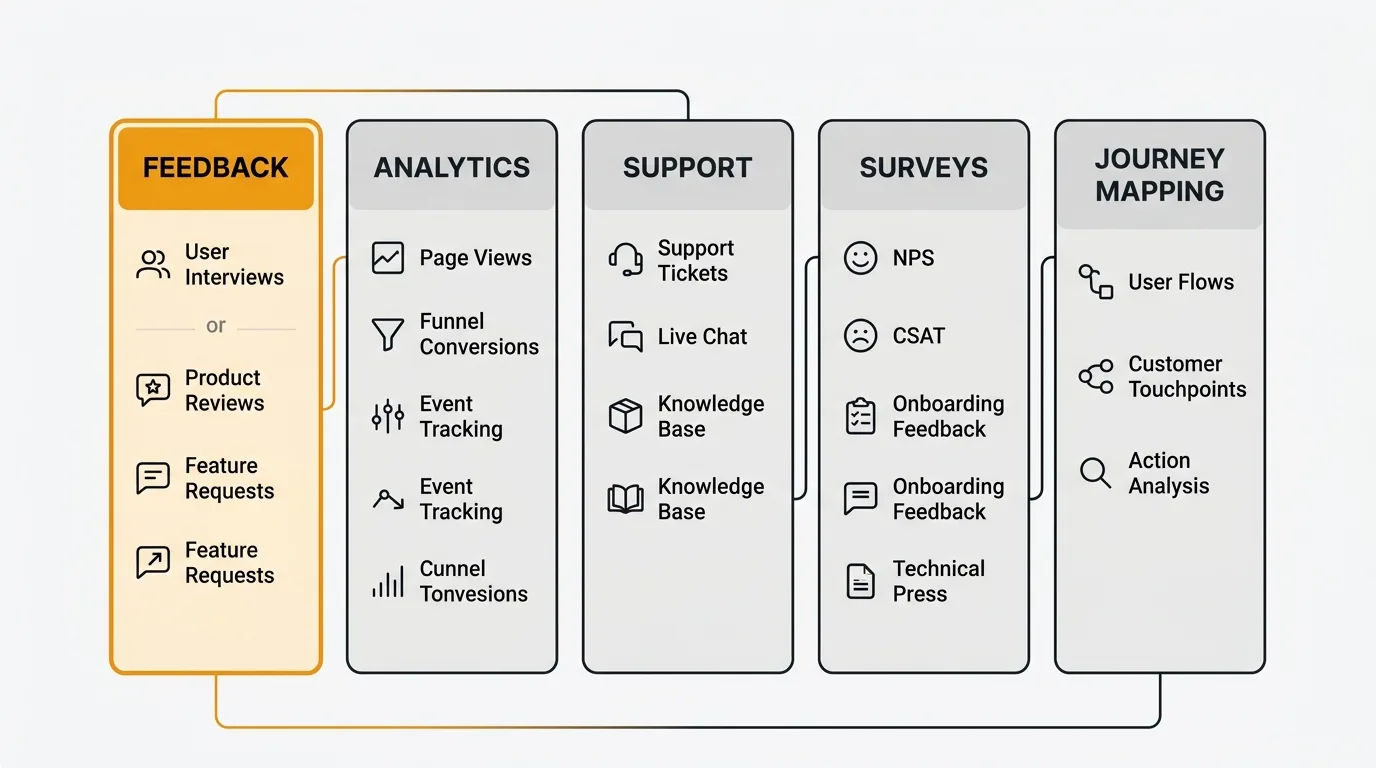
This guide breaks down the CX landscape into five categories, profiles ten tools across those categories, and helps you choose based on what you actually need — not what vendors want to sell you.
The best customer experience software depends on which problem you are solving: feedback collection, support, analytics, surveys, or customer success. For structured product feedback, Quackback leads — open source and free to self-host, with AI-powered analysis and an MCP server. For support, Zendesk and Intercom dominate; for behavioral analytics, Hotjar and FullStory; for enterprise research, Qualtrics and Medallia.
Pricing last verified April 2026.
The best CX tools ranked by category:
- Quackback — Open source feedback collection with voting, AI analysis, and public roadmaps
- Zendesk — Full-stack support platform with help center, chat, and ticketing
- Hotjar — Heatmaps, session recordings, and feedback surveys for product teams
- Intercom — Messaging-first platform combining support, marketing, and engagement
- Pendo — Product analytics with in-app guides and feedback
- Gainsight — Customer success platform with health scoring and journey orchestration
- Qualtrics — Enterprise experience management with advanced survey methodology
- Medallia — Enterprise CX with omnichannel feedback capture and AI analytics
- FullStory — Digital experience analytics with session replay and frustration signals
- HubSpot Service Hub — CRM-native service tools for HubSpot-centric teams
1. Quackback
Quackback is open source (AGPL-3.0), self-hosted, and free. It focuses on the feedback layer of customer experience: collecting feature requests, organizing them with voting, analyzing patterns with AI, and communicating progress through a public roadmap and changelog.
Unlike enterprise CX platforms that try to do everything, Quackback does one thing well — structured product feedback. Users submit ideas through an embedded widget or public portal, vote on existing requests, and track status changes. The product team gets AI-powered analysis that surfaces trends, detects duplicates, and prioritizes by demand.
Key features:
- Feedback boards with public voting
- AI-powered analysis
- Public roadmap and changelog
- Embedded feedback widget for in-app collection
- MCP server for AI agent integrations
- SSO/OIDC, role-based access, 25 integrations
Pricing: Free and open source. Self-host with Docker. No feature gates.
Best for: Product teams that want structured feedback collection and prioritization without enterprise CX complexity or SaaS pricing.
Try Quackback — open source and self-hosted. Deploy in under five minutes with Docker. Get started free | View on GitHub
2. Zendesk
Zendesk is the most widely deployed support platform, covering ticketing, live chat, help center, and community forums. It is the backbone of customer support for companies from startups to enterprises.
Key features: Omnichannel ticketing (email, chat, phone, social), AI-powered agent assist, knowledge base with content cues, community forums, advanced reporting and analytics.
Pricing: Suite Team at $55/agent/month, Suite Growth at $89/agent/month, Suite Professional at $115/agent/month. Enterprise pricing is custom. See our Zendesk pricing breakdown.
Strengths: Mature ecosystem, deep marketplace of integrations, scalable from 5 agents to 5,000.
Limitations: Expensive at scale. The pricing jump between tiers gates features that many teams consider essential. The product has become complex — new teams face a significant learning curve.
Best for: Teams that need a full-featured support platform and are willing to pay for it.
3. Hotjar
Hotjar combines behavioral analytics (heatmaps, session recordings, funnel analysis) with lightweight feedback tools (surveys, feedback widgets). It shows you what users do and lets you ask why.
Key features: Heatmaps, session recordings, conversion funnels, feedback polls, surveys, user interviews.
Pricing: Basic is free (35 daily sessions). Plus at $32/month (100 daily sessions). Business at $80/month (500 daily sessions). Scale at $171/month (unlimited sessions). See our Hotjar pricing breakdown.
Strengths: Easy to set up (one script tag), visual analytics that non-technical teams can understand, the combination of quantitative behavior data and qualitative feedback in one tool.
Limitations: Not a product analytics replacement (no cohort analysis, no funnel comparisons over time). Feedback features are basic compared to dedicated feedback tools. Session recordings require significant storage.
Best for: Product and UX teams that want to understand user behavior visually and collect contextual feedback.
4. Intercom
Intercom is a messaging-first customer platform that combines live chat, help desk, chatbot, and proactive messaging. It positions itself as the alternative to separate tools for support, engagement, and marketing.
Key features: Live chat and messaging, AI chatbot (Fin), help center, proactive messages, product tours, email campaigns, ticketing.
Pricing: Essential at $29/seat/month. Advanced at $85/seat/month. Expert at $132/seat/month. AI features (Fin) charged per resolution at $0.99 each. See our Intercom pricing breakdown.
Strengths: The messaging-first approach creates a modern support experience. Fin (AI chatbot) handles routine queries well. Strong in-app messaging capabilities for onboarding and engagement.
Limitations: Costs escalate quickly with AI resolution fees and seat pricing. The all-in-one approach means each individual capability is less deep than a best-of-breed alternative.
Best for: SaaS companies that want chat-first support with integrated engagement features.
5. Pendo
Pendo combines product analytics with in-app guides and user feedback. It is unique in connecting usage data (what users do) with sentiment data (what users say) in one platform.
Key features: Product usage analytics, in-app guides and tooltips, NPS and feedback surveys, session replay, roadmap planning.
Pricing: Custom pricing only. Typically $15,900-$47,000+ per year depending on MAU volume. See our Pendo pricing breakdown.
Strengths: The combination of analytics and in-app guidance. You see which features are underused, then create targeted guides to drive adoption. Feedback data tied to usage data enables segment-specific insights.
Limitations: Expensive for the analytics-only use case (Mixpanel or Amplitude are cheaper). Feedback capabilities are less developed than dedicated feedback tools. Complex pricing model.
Best for: Enterprise product teams that want analytics, guidance, and feedback in one platform.
See how it compares: Quackback vs Pendo.
6. Gainsight
Gainsight is a customer success platform designed for B2B SaaS companies with dedicated CS teams. It focuses on retention, expansion, and customer health.
Key features: Customer health scores, journey orchestration, playbooks for at-risk accounts, success plans, NPS and CSAT surveys, revenue forecasting.
Pricing: Custom pricing only. Typically $30,000-$100,000+ per year. The platform is designed for companies with at least $10M ARR and a dedicated CS team.
Strengths: Deep customer success workflows. Health scoring that aggregates usage, sentiment, and support data. Playbook automation for at-risk accounts.
Limitations: Requires significant implementation effort. Expensive. Not appropriate for companies without a dedicated CS function. The product has a steep learning curve.
Best for: B2B SaaS companies with $10M+ ARR and a dedicated customer success team.
7. Qualtrics
Qualtrics is the enterprise standard for experience management across customers, employees, products, and brand. It offers the most sophisticated survey methodology and analytics in the market.
Key features: Advanced survey design with logic branching, experience management across four pillars (customer, employee, product, brand), AI-powered text analysis, predictive modeling, real-time dashboards.
Pricing: Starts at approximately $1,500/year for basic. Enterprise pricing is custom, typically $100,000+ per year.
Strengths: The most methodologically rigorous survey platform. Handles complex research designs that other tools cannot. Deep analytics and reporting.
Limitations: Expensive. Complex. Overkill for teams that need simple feedback collection. The platform requires training to use effectively.
Best for: Enterprise research teams that need advanced survey methodology and cross-functional experience management.
8. Medallia
Medallia is an enterprise CX platform focused on capturing feedback across every channel — web, mobile, social, in-store, contact center, IoT — and using AI to surface insights.
Key features: Omnichannel feedback capture, Athena AI for text and sentiment analysis, real-time alerting, journey analytics, action management workflows.
Pricing: Custom pricing only. Typically $100,000+ per year for enterprise deployments.
Strengths: Broad omnichannel capture across channels that most tools do not reach (IoT devices, physical locations, voice calls). AI analytics are well-developed for enterprise text and sentiment work.
Limitations: Enterprise-only pricing and complexity. Not appropriate for SMB or mid-market. Requires significant implementation investment.
Best for: Large enterprises with feedback touchpoints across digital and physical channels.
9. FullStory
FullStory is a digital experience analytics platform built around session replay. It captures every user interaction and uses AI to identify frustration signals, errors, and optimization opportunities.
Key features: Auto-captured session replay, frustration signals (rage clicks, dead clicks, error clicks), journey mapping, conversion funnels, heatmaps, AI-powered insights.
Pricing: Free tier (1,000 sessions/month). Business and Enterprise pricing is custom, typically $10,000-$50,000+ per year.
Strengths: Detailed session replay with auto-capture, so no manual event instrumentation is required. Frustration signals surface issues without requiring manual analysis.
Limitations: Privacy concerns with session recording (requires careful consent management). Not a replacement for traditional product analytics. Storage costs for high-traffic sites.
Best for: Product and UX teams that need detailed behavioral analysis to identify friction points and usability issues.
10. HubSpot Service Hub
HubSpot Service Hub is the support module within the HubSpot ecosystem. It works best for teams already using HubSpot CRM, Marketing, or Sales.
Key features: Ticketing, knowledge base, live chat, customer portal, NPS and CSAT surveys, team inbox, conversation intelligence.
Pricing: Free (basic ticketing). Starter at $20/seat/month. Professional at $100/seat/month. Enterprise at $150/seat/month. See our HubSpot pricing breakdown.
Strengths: Deep CRM integration. Customer context from marketing and sales is available to support agents. Good reporting that spans the full customer lifecycle.
Limitations: Expensive at Professional and Enterprise tiers. Mandatory onboarding fees. Feature gates between tiers. Best value only for teams already invested in the HubSpot ecosystem.
Best for: Teams already using HubSpot CRM that want support tools integrated with their existing customer data.
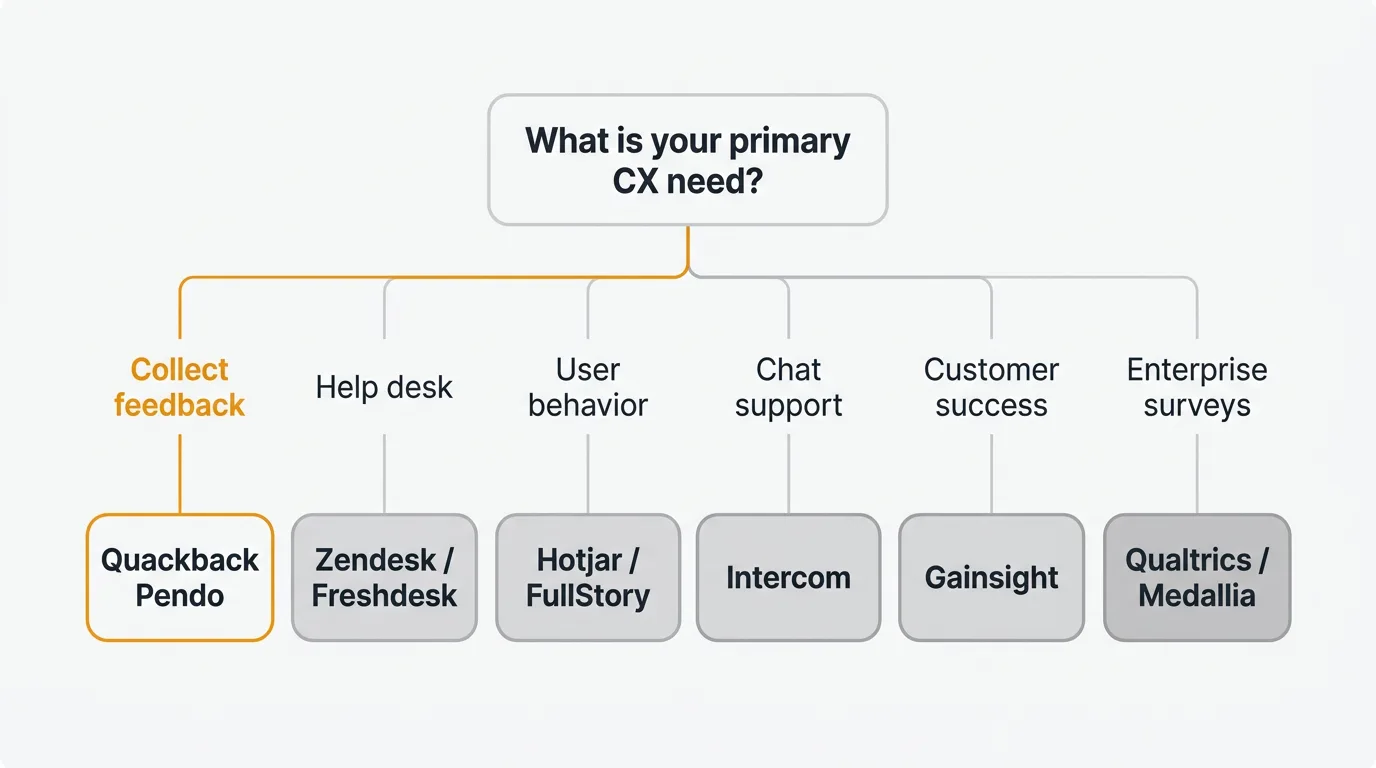
How to choose
| If your primary need is... | Start with... |
|---|---|
| Collecting and prioritizing product feedback | Quackback — open source, self-hosted, with AI-powered analysis |
| Help desk and ticketing | Zendesk or Freshdesk |
| Understanding user behavior visually | Hotjar or FullStory |
| Chat-first support with engagement | Intercom |
| Customer success and health scoring | Gainsight |
| Enterprise-grade survey research | Qualtrics or Medallia |
| CRM-integrated support | HubSpot Service Hub |
Most teams do not need one tool that does everything. They need two or three tools that each do their specific job well. A common stack: a feedback tool (for product input), a support tool (for customer issues), and an analytics tool (for behavioral data). Trying to consolidate everything into one platform usually means compromising on the capability you need most.
Frequently asked questions
What is customer experience software?
CX software is any tool that helps you understand, measure, or improve how customers experience your product or service. The category spans feedback collection, support ticketing, behavioral analytics, surveys, journey mapping, and customer success. Most companies use multiple tools across these subcategories.
Do I need an enterprise CX platform?
Only if you have multiple products, thousands of customers, and feedback coming through diverse channels (digital, physical, voice). For most SaaS companies under 500 employees, a combination of a feedback tool, a support tool, and an analytics tool provides better coverage at lower cost than an enterprise platform.
What is the cheapest CX software?
Quackback is free and open source for feedback. Hotjar has a free tier for basic analytics. Freshdesk has a free tier for support. Google Analytics 4 is free for web analytics. You can build a functional CX stack at zero cost using free tiers and open-source tools.
How do I measure customer experience?
Three core metrics: Customer Effort Score (CES) for interaction ease, CSAT for satisfaction with specific experiences, and NPS for overall loyalty. Pair these with behavioral data (feature adoption, support ticket volume, churn rate) for a complete picture.
Can I use multiple CX tools together?
Yes, and most teams should. A feedback tool collects product input. A support tool handles customer issues. An analytics tool tracks behavior. The key is integration — make sure your tools share data through APIs, webhooks, or native integrations so insights from one tool inform actions in another.

Authored by James Morton
Founder of Quackback. Building open-source feedback tools.
Try Quackback
The open-source feedback platform. Boards, voting, and roadmaps.
Get startedStar on GitHub305