
Your users want to know what changed. Release notes tell them. Most teams write them badly, inconsistently, or not at all — which means users discover new features by accident, ask support about things that already shipped, and don't realize the product is improving.
Good release notes are not documentation. They are a communication layer between your team and your users every time you ship something. They build trust, reduce confusion, and close the loop with users who have been waiting for a fix or feature.
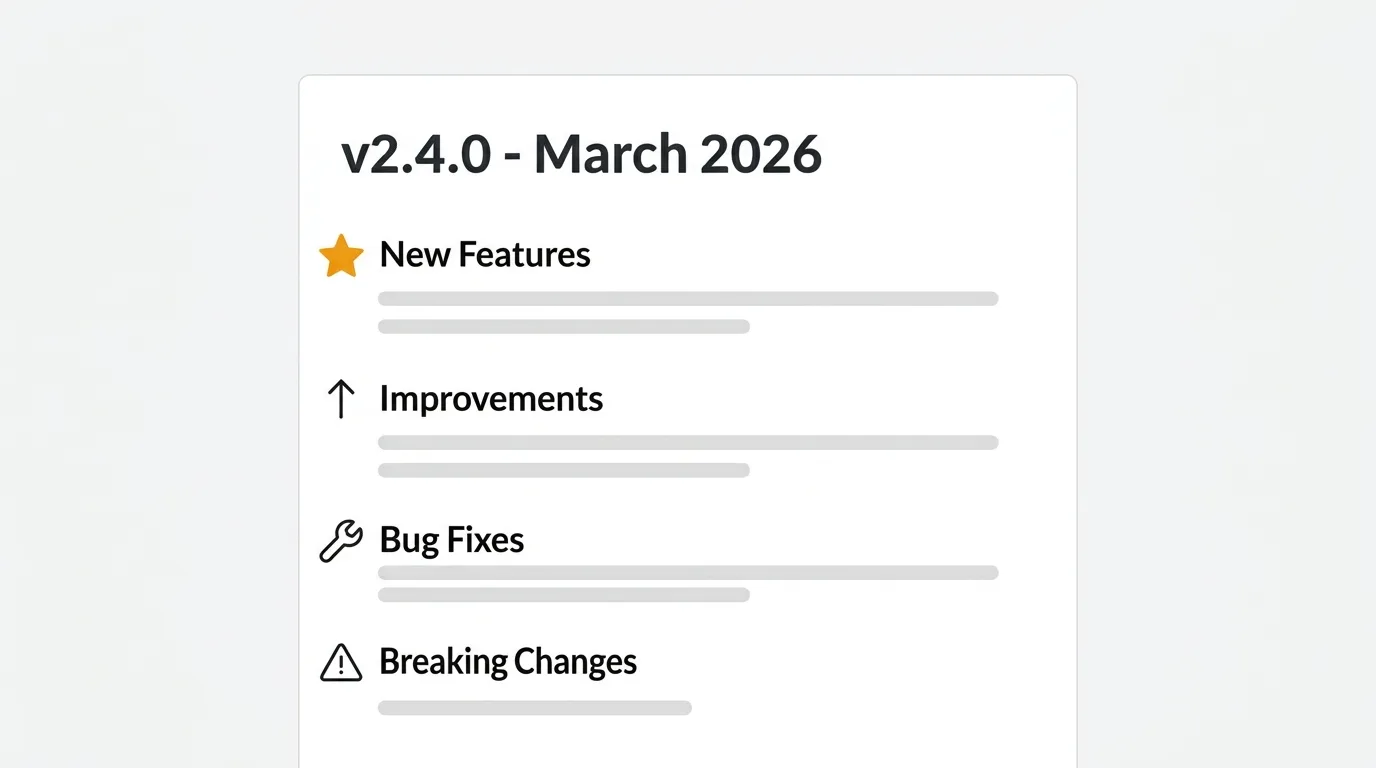
A release notes template is a reusable structure for communicating what changed in each product release. A good one groups updates into clear sections — new features, improvements, bug fixes, and known issues — so users can scan for what affects them. Lead with what users can now do, write in plain language, and link to documentation for detail.
This guide gives you four copy-pasteable templates — general, software, product, and internal — plus examples from companies that do it well and a set of practices that separate useful release notes from noise.
What are release notes
Release notes are a structured summary of what changed in a product, service, or software system between one version and the next. They describe new features, bug fixes, improvements, and anything that might affect how users or developers work with the product.
They sit at the intersection of product and communication. A developer might write release notes for an API — detailing endpoint changes, breaking changes, and migration steps. A product manager might write them for customers — describing what users can now do and why it matters. Both are release notes. The audience and format differ, but the purpose is the same: tell people what changed and what they need to know.
Release notes also serve as a historical record. A well-maintained changelog tells the story of a product over time. New users can see how the product evolved. Existing users can trace when a behavior changed. Your team can audit what shipped and when.
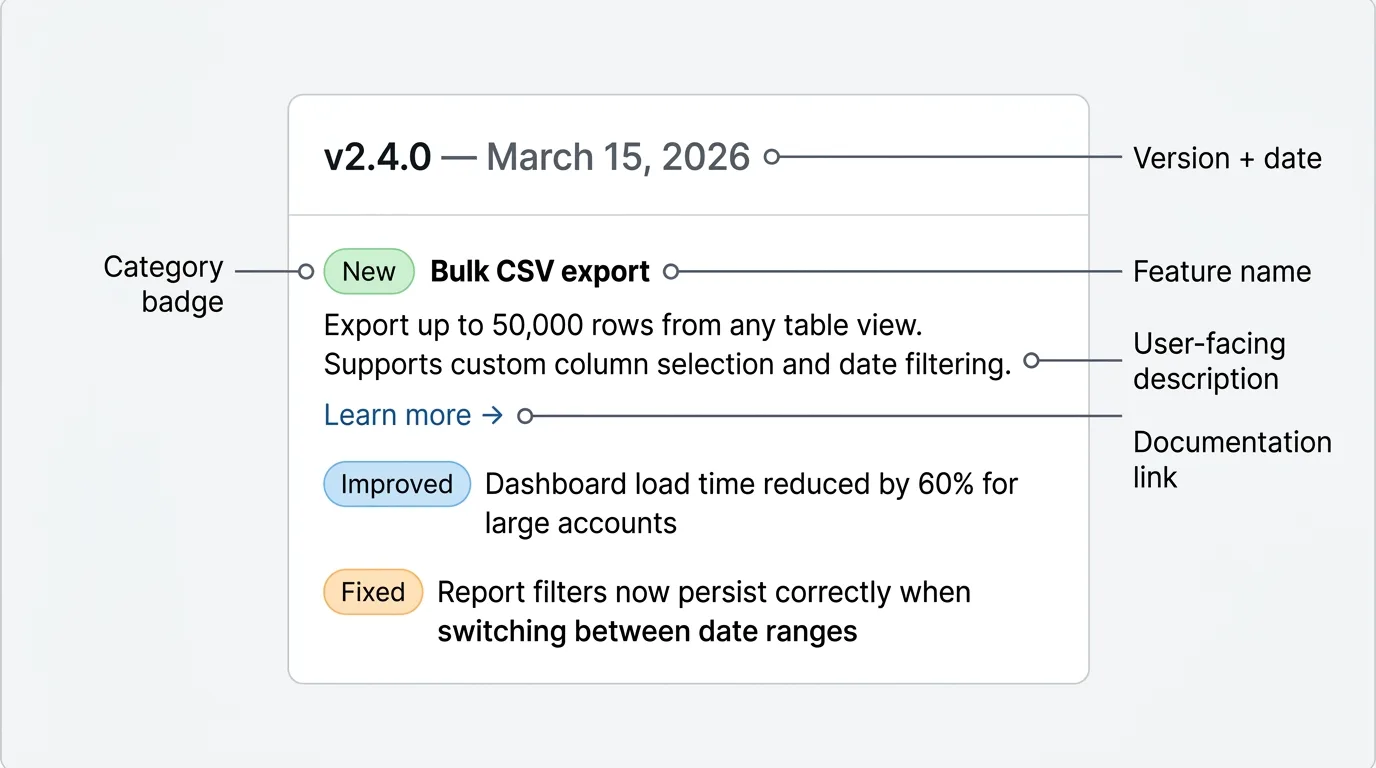
General release notes template
This template works across most contexts. Use it as a starting point and cut whatever sections do not apply to your release.
## [Version or Release Name] — [Date]

### New features

- **[Feature name]:** [One sentence describing what it is and what users can do with it.]
- **[Feature name]:** [One sentence describing what it is and what users can do with it.]

### Improvements

- [What changed and why it's better. Be specific — "faster" means nothing, "reduced load time from 4s to 800ms" does.]
- [What changed and why it's better.]

### Bug fixes

- Fixed: [What was broken and what it affected.]
- Fixed: [What was broken and what it affected.]

### Known issues

- [Issue description, who it affects, and any workaround.]

### Deprecations

- [What is being deprecated, the timeline, and what to use instead.]

---

[Link to full documentation] | [Link to upgrade guide]
Adapt the sections to your release. A small patch might only need "Bug fixes." A major version might use every section. The key is consistency: use the same structure every time so users know where to look.
Software release notes template
This template is for engineering and developer-facing releases — APIs, SDKs, libraries, and CLIs. It adds technical detail that developers need: breaking changes, migration steps, and dependency requirements.
## [Version] — [Date]

### Breaking changes

> These changes require action before upgrading.

- **[Change]:** [What changed, why, and what you need to update in your code.]
  - Before: `[old behavior or code snippet]`
  - After: `[new behavior or code snippet]`

### New features

- **[Feature]:** [What it does and how to use it.] See [docs link].
- **[Feature]:** [What it does and how to use it.] See [docs link].

### API changes

- Added: `[endpoint or method]` — [what it does]
- Changed: `[endpoint or method]` — [what changed and migration notes]
- Removed: `[endpoint or method]` — [use `[replacement]` instead]

### Improvements

- [Performance improvement with measurable details where possible.]
- [Developer experience improvement.]

### Bug fixes

- Fixed `[method or behavior]` returning `[wrong value]` when `[condition]`. ([Issue #123])
- Fixed memory leak in `[component]` under `[condition]`.

### Dependencies

- Updated `[dependency]` from `[old version]` to `[new version]`
- Dropped support for `[runtime/OS/version]`

### Migration guide

[Step-by-step instructions for upgrading from the previous version. Include code examples for any breaking changes.]

---

**Minimum requirements:** [Node 20+, Python 3.11+, etc.]
[Full changelog on GitHub] | [Migration docs]
For libraries and SDKs, lead with breaking changes at the top. Developers scan release notes before upgrading. If they miss a breaking change, it costs them hours of debugging. Make it impossible to overlook.
Product release notes template
This template is for customer-facing release notes — what goes on your changelog page, in your in-app widget, or in your email announcement. It leads with benefits, not technical details. Users care about what they can now do, not how you built it.
## [Release name or short summary] — [Date]

[One or two sentence summary of the release. What shipped and why it matters to users.]

### What's new

**[Feature name]**
[What users can now do. Lead with the outcome. "You can now export your data as CSV" not "We added CSV export."]

[Screenshot or GIF placeholder: show the feature in context]

**[Feature name]**
[What users can now do.]

### What's better

- [Improvement written from the user's perspective. What felt slow or broken that now works better.]
- [Improvement.]

### What's fixed

- [Bug fix written plainly. "Reports now load correctly when filtered by date range." Not "Fixed null pointer exception in report filter."]
- [Bug fix.]

---

[Link to full documentation] | [Give feedback on this release]
The screenshot placeholder matters. A single image of the new feature in context communicates more than three paragraphs of description. If you have design or marketing resources, make screenshots a non-negotiable part of your release notes workflow.
Internal release notes template
Internal release notes are for stakeholders, not users. Leadership, sales, customer success, and support need to know what shipped, why, and what it means for their work. This template adds context that would not belong in a public changelog.
## [Release name] — [Date]

**Owner:** [Team or individual responsible]
**Status:** Shipped to [percentage or cohort] of users

### What shipped

[Plain description of what went out. Link to the public changelog entry if applicable.]

### Why it shipped

[The business or customer context. What problem does this solve? Which feedback, support tickets, or metrics drove the decision to build this?]

### Who it affects

- **Customers:** [Which segments, plans, or regions see this change.]
- **Sales:** [Anything sales needs to know — new capabilities to pitch, pricing implications, objections this resolves.]
- **Support:** [Known issues, expected support volume, FAQ answers for common questions.]

### Metrics and rollout

- **Rollout:** [How it was deployed — full release, feature flag, gradual rollout by cohort.]
- **Success metrics:** [What you're watching. Activation rate, error rate, support ticket volume, etc.]
- **Rollback plan:** [How to revert if something goes wrong.]

### Links

- [Public changelog entry]
- [Design specs or Figma]
- [Engineering PR or deployment]
- [Support documentation]
Internal release notes are often skipped entirely. Teams ship, notify Slack, and move on. The problem is that institutional context disappears. Six months later, nobody remembers why a decision was made. A lightweight internal note captures that context in a findable place.
Release notes examples
These companies have developed recognizable, consistent approaches to release notes. Studying what works helps you build a style that fits your team.
Linear
Linear's changelog is tightly written and visually polished. Each entry opens with a short, declarative headline — "Issue templates," "Slack notifications," "Command menu improvements" — and expands into one or two paragraphs that explain the feature and the design thinking behind it. They include high-quality product screenshots for every significant feature. The tone is confident and direct, never marketing-inflected. What makes it effective: the writing matches the product's design sensibility. Users trust it because it reads like it was written by someone who understands how the product is used, not by a marketing team.
Stripe
Stripe's release notes are organized by product area — Payments, Connect, Radar, Billing — and written primarily for developers. Every API change is documented with exact endpoint names, parameter changes, and migration notes. Breaking changes are flagged at the top. The tone is technical and precise. What makes it effective: Stripe's users are engineers who need to know exactly what changed so they can update their integrations. The notes give them exactly that, nothing more.
Notion
Notion publishes release notes in-app and on a public changelog. Their format uses a simple two-column layout: feature name on the left, description on the right. Entries are brief — usually two or three sentences — with links to documentation for more detail. They rarely explain why a feature was built; they focus on what users can now do. What makes it effective: the brevity respects the user's time. Users scan the list, find what's relevant to them, and click through if they want to learn more.
Vercel
Vercel's changelog is also a marketing channel. Entries are longer, include video walkthroughs for major features, and often include technical depth for developers alongside product-level summaries. They distinguish between "Changelog" (product updates) and "AI News" (model and AI-related releases). What makes it effective: the entries are genuinely informative. The technical depth gives developers confidence, and the video format makes complex features accessible. They commit the resources to do it well.
GitHub
GitHub publishes a detailed monthly changelog digest alongside individual release notes. The monthly format lets them group smaller updates that wouldn't warrant standalone posts. Individual entries for significant features include screenshots, code examples, and links to documentation. They also tag entries by feature area — Actions, Copilot, Security, etc. — so users can filter for what's relevant. What makes it effective: the tagging and filtering. GitHub has a huge surface area. Helping users navigate to the updates that matter to their workflow is as important as the writing itself.
Figma
Figma's release notes lean into the visual nature of the product. Every significant feature ships with a polished demo GIF or short video embedded directly in the entry. The writing is short — often a single paragraph — because the visual does most of the work. They also have a dedicated "What's new" panel in the product itself, surfacing the most recent updates inline. What makes it effective: showing, not telling. For a design tool, a three-second GIF of a new feature communicates more than any written description.
Release notes best practices
Lead with what users can do, not what you built
"You can now filter reports by date range" is more useful than "We added date range filtering to the reports module." The first tells users what's possible for them. The second tells them what you did. Write from the user's perspective.
Use plain language
Avoid internal jargon, ticket numbers, and implementation details in customer-facing notes. "Fixed a race condition in the WebSocket handler" means nothing to a non-technical user. "Fixed a bug that caused messages to sometimes appear out of order" tells them what was broken and what's better.
Be specific about improvements
Vague claims undermine credibility. "Improved performance" tells users nothing. "Reduced dashboard load time by 60% for accounts with more than 10,000 records" tells them what changed and whether it affects them.
Include visuals for significant features
A screenshot or GIF answers the question "what does this look like?" before users have to open the product. For customer-facing notes, treat visuals as required for any new feature, not optional.
Link to documentation
Release notes are not documentation. For anything complex, include a link to the relevant docs. Users who want to go deep can follow the link; users who just want to know what changed have what they need in the note itself.
Separate audience-specific notes
A developer and a business user reading the same changelog have different needs. If your product spans technical and non-technical users, consider separate sections or separate channels — public changelog for users, API changelog for developers, internal notes for your team.
Maintain a consistent cadence
Release notes published at random intervals signal that the product is moving unpredictably. A regular cadence — weekly, bi-weekly, or tied to sprint cycles — builds the expectation that updates will come and are worth reading. Users who know to expect updates will check for them.
Connect release notes to the feedback that drove the work
When a feature ships because users asked for it, say so. "This was one of your most-requested features" acknowledges the feedback. Even better: notify the users who specifically requested it. Closing that loop turns feedback contributors into advocates. This is where a connected feedback and changelog system earns its keep — when your release notes live next to the voting and feedback that drove the work, the auto-notify happens without anyone exporting a list.
Keep an internal draft before the public release
Write a draft before the feature ships, not after. Waiting until a feature is in production adds delay and often means release notes are rushed. A draft written during development gives you time to review, improve, and coordinate the announcement with other teams.
Use a changelog tool instead of manual docs
A Google Doc, Notion page, or GitHub wiki works until it doesn't. Dedicated changelog tools give you a structured editor, in-app widget delivery, email subscriptions, RSS feeds, and analytics. The overhead of maintaining a manual changelog compounds over time. A tool reduces it. If you would rather not hand your release history to a closed platform, Quackback's changelog is open source (AGPL-3.0) and self-hostable, so you keep ownership of the data.
How to distribute release notes
Writing good release notes is half the work. Getting them in front of the right users is the other half. Here are the main distribution channels and when to use each.
Changelog page. A public URL that lists all your releases in reverse chronological order. It is the canonical source of truth for what has shipped. Every other channel should link back to it. The limitation: users have to seek it out. It doesn't reach users who aren't already looking.
In-app widget. A small notification or badge inside your product that surfaces recent updates. It reaches users while they're actively using the product, which is when new feature announcements are most relevant. The limitation: users can dismiss or ignore it, and it works best for short, scannable entries rather than detailed notes.
Email. Email works well for significant releases or monthly roundups. It reaches users who aren't currently active in the product and allows longer-form content with images. The limitation: open rates vary, and a high email cadence leads to unsubscribes. Reserve email for releases that genuinely warrant attention.
Slack or team messaging. Posting to a shared Slack channel works well for internal teams and developer communities. It is fast and conversational. The limitation: Slack is ephemeral. Messages get buried. It is a notification channel, not a record.
Social. Twitter, LinkedIn, and developer communities like Hacker News or Product Hunt work well for major releases. They can reach new audiences beyond your existing user base. The limitation: the audience is cold. Social announcements work better for product milestones than routine releases.
Quackback's changelog handles the page, widget, and email channels from one place. When you publish a release, it automatically notifies users who voted or commented on the relevant feedback posts — no manual list management required. The customer feedback loop closes automatically. Quackback is open source (AGPL-3.0) and self-hostable, and the MCP server lets you draft release notes from feedback inside your AI tools. See the best changelog tools comparison for a full breakdown of the alternatives, or read how Quackback stacks up against Canny and Featurebase.
Try Quackback — open source with a managed cloud option. Start free. Get started | View on GitHub
Frequently asked questions
What is the difference between release notes and a changelog?
Release notes and changelog are often used interchangeably. In practice, release notes tend to refer to the document published with a specific version or release, while a changelog is the ongoing, cumulative record of all releases. A changelog is made up of individual release notes entries. Both serve the same purpose: communicating what changed and when.
How long should release notes be?
As short as the release allows. A minor patch might be two or three bullet points; a major release might run several paragraphs with screenshots. There is no fixed length, but shorter is better. If a routine release runs past 400-500 words, the extra detail belongs in documentation.
How often should you publish release notes?
Publish whenever you ship something meaningful to users — for most teams, at least every two weeks, tied to sprint or release cycles. If you ship continuously, batch updates into a weekly or bi-weekly digest. Aim for a cadence users can predict, since irregular notes signal an unpredictable product.

Authored by James Morton
Founder of Quackback. Building open-source feedback tools.
Try Quackback
The open-source feedback platform. Boards, voting, and roadmaps.
Get startedStar on GitHub305