
Surveys tell you what. Interviews tell you why. You can see from your analytics that users drop off during onboarding — but only a conversation tells you they couldn't find the import button, or that they didn't understand what the product was for until week two.
Most product teams don't run enough interviews. They're time-intensive, qualitative, and harder to scale than a survey. But no amount of quantitative data fully replaces talking to your users.
Why run user interviews
A well-run interview gives you something no dashboard can: context. You learn not just what a user does, but why they do it, what they tried before, and what's still getting in their way. That context turns feature requests from noise into signal.
Interviews complement your quantitative data. Your feedback board tells you which requests have the most votes. An interview tells you the story behind those votes — the actual workflow, the real frustration, the workaround someone built because your product doesn't quite cover it.
They're also the fastest way to catch assumptions before they become shipped features. Thirty minutes with five users will surface more product risk than months of internal debate.
Before the interview
Who to recruit. Start with users who are already engaged. Voters on your feedback board have already expressed a preference — they're primed to have opinions. Support ticket submitters have encountered friction and can speak to it specifically. NPS detractors are uncomfortable to talk to, but they're the most valuable conversations you can have. If you want to understand churn, talk to recently churned users.
How long. Keep interviews to 30 minutes. It's enough time to cover meaningful ground without exhausting either party. If a conversation runs longer, let it — but don't schedule more than 30.
Prepare a guide, not a script. Write your questions in advance, but treat them as a guide. Good interviews follow the conversation. If a user mentions something unexpected and interesting, pursue it. You can return to your guide after.
Get consent. Ask permission to record before you start. Explain that the recording is for your own notes and won't be shared publicly. Most users agree. If they don't, take notes instead. You can use AI tools afterward to transcribe and summarize recordings, which makes synthesis much faster.
Opening questions
The first few minutes set the tone. Your goal is to build rapport, get the user talking comfortably, and understand who they are before you ask anything specific about your product.
-
Tell me a little about your role. Understanding a user's job, team size, and responsibilities gives you context for everything they say afterward. A solo founder and a VP at a 500-person company use the same product very differently.
-
How did you first hear about us? This reveals your acquisition channels from the user's perspective and often surfaces word-of-mouth or use cases you didn't anticipate.
-
How long have you been using the product? Tenure shapes perspective. A new user's struggles are usually about onboarding. A long-tenured user's complaints are usually about depth and scalability.
-
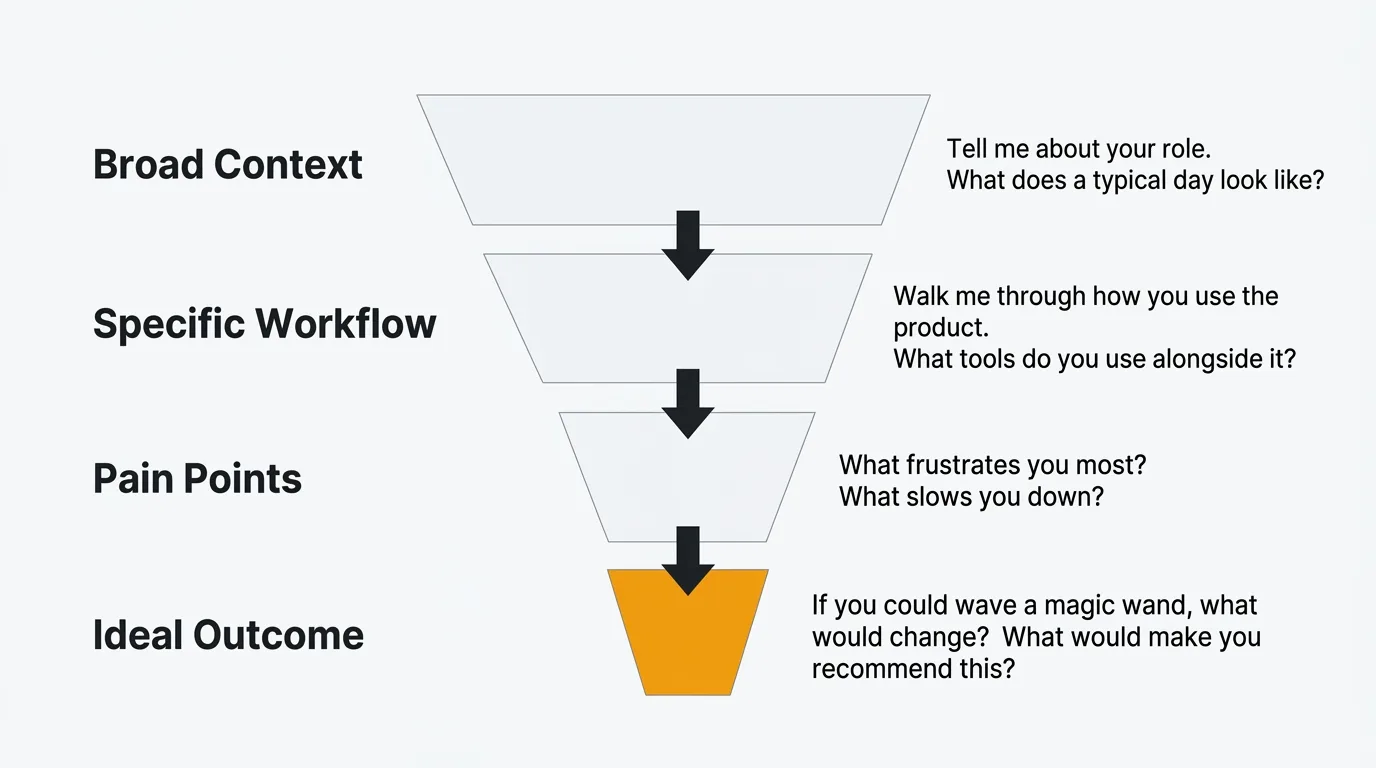
What does a typical day at work look like for you? This broad question surfaces the workflow context your product lives in. You'll hear about adjacent tools, competing priorities, and time constraints that explain user behavior.
-
What were you using before you found us? The answer reveals their baseline expectation and what they were willing to tolerate before switching. It also tells you who your real competition is.
-
What made you decide to try the product in the first place? This is the job-to-be-done question in disguise. What situation prompted the search? What were they hoping to solve?
-
Walk me through how you currently use the product. Let them narrate their workflow unprompted. The gaps between what they describe and what you expected will often be the most useful thing you hear in the entire interview.
Problem discovery questions
This section gets to the core of what's hard for users, independent of what your product currently does. Resist the urge to jump to solutions. Your job here is to understand the problem deeply.
-
What's the biggest challenge you face with [problem area] right now? Open the floor. Don't name specific features — let them describe the problem in their own words.
-
Can you walk me through the last time that happened? Specific stories are more reliable than general opinions. A user's account of a recent incident is more accurate than their abstracted summary of a recurring frustration.
-
How are you solving that problem today? The current workaround tells you more than the stated problem. A user who built a Zapier workflow around your missing integration is showing you exactly what they need.
-
What have you already tried? Users often exhaust several solutions before reaching yours. Understanding what they tried and why it didn't work sharpens your understanding of the problem's constraints.
-
How often does this come up? Frequency is a rough proxy for priority. Daily friction is worth more attention than a quarterly edge case.
-
Who else on your team is affected by this? Some problems are individual. Others are team-wide. Team-wide problems carry more urgency and often represent larger budget authority.
-
What does it cost you when this goes wrong? Quantify the impact where you can. Time lost, deals affected, user frustration communicated to leadership — these details matter when you're prioritizing.
-
What frustrates you most about how you handle this today? Frustration is a strong signal. Ask directly, and give users permission to be honest.
-
If you could change one thing about how this works, what would it be? This is deliberately open-ended. Don't constrain the answer to your product. You want to hear what they actually want.
-
If you could wave a magic wand and change anything about this part of your work, what would you change? The magic wand framing removes the user's implicit filter of "what's realistic to ask for." The unconstrained answer often reveals the most important underlying need.
Product feedback questions
Now zoom in on your product specifically. These questions surface what's working, what's confusing, and what's close to being right but isn't quite there yet.
-
What do you like most about the product? Start positive. You'll hear what's load-bearing — the things you cannot afford to change without breaking something users rely on.
-
What's the most valuable thing the product does for you? Different from what they like most. This surfaces utility versus preference. Sometimes what users value most is not what they enjoy most.
-
What's the most confusing part of the product? Confusion is often silent. Users figure out workarounds and never report them. Asking directly surfaces friction that doesn't show up in support tickets.
-
Is there anything that consistently slows you down? Slow doesn't mean broken. This question catches the workflows that work, but not as well as they should.
-
Have you ever gotten stuck and not known what to do next? If yes, ask them to walk you through it. These moments reveal gaps in your onboarding, navigation, and in-product guidance.
-
What almost made you stop using the product? This question surfaces near-churn moments. The honest answers here are the most valuable feedback you'll get on retention.
-
How would you describe the product to a colleague who's never used it? Their language is your copy. If they use words you don't use, that's a gap between your messaging and their mental model.
-
Is there anything you expected the product to do that it doesn't? Expectation gaps are both a product problem and a marketing problem. Some can be closed with features. Others can be closed with better onboarding or messaging.
-
What would make you recommend this to someone else? The answer is usually a missing capability or a confidence threshold they haven't crossed yet.
-
If the product disappeared tomorrow, what would you miss most? This is the retention version of the value question. The answer tells you what's truly irreplaceable versus what users could live without.
Feature validation questions
Use these when you want to test a specific idea or direction before committing to it. The goal is to validate the problem the feature solves, not sell the feature itself.
-
I'd like to describe something we're thinking about building. Can I get your reaction? Frame it as a thought, not a commitment. You want honest skepticism, not polite enthusiasm.
-
If we built [feature], how would that change your workflow? Concrete impact is more useful than a general thumbs up. If they can't describe a change to their workflow, the feature may not solve a real problem.
-
How would you use this in your current setup? Adoption is contextual. What sounds useful in the abstract may not fit into how they actually work.
-
What questions or concerns would you have about this? Open the door to objections. Users often hold back concerns unless you explicitly invite them.
-
What's more important to you: [A] or [B]? Forced trade-offs reveal true priorities better than asking users to rate options. Everyone wants everything — this forces a choice.
-
Would you pay for this separately if it were an add-on? Willingness to pay is a harder test than willingness to use. It filters for genuine value.
-
How much would you expect to pay for this? Don't offer a number first. Let them anchor. The answer tells you how they perceive the feature's value relative to your existing pricing.
-
If this existed today, would it have changed your decision to sign up? This framing helps you understand whether the feature affects acquisition, not just retention.
-
Are you solving this problem another way right now? Would you give that up? Switching cost reveals the depth of commitment to the current solution. High switching cost means the new feature needs to be substantially better, not just marginally better.
-
What would need to be true about this for it to be something you'd use every week? This question surfaces the conditions under which the feature actually delivers value. The answer often reveals scope gaps or dependencies you hadn't considered.
Prioritization questions
Use these to understand what matters most to users when they have to choose. These work well near the end of an interview when you've already established the user's workflow and pain points.
-
If you could only keep three features of the product, which would you keep? This forces prioritization from the user's perspective. Patterns across interviews reveal your most defensible capabilities.
-
What's missing that would make the product significantly more useful for you? "Significantly" is doing work here. You're asking for impact, not just wish list items.
-
What would make you switch to a competitor tomorrow? This surfaces your most vulnerable gaps. The honest answer is often something specific and buildable.
-
What would make you impossible to poach — a user competitors could never win over? The inverse of the above. This reveals what would create deep lock-in and loyalty.
-
If you had to choose between [faster performance] and [new feature X], which matters more? Substitute real options relevant to your product. Concrete trade-offs yield more useful answers than abstract ranking exercises.
-
What's the one thing we're not doing that we should be? Open-ended, direct, and hard to dodge. Users often surprise you here.
-
Is there anything on our current roadmap you're particularly looking forward to? If they've seen your public roadmap, their answer tells you what's resonating. If they haven't, this is a good moment to share it and get a live reaction.
-
If you were the product manager, what would you build next? Role-switching gives users permission to be bold. The answers are not directives, but they often contain a clear signal worth unpacking.
Closing questions
Don't rush the close. The last few minutes of an interview often produce the most candid responses — the things users held back until they felt comfortable enough to say.
-
Is there anything else you think we should know? The open door. Some users have been waiting the whole conversation to say something specific. Give them the space.
-
Is there anyone else you think we should talk to — on your team or outside it? Referrals from existing interview participants reach people you wouldn't find through your normal recruiting channels.
-
Would you be open to us following up if we have more questions? Most users say yes. This keeps the relationship open without committing to a specific follow-up.
-
We're planning to [build X / redesign Y / change Z]. Would you be willing to review it before we ship? Beta testers and early reviewers are more valuable when recruited from users with relevant context. This is the right moment to ask.
-
Can we share what we build based on what you told us today? This is a commitment to close the loop. Users who expect to hear back are more invested in your product's direction. Honor it.
Interview template
Use this as your guide. Adapt based on what comes up — but keep an eye on the time.
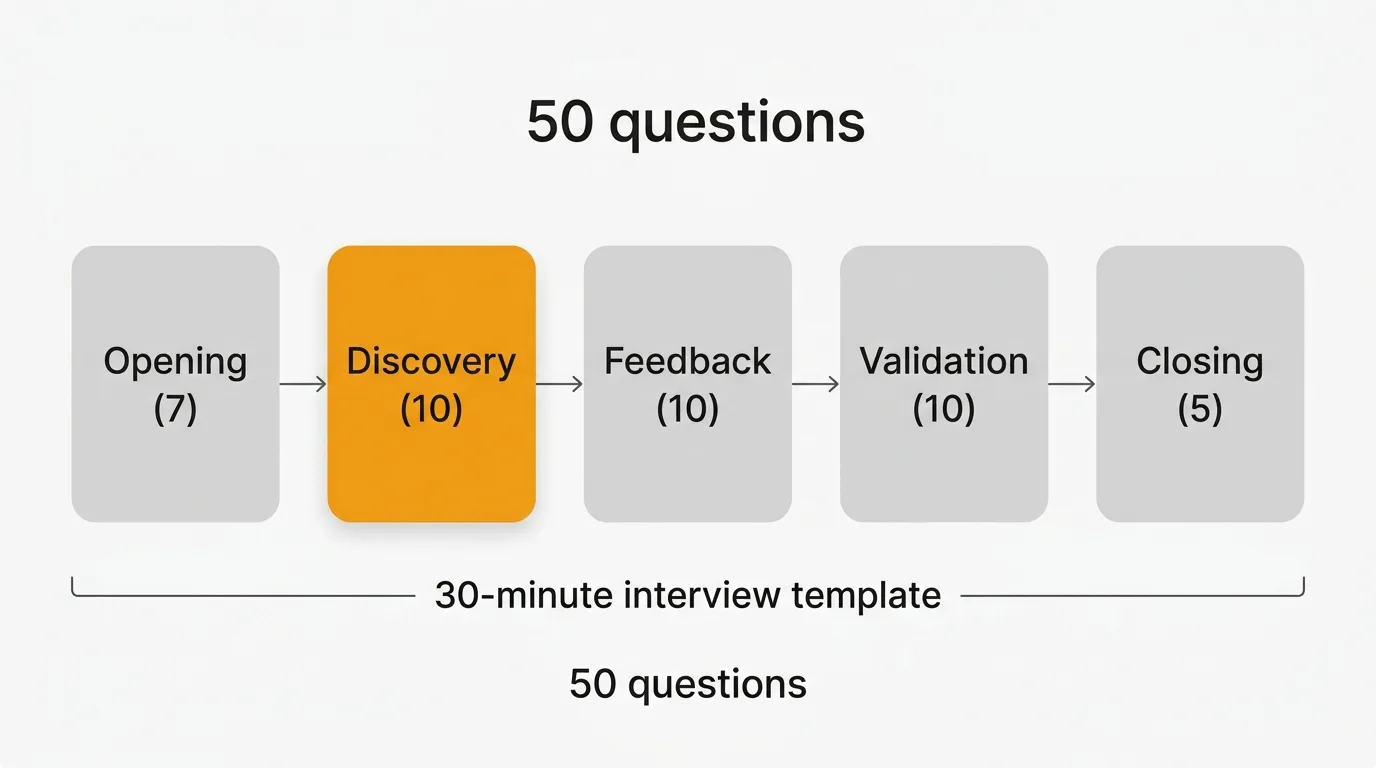
Total time: 30 minutes
Introduction (5 minutes)
Introduce yourself and explain the purpose of the interview. Ask for consent to record if relevant.
"I'm going to ask you some questions about your work and how you use our product. There are no wrong answers — I'm trying to understand your experience, not test you. Feel free to be honest, including about things that aren't working."
Use questions 1–3 from Opening questions to warm up.
Discovery (10 minutes)
Understand their workflow, the problems they face, and their current situation.
Use questions 4–7 from Opening questions, then move into Problem discovery questions 1–5.
Follow the conversation. If they mention a specific pain point, go deeper before moving on.
Product feedback (10 minutes)
Get their honest reaction to your product and any specific features or directions you want to validate.
Use Product feedback questions 1–5 and Feature validation questions 1–4, selecting those most relevant to your current priorities.
Close (5 minutes)
Wrap up, cover anything outstanding, and set expectations for next steps.
Use all five Closing questions. Don't skip question 1 — users often share the most useful thing in the final minute.
After the interview
Synthesize your notes within 24 hours while the conversation is still fresh. If you recorded, use a transcription tool to get a text version and pull the key quotes.
Tag themes as you go: workflow friction, missing features, onboarding confusion, competitive gaps. Consistent tagging across interviews lets you spot patterns that a single conversation can't reveal. If five users in a row mention the same workaround, that's a priority signal — not an anecdote.
Feed what you learn into your feedback system. Interview insights belong alongside your feature requests and support data, not in a separate doc that only you can find. When a user articulates a problem that matches ten open requests on your feedback board, that's a merge and a bump in priority. Tools like Quackback let you capture, tag, and connect feedback from multiple sources — so interview findings don't get siloed from your other signal.
For more on building a system that makes qualitative feedback actionable, see the user feedback guide and our guide on qualitative vs quantitative feedback.
Frequently asked questions
How many user interviews do you need before you can draw conclusions?
Five interviews is the commonly cited threshold for uncovering most major themes in a given user segment. That number comes from Jakob Nielsen's usability research and holds up reasonably well in practice. The caveat is segmentation: five interviews with enterprise users tells you nothing about what SMB users need. Run five per segment you're trying to understand, then look for where patterns overlap and where they diverge.
What's the difference between a user interview and a usability test?
A user interview explores beliefs, behaviors, and experiences. A usability test observes users attempting specific tasks in your product. Both are qualitative methods, but they answer different questions. Interviews are better for understanding motivation and context — why someone does something. Usability tests are better for diagnosing interface problems — where something breaks down. For feature validation and problem discovery, start with interviews. For evaluating a specific design or flow, move to usability testing. For a broader view of how qualitative methods fit into your feedback program, see our guide on how to ask for customer feedback.
How do you avoid leading the user during an interview?
Ask open-ended questions and resist the urge to fill silence. "What did you think of that?" is better than "Did you find that confusing?" The second question suggests the expected answer. When a user gives a short answer, follow up with "Can you tell me more about that?" rather than offering a hypothesis for them to confirm. The most common mistake interviewers make is steering toward validation of their existing beliefs. Your job is to hear something you didn't expect — design your questions and your listening posture to make that possible. You can also record and review your own interviews to catch patterns in how you ask questions.

Authored by James Morton
Founder of Quackback. Building open-source feedback tools.
Try Quackback
The open-source feedback platform. Boards, voting, and roadmaps.
Get startedStar on GitHub305