You have decided to leave Productboard. Maybe your maker count crept past the product team and the bill grew with it. Maybe AI credits ran out mid-month. Maybe you only ever used it to collect feedback and show a roadmap, and the strategy layer was dead weight. Whatever the reason, the migration itself should not be the hard part.
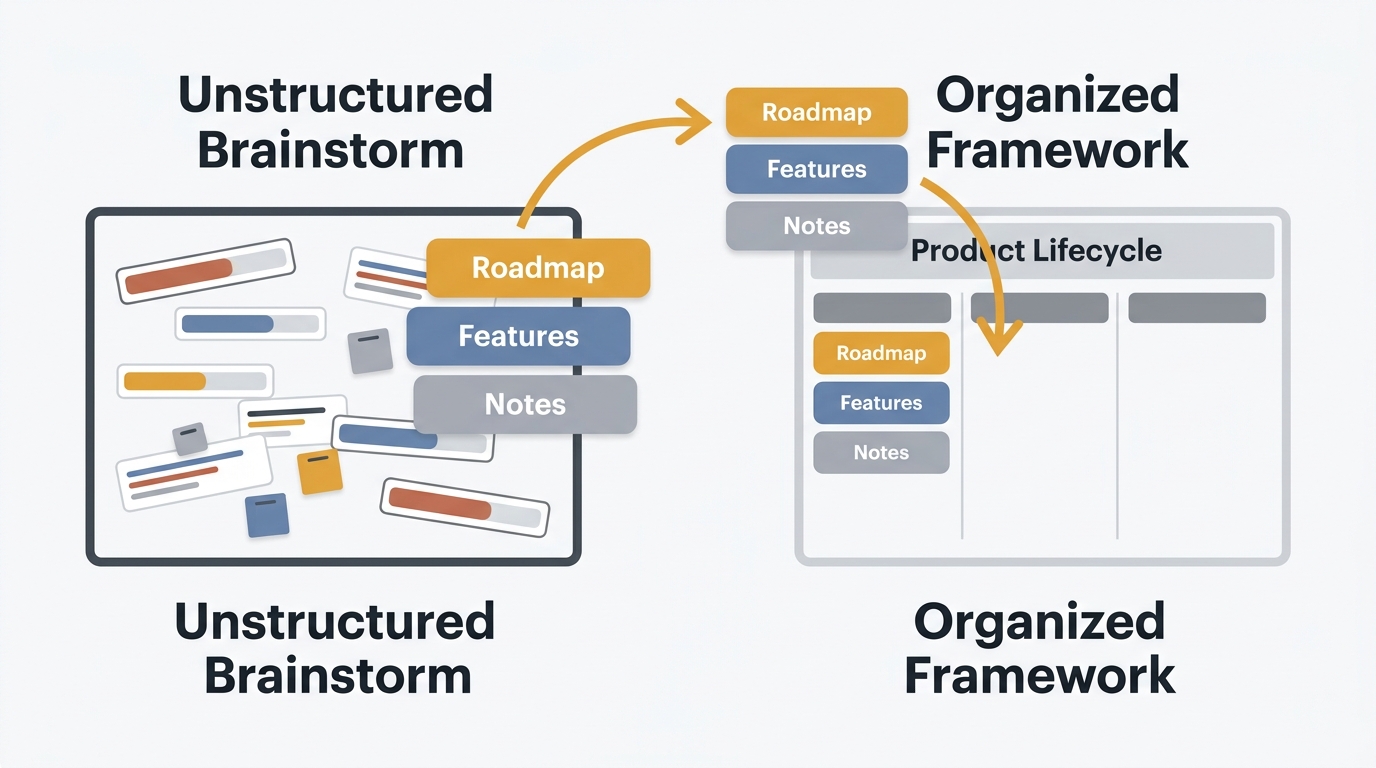
Productboard carries more data structure than a simple voting tool. You have notes, insights, features, components, objectives, and a customer portal. That sounds like a lot to move. In practice, most of what matters to your users is the feedback and the roadmap, and both export cleanly. The strategy scaffolding mostly stays behind by choice, not by accident.
This guide walks through the full process: what Productboard lets you export, how to map its data model to a feedback board and roadmap, what to keep versus drop, how to move your Jira, Slack, and Intercom connections, and how to time the switch around your per-maker renewal.
To migrate from Productboard, export your notes, features, and insights to CSV (or pull them through the REST API), then map features to feedback posts, insight counts to votes, and your release timeline to a public roadmap. Notes from Slack, Intercom, and Zendesk are not included in exports, so capture those separately. Time the cancellation 30+ days before your annual renewal to avoid an auto-renew, and recreate the customer portal as a public roadmap plus changelog. Quackback is open source with no per-maker pricing and imports feedback data so you keep your history.
Pricing and export details last verified May 2026. Vendors may change plans and pricing without notice. Check Productboard's pricing and support pages for the latest.
When it is time to leave Productboard
Switching tools has real costs: team retraining, user communication, and a brief window where your workflow is disrupted. Not every frustration justifies it. But some signals are clear.
Your maker count keeps growing. Productboard bills per maker at $15/maker/month annual or $19/maker/month monthly. The maker role is broadly defined: anyone who creates or edits content counts, so designers, support leads, and engineering leads tend to get pulled in over time. The bill grows with adoption, not just with your product team. Our Productboard pricing breakdown walks through the cost at 5, 10, 25, and 50 makers.
You are hitting AI credit limits. Spark includes 250 AI credits per maker per month, pooled across the workspace. Analyzing 100 insights costs a few credits; generating a full requirements document can burn 85 to 95. Teams that lean on AI for feedback analysis exhaust the pool and have to buy top-ups (50 credits for $5 monthly, or 600 credits for $60 a year).
You only use it for feedback collection. Productboard's value is its strategy and prioritization layer: objectives, drivers, weighted scoring, portfolio roadmaps. If you never set those up and just use notes, features, and the portal, you are paying for a product management suite to run a feedback board.
You need self-hosting or source access. Productboard is hosted SaaS with no self-hosting option. If your compliance framework requires data on your own infrastructure, or you want to audit and own the code, that is not on the table.
If you are still weighing the decision, our best Productboard alternatives guide compares seven options with honest trade-offs.
What you can export from Productboard
Productboard provides data export through CSV downloads and its public REST API. There are three practical paths.
CSV exports
You must be a maker or admin to run a CSV export. Three methods exist:
- URL-based exports — paste a special export URL into your browser, and Productboard emails you a link to download the CSV. This is the path for bulk note and feature exports.
- Board UI exports — export the features and columns visible on a given board grid. Useful when you want a subset, or when you want to exclude components and subfeatures.
- API-backed exports — the CSV tools use Productboard's API under the hood, but require no API knowledge.
The data you can export by item type includes products, components, features, subfeatures, objectives, key results, initiatives, release groups, releases, companies, and users. You cannot export every type in a single file, so plan a few separate runs.
Insights exports are worth a dedicated pass. An insights CSV can include the content of the insights themselves plus the names, email addresses, and company data of the customers who submitted feedback linked to a given feature. That customer data is what lets you re-associate identities and reconstruct vote-like signal in your new tool.
API export
For larger workspaces or full control over mapping, use the Productboard REST API. The current v2 API exposes endpoints for Notes, Features, the product hierarchy (components and subfeatures), Companies & Users, Objectives, Key Results, Initiatives, and Releases.
A few constraints to plan around:
- Rate limit: 50 requests per second per token. Exceeding it returns
429 Too Many Requestswith aRetry-Afterheader your script must respect. - Pagination: list endpoints use cursor-based pagination via
pageCursor, with a maximum page size of 100. A workspace with thousands of notes means many paginated calls — build in backoff. - User management: the public API focuses on product data. Direct member-management endpoints are limited; provisioning is handled through SCIM, not the export API.
The Notes API is the one that matters most for migration. It can pull all notes, components, features, and subfeatures, which is the bulk of your portable feedback history.
What you cannot export
Some data does not come with you:
- Notes ingested from integrations. The content of notes created through Slack, Intercom, and Zendesk connections is excluded from exports. If a large share of your feedback arrived through those channels, capture it separately before you cancel, or re-ingest it in your new tool.
- Prioritization scores and driver weights. Custom scoring, objective alignment, and driver mappings are Productboard-specific constructs. There is no equivalent field in a feedback tool, so they do not transfer.
- Feature-forward relationship views. Exports are notes-forward. You can get notes with their linked features, but not a clean feature-by-feature roll-up of every insight in one file.
- Analytics and engagement metrics. Portal traffic, contributor activity, and funnel data stay in Productboard.
- Portal and integration configuration. Your customer portal layout, webhook setup, and integration connections need to be recreated in the new tool.
Mapping the Productboard data model
This is where a Productboard migration differs from a Canny or Nolt switch. Productboard has more object types, so you decide what maps to what. Here is the mapping that keeps your user-facing signal intact.
| Productboard object | Maps to | Notes |
|---|---|---|
| Feature | Feedback post | The core unit. Title, description, and status carry over directly. |
| Note / insight | Comment or linked feedback | A note is a piece of customer feedback. Attach it to the matching post, or import it as its own post. |
| Insight count on a feature | Vote count | The number of customers who asked for a feature is your demand signal. Reconstruct it as votes from the insights CSV. |
| Company / user | User record | Email is the join key. Preserve it so demand signal re-associates correctly. |
| Release / release group | Roadmap item | A planned release maps to a roadmap column or status. |
| Status (Idea, Planned, In progress, Done) | Board status | Map names to your new tool's status model. |
| Objective / driver / score | Drop or capture as a tag | No equivalent in a feedback tool. Most teams let these go. |
The practical insight: features become posts, insights become the votes and comments on those posts, and releases become your roadmap. Everything users actually see in the portal has a clean home. The strategy layer is the part you choose whether to carry, and most teams migrating away from Productboard are leaving precisely because they do not need it.
For the destination side, map features to feedback posts, insight-derived demand to voting, and your release timeline to a public roadmap. Quackback has no Productboard-specific adapter, so the practical path is its CSV import: you map your Productboard export columns to Quackback's post fields (title, content, status, tags, board, author name and email, vote count, creation date) once, and posts and votes attach to users by email on import.
Keep versus lose: what to bring
A migration is a good moment to decide what is signal and what is clutter. Here is a clean split.
Keep:
- Open and planned features — these are your live backlog and the things users are waiting on.
- Insight counts and the customers behind them — months or years of accumulated demand signal. Do not throw this away.
- User and company records — the email addresses that let votes and notifications find the right people.
- The release timeline — what you have committed to and roughly when.
- Recently shipped items — seed your changelog with the last few releases so the new portal does not launch empty.
Lose (or archive):
- Prioritization scores and driver weights — Productboard-specific, no destination field, and you are likely leaving because you did not use them.
- Stale features — anything open two-plus years with a handful of insights. Archive after migration to keep the board focused.
- Internal-only strategy notes — objectives docs and planning artifacts belong in your wiki, not your public feedback board.
- Duplicate or merged-source notes — clean these up rather than carrying redundancy into the new tool.
Migrating Jira, Slack, and Intercom
Productboard's integrations need to be recreated in your new tool. They do not transfer with the data, so list them before you start.
Jira (and Linear). Productboard links features to Jira issues for two-way status sync. In your new tool, reconnect the issue tracker and re-link posts to issues. Quackback's integrations offer two-way sync with Jira, Linear, GitHub, and GitLab, so a post status updates when the linked issue moves and vice versa. Re-link the active backlog items; closed historical ones rarely need re-linking.
Slack. Productboard's Slack connection pushed notifications and pulled feedback into notes. Reconnect Slack in the new tool to route new feedback and status updates to your channels. Remember the caveat from the export section: feedback that arrived through Slack as notes is not in your CSV export, so if Slack was a major intake channel, plan to re-ingest or rebuild that history.
Intercom and Zendesk. Same story. These were intake channels feeding notes, and that note content is excluded from exports. Reconnect Intercom and Zendesk so support conversations keep flowing into feedback, then accept that the historical Intercom and Zendesk notes start fresh in the new tool unless you export them from those source systems directly.
The pattern across all four: reconnect the integration for future flow, and source any history you care about from the original system, not from the Productboard export.
Recreating the customer portal
Productboard's customer portal is where users submit ideas, vote, and see what is planned. To replace it, you split that single surface into two complementary ones.
Public roadmap. The "what is planned and in progress" half of the portal becomes a public roadmap. Import your releases as roadmap items, set statuses, and your users get the same forward visibility they had in the portal. Voters can follow items and get notified when status changes.
Changelog. Productboard's release-notes capability lives inside the portal rather than as a standalone changelog feed, so the "what just shipped" story often ended up in a separate tool or got skipped. This is a chance to consolidate it. Seed a changelog with your last few releases and announce shipped work going forward. Voters on a feature get notified automatically when it ships, which closes the loop.
Submission widget. The portal's submission form becomes an embeddable feedback widget you drop into your product, plus the public board itself. Replace the Productboard portal link everywhere it appears: in-app, help docs, email footers, and your website.
Splitting one portal into a roadmap plus a changelog plus a widget is not more work to run; it is the same surface area expressed in pieces you control. And the changelog is net new value Productboard did not give you.
Timing the switch around your renewal
Productboard's per-maker plans bill on annual or multi-year terms, and the renewal mechanics matter for both cost and stress.
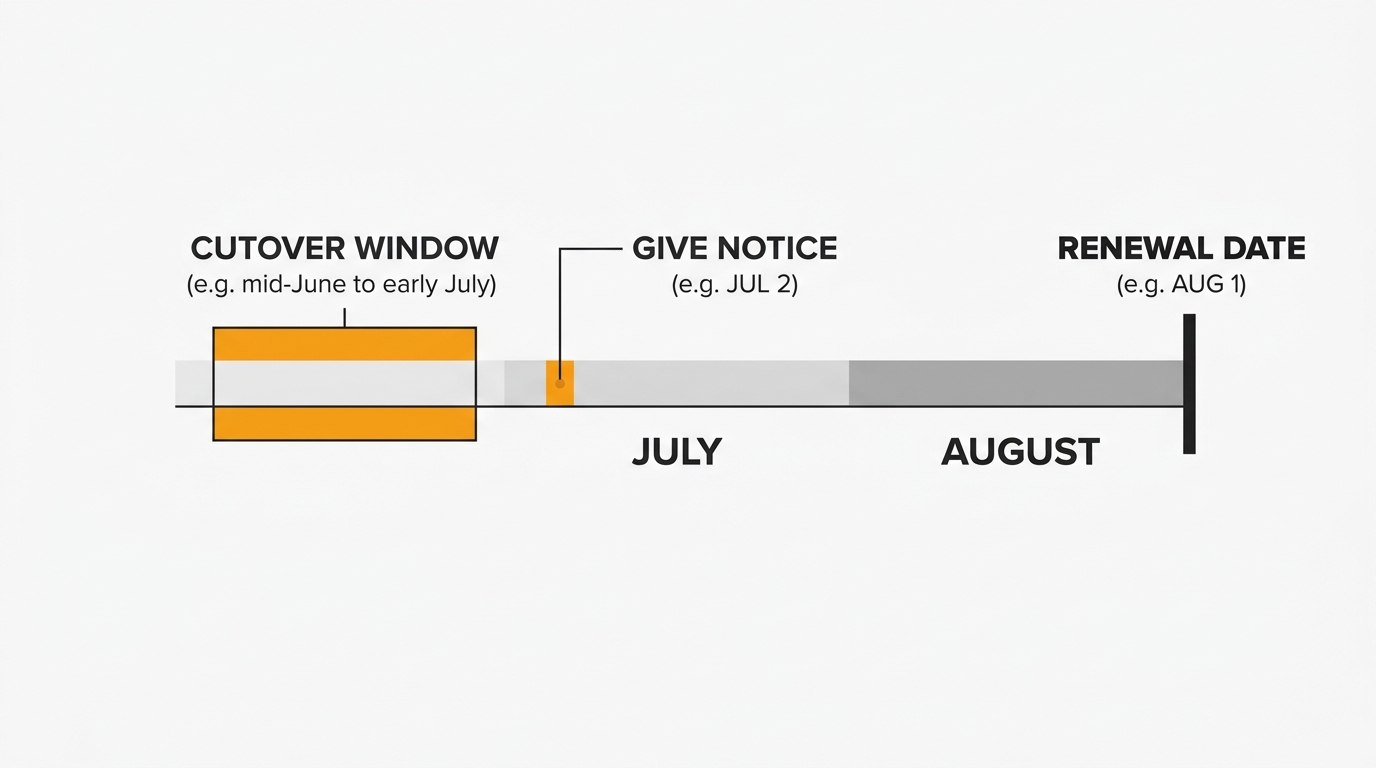
Give notice 30+ days before renewal. Annual and multi-year subscriptions require that you notify Productboard of your intent not to renew at least 30 days before the subscription ends. Miss that window and you can auto-renew into another full year. Put the date on a calendar the moment you decide to migrate, and work backward from it.
You are paying through the term regardless. Because you have already committed to the annual term, there is no rush to rip the tool out the day you decide to leave. Use the paid time you already own. Run the migration calmly, verify everything, and keep Productboard live in parallel until you are confident.
Mind mid-cycle maker changes. If you add makers mid-term you are charged a prorated amount, and removing makers does not refund the committed seats. During a migration, freeze your maker count. Do not add seats to Productboard for people who are about to move to the new tool.
Plan the cutover before the renewal date, not on it. Aim to have the new tool live and communicated a few weeks ahead of renewal. That gives you a buffer to catch anything that did not import correctly while you still have read access to the source data.
Migration checklist
Step 1: Audit your data
- How many features and notes? Hundreds are trivial. Thousands mean the API route with pagination and backoff.
- Where did your feedback come from? If much of it arrived via Slack, Intercom, or Zendesk, flag it now — that note content is excluded from exports.
- What statuses do you use? Map Productboard statuses to your new tool's model.
- Which features have the most insights? These are your highest-demand items. Verify their counts after import first.
- What is your renewal date? Set the 30-day notice deadline before anything else.
Step 2: Set up the new tool
- Create boards that match your Productboard structure, or restructure if the old layout grew messy.
- Set up statuses that map to your Productboard statuses.
- Configure team members and permissions.
- Prepare your widget and public board so they are ready the moment you go live.
Step 3: Export from Productboard
- Run the notes/features CSV export (URL-based or board UI).
- Run a separate insights export to capture customer emails, companies, and insight content.
- For large or complex workspaces, pull through the REST API and respect the 50 req/sec limit.
- Spot-check that feature counts match what you see in Productboard.
Step 4: Import into the new tool
- If it accepts CSV, map your columns: feature title and description to post fields, insight customer emails to user records, status names to the new status model. Quackback's CSV import reads a fixed set of columns and matches posts and votes to users by email, so prepare one mapped CSV and import in a single pass.
- If it is API-only, write a script that reads the export and creates records through the destination API.
Step 5: Verify the import
- Feature/post count — does it match the export?
- Demand signal — pick five high-insight features and confirm the vote counts came across.
- Users — spot-check that customer emails and companies imported.
- Statuses — verify Productboard statuses mapped correctly.
- Roadmap — confirm releases landed in the right columns.
Step 6: Reconnect integrations
- Reconnect Jira or Linear and re-link active backlog items.
- Reconnect Slack for notifications and intake.
- Reconnect Intercom and Zendesk for support-driven feedback.
- Replace the Productboard portal link in-app, in docs, and on your site.
Step 7: Communicate the switch
For your team: Send a short message before the switch explaining what changed, where the new tool lives, and how the workflow differs.
For your users: Email active feedback contributors, post a changelog entry announcing the new portal, and update every link that pointed to the old Productboard portal. Keep it simple: "We moved our feedback and roadmap to [new URL]. Your requests and history came with us. Here is where to submit new ideas."
Timeline
A realistic timeline for a workspace with under a few thousand features and notes:
| Day | Action |
|---|---|
| Day 1 | Audit data, set renewal-notice deadline, set up new tool, configure boards and statuses |
| Day 2 | Export features, notes, and insights from Productboard; import into new tool; verify |
| Day 3 | Reconnect Jira/Slack/Intercom/Zendesk, build roadmap and changelog, test end to end |
| Day 4 | Communicate to team and users, go live |
| Day 5-7 | Monitor, answer questions, confirm nothing was missed |
For larger workspaces or heavy integration history, add a day or two. This is not a month-long project. Most teams finish in under a week, well inside the buffer before an annual renewal.
After the migration
Keep Productboard active through your paid term. You have already committed to the annual period, so use it. Keep read access until you are confident the import is complete and correct, then give your non-renewal notice 30+ days before the end date.
Watch your feedback volume. A temporary dip after any tool switch is normal. If it does not recover within two weeks, check that your widget works, your board is discoverable, and your communication reached active users.
Clean up stale data. Archive features that sat open for years with minimal demand. A migration is the right moment to focus the board on what is live.
Try Quackback — open source with a managed cloud option. Start free. Get started | View on GitHub
Frequently asked questions
Can you export your data from Productboard?
Yes. Makers and admins can export notes, features, components, subfeatures, insights, objectives, and users as CSV files, or pull them through the REST API. One caveat: note content ingested through Slack, Intercom, and Zendesk integrations is excluded from exports, so capture that from the source systems separately.
Does Productboard have an API export limit?
Productboard's REST API allows 50 requests per second per token; exceeding it returns a 429 response with a Retry-After header. List endpoints use cursor-based pagination with a maximum page size of 100. For workspaces with thousands of notes, build pagination and backoff into your export script.
Will I lose my insight counts when migrating from Productboard?
No, if you export the insights CSV. It includes the customers tied to each feature, so you can reconstruct demand signal as votes in your new tool. Email is the join key. Prioritization scores and driver weights, however, are Productboard-specific and do not transfer to a feedback tool.
How do I time a Productboard migration around the renewal?
Productboard's annual and multi-year plans require 30+ days notice of non-renewal before the term ends. Set that deadline first, then migrate inside the paid time you already own. Go live a few weeks before renewal for a buffer to fix anything that did not import.
What is the best tool to migrate from Productboard to?
For teams that used Productboard mainly for feedback and roadmaps, Quackback is the most cost-effective target: open source, no per-maker pricing, with feedback boards, voting, a public roadmap, and a built-in changelog. See the full Quackback vs Productboard comparison and best Productboard alternatives.

Authored by James Morton
Founder of Quackback. Building open-source feedback tools.
Try Quackback
The open-source feedback platform. Boards, voting, and roadmaps.
Get startedStar on GitHub305