 Quackback
8 Best Intercom Alternatives in 2026 (Including Open Source)
Intercom, whose company is now Fin and owned by Salesforce, charges per seat plus $0.99 per AI outcome. Compare 8 alternatives on pricing, channels, AI and self-hosting.
On this page
Intercom built the modern in-app Messenger, and its AI agent, Fin, is one of the most capable on the market. In May 2026 the company renamed itself Fin, after the agent, and Salesforce completed its acquisition of Fin on 10 September 2026. The help desk keeps the Intercom name.
The price is the reason most teams look around. Seats cost $29, $85 or $132 a month on Essential, Advanced and Expert, and Fin adds $0.99 for every outcome on top. Copilot for your team is another $29 per agent a month. A team of 10 on Advanced pays $850 a month before a single AI outcome. Add the open questions about pricing and roadmap under Salesforce, and a renewal is a sensible moment to compare.
This list covers eight alternatives, from full help desks to open-source inboxes you can run yourself. Each one has a real reason to pick it, and a few do things Intercom does better than Quackback.
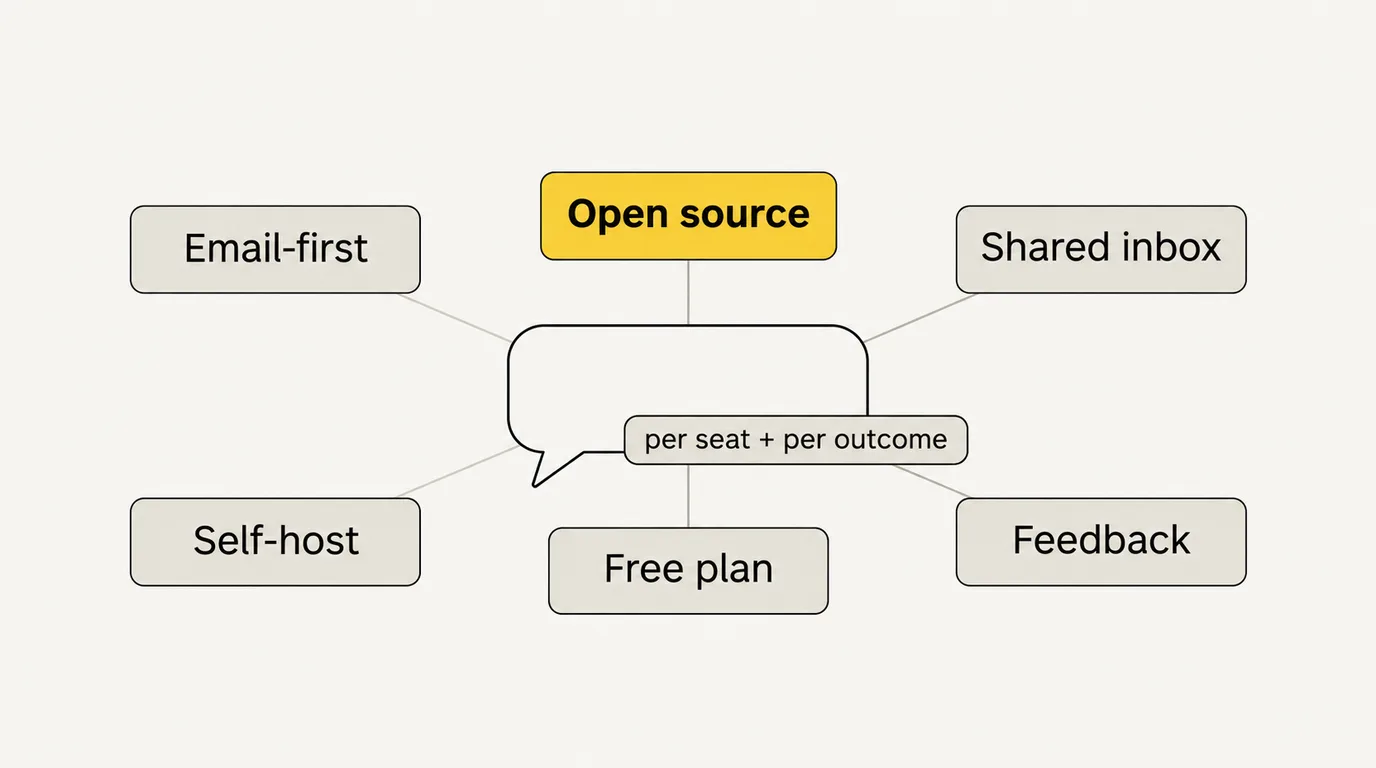
The best Intercom alternatives in 2026 are Quackback, Zendesk, Freshdesk, Help Scout, Front, Crisp, Chatwoot and Zoho Desk. Quackback is the open-source option, with a shared inbox, help center, status page and feedback boards, seats included in the plan and no per-resolution AI fee. Zendesk is the deepest help desk, Help Scout the simplest, and Crisp the closest match to Intercom's chat-first Messenger at a flat workspace price.
- Quackback — Open source. Inbox for live chat, email and GitHub issues, help center, status page and feedback, with Quackback AI. Free plan; paid from $29/mo billed annually with seats included.
- Zendesk — The deepest omnichannel help desk. Suite Team from about $55/agent/mo.
- Freshdesk — Close to Zendesk's feature set for less. From $19/agent/mo billed annually.
- Help Scout — Friendly, email-first inbox. Free for 5 users; Standard $25/user/mo.
- Front — Shared inbox that works like email. From $25/seat/mo.
- Crisp — Chat-first Messenger priced per workspace. Free for 2 agents; Mini $45/mo for 4.
- Chatwoot — Open-source omnichannel inbox. Free to self-host; Cloud from $19/agent/mo.
- Zoho Desk — Low-cost help desk with a free plan for 3 users.
Pricing last verified November 2026. Vendors may change plans and pricing without notice. Check each vendor's pricing page for the latest figures.
Why teams switch from Intercom
- Two bills that both grow. Seats grow with your team, and Fin grows with your support volume. At $0.99 an outcome, 2,000 AI outcomes a month adds about $1,980 to the seat bill. Our Intercom pricing breakdown works through the numbers.
- AI for your team is extra. Copilot is $29 per agent a month billed annually, so the AI that drafts replies costs more than an Essential seat at full price.
- Uncertainty after the Salesforce deal. Salesforce says Fin will continue to serve its customers. Nothing has been announced about future pricing or the help desk's roadmap. See what we know about the acquisition.
- No product feedback loop. Intercom has no feedback boards, roadmap or changelog. Teams that collect feature requests in conversations pay for a second tool to track them.
- Closed source, hosted only. You cannot self-host Intercom or choose where its servers run.
Before you leave, weigh what Intercom does well. Fin is mature and well tested. The Messenger, product tours, native mobile SDKs and app store are hard to match. WhatsApp, SMS and phone are available. If you like Fin but not the price of Intercom seats, Fin also runs on top of other help desks, including Zendesk and Salesforce, with a minimum monthly commitment.
How we picked
We started from the reasons teams give for leaving Intercom: price, AI billing, channel needs and control over their data. We included a tool when it replaces Intercom's core job, a shared inbox with live chat and a help center, for a meaningful group of teams. We checked every price on the vendor's own pricing page on 7 November 2026 and say so where a figure comes from elsewhere. Quackback is our product. We list it first because it fits the "open source and seats included" case, and we list its gaps as plainly as everyone else's.
1. Quackback
Quackback is open-source (AGPL-3.0) software for customer support and product feedback. Live chat, email and GitHub issues land in one shared inbox, with tickets in the same thread, macros, assignment, internal notes and a default SLA. A help center, a status page and feedback boards with a public roadmap and a changelog sit beside it. Use Quackback Cloud, or self-host it with every feature.
Quackback AI covers both sides of the inbox. An AI agent answers customers in chat and the help center from your articles, and hands over to your team when it cannot help. It is on Pro and up. Copilot drafts replies and answers your team's questions on every plan. AI usage comes with the plan, so there is no fee for each outcome.
The part Intercom does not do is the feedback loop. When a conversation is really a feature request, one click turns it into a feedback post, or adds the customer's vote to one that exists. When you ship it, the changelog emails everyone who voted.
Key features:
- Shared inbox for live chat, email and GitHub issues, with tickets in the same thread
- Macros, assignment, CSAT and a default SLA on every plan; SLA policies, routing and workflows on Business and up
- Help center with Ask AI, which cites your own articles
- Status page with incidents, maintenance and subscriber emails
- Feedback boards, a public roadmap and a changelog that emails voters
- Quackback AI: an agent for customers from Pro, Copilot for your team on every plan
- REST API on every plan; webhooks and an MCP server from Pro
Pricing: Quackback Cloud has a Free plan with 1 seat, and every signup starts with a 14-day Pro trial. Paid plans are a flat workspace price with seats included (5 on Pro, 20 on Business, unlimited on Enterprise), from $29/mo billed annually. A team of 10 fits Business at $59/mo. Self-hosting is free under AGPL-3.0 with every feature.
Pros:
- Seats included: a team of 10 pays $59/mo on Business, against $290/mo on Intercom Essential at full price
- The AI agent comes with the plan from Pro, with no per-outcome fee
- Help center, status page and feedback boards in the same product
- Open source: self-host every feature and keep your data in your own Postgres
- Cloud is hosted in the EU
Cons:
- Channels are live chat, email and GitHub issues only: no WhatsApp, SMS, phone or social
- No product tours, outbound campaigns or native mobile SDKs (iOS and Android are in preview and wrap the web widget)
- No help-desk importer, so past Intercom conversations stay in Intercom
- A much smaller integration catalogue, and integrations start on Business
- Single sign-on is OIDC on Enterprise, with no SAML
- Fin has a longer track record than Quackback AI
Best for: SaaS teams that support customers over chat and email and want the inbox, help center, status page and feedback in one tool at a flat price, or want to self-host.
Moving over? Our switch from Intercom guide lists what to export, what moves and what stays behind. On Business billed yearly and on Enterprise, our free migration service moves your help-center articles and feedback and swaps the widget for you. For a feature-by-feature view, see Quackback vs Intercom.
Try Quackback — every signup starts with a 14-day Pro trial, then keeps a Free plan if you do not upgrade. Or self-host it with every feature. Start free trial | Switch from Intercom | View on GitHub
2. Zendesk
Zendesk is the most complete help desk on this list. Email, chat, messaging, social and voice run through one ticketing system with deep reporting, a large marketplace and a mature workforce management add-on. Where Intercom grew from in-app chat, Zendesk grew from email tickets, and it shows in its queue, trigger and SLA tooling.
Support Team starts at about $19 per agent a month, Suite Team at about $55 and Suite Professional at about $115, billed annually. Team plans include 5 automated AI resolutions per agent a month and Professional 10. Beyond that, each resolution costs about $1.50 committed or $2.00 pay as you go.
Pricing: Suite Team about $55/agent/mo, Suite Professional about $115/agent/mo, billed annually. AI resolutions beyond the included amount from about $1.50 each. 14-day trial.
Pros:
- The broadest channel coverage and ticketing depth on this list
- Large marketplace and partner ecosystem
- Workforce management and QA tooling for large teams
Cons:
- Per-agent pricing plus per-resolution AI, much like Intercom
- Heavy to configure for small teams
- Closed source, hosted only
Best for: Larger support teams with complex routing, many channels and the time to configure them. See Zendesk pricing and Zendesk alternatives.
3. Freshdesk
Freshdesk covers most of what Zendesk does at a lower price, which makes it a common landing spot for teams leaving Intercom with a budget in mind. It has ticketing, a customer portal and knowledge base, automations, SLAs and Freddy AI.
Growth is $19, Pro $55 and Enterprise $89 per agent a month, billed annually. There is no free plan, only a 14-day trial. Each account gets 500 Freddy AI Agent sessions once, then pays $49 per 100 sessions. Freddy AI Copilot is $29 per agent a month on Pro and Enterprise.
Pricing: Growth $19, Pro $55, Enterprise $89 per agent/mo, billed annually. AI sessions $49 per 100 after the first 500.
Pros:
- A full help desk for much less than Intercom Advanced
- Familiar ticket-based workflow with SLAs and automations
- Large marketplace of apps
Cons:
- Multiple SLA policies and intelligent routing start on Pro
- AI is billed in session packs once the first 500 are gone
- The chat experience is less polished than Intercom's Messenger
Best for: Teams that want a conventional, full-featured help desk at a lower per-agent price. See Freshdesk pricing and Freshdesk alternatives.
4. Help Scout
Help Scout is built around a shared inbox that feels like email to customers and agents. It is quick to learn, and its Docs knowledge base and Beacon widget cover self-service and chat. It is the easiest tool on this list to roll out.
The Free plan covers 5 users, 1 inbox and 100 contacts a month. Standard is $25 per user a month and adds live chat, SMS, WhatsApp, Instagram and Messenger. Plus is $45 and Pro is $75, with a 10-user minimum on Pro. AI Answers costs $0.75 per resolution, with a monthly cap you set.
Pricing: Free for 5 users. Standard $25, Plus $45, Pro $75 per user/mo. AI Answers $0.75 per resolution.
Pros:
- Clean interface with a short learning curve
- A real free plan for small teams
- AI resolutions cost less than Fin's, and you can cap the monthly spend
Cons:
- Per-user pricing, so the bill grows with the team
- Lighter on in-app messaging and product tours than Intercom
- SSO and SAML only on Pro, with a 10-user minimum
Best for: Small and mid-size teams that mostly support customers by email. See Help Scout alternatives.
5. Front
Front presents every channel, email, SMS, chat and social, as an email-style conversation that the team can assign, comment on and reply to together. It suits teams whose support, sales and operations conversations overlap.
Starter is $25 per seat a month for up to 10 seats, Professional $65 for up to 50 and Enterprise $105, billed annually. Copilot is a $20 per seat add-on on Starter and Professional and included on Enterprise. Autopilot, the AI agent, is billed from $0.39 per conversation.
Pricing: Starter $25, Professional $65, Enterprise $105 per seat/mo, billed annually. 14-day trial.
Pros:
- Strong collaboration on shared email
- Handles internal and external conversations in one place
- Cheaper AI agent pricing than Fin
Cons:
- Built around email more than in-app chat
- Starter caps at 10 seats
- AI add-ons on top of the seat price
Best for: Teams that live in email and want collaborative workflows rather than a ticketing system.
6. Crisp
Crisp is the closest like-for-like swap for Intercom's chat-first Messenger, at a very different price model. Plans are priced per workspace with agents included, not per seat. A live chat widget, shared inbox, mobile apps and chat SDKs come with the Free plan.
Free covers 2 agents. Mini is $45 a month with 4 agents and adds a shared email inbox. Essentials is $95 a month with 10 agents and adds WhatsApp, Instagram, SMS, a knowledge base, a workflow builder and an AI chatbot. Plus is $295 a month with 20 agents and adds an AI agent connected to your tools and ticketing with a customer portal. Extra agents are $10 a month. Prices exclude VAT.
Pricing: Free for 2 agents. Mini $45/mo, Essentials $95/mo, Plus $295/mo per workspace. 14-day trial.
Pros:
- Workspace pricing with agents included, like Quackback's model
- A chat widget and SDKs that feel close to Intercom's
- More channels than Quackback, including WhatsApp and SMS
Cons:
- The knowledge base and AI chatbot start on Essentials
- AI usage comes from a credit allowance per plan
- Closed source, hosted only
Best for: Small teams that want an Intercom-style Messenger without per-seat pricing. See Crisp alternatives.
7. Chatwoot
Chatwoot is an open-source omnichannel inbox. It handles website chat, email, WhatsApp, Facebook, Instagram, Telegram, SMS and more, and you can self-host the MIT-licensed core for free.
On Chatwoot Cloud, the Hacker plan is free for 2 agents and 500 conversations a month, live chat only. Startups is $19, Business $39 and Enterprise $99 per agent a month, with Captain AI credits included from Startups. The self-hosted Community edition leaves out Captain AI, SLA policies and SSO; those need a paid licence.
Pricing: Free to self-host (Community). Cloud from $19/agent/mo.
Pros:
- Open source, with a large community
- More channels than any other open-source option here
- Familiar Intercom-like layout
Cons:
- AI, SLA policies and SSO need a paid licence when self-hosted
- Per-agent pricing on Cloud
- No status page or feedback boards
Best for: Teams that want an open-source, multi-channel inbox and are comfortable paying per agent for the extras.
8. Zoho Desk
Zoho Desk is the low-cost option. Its Free plan covers 3 users, and its paid plans, Express, Standard, Professional and Enterprise, are among the cheapest per agent in the category. Zia, Zoho's AI, starts on Professional. It works best for teams already on Zoho CRM.
Zoho shows prices in your local currency, so check Zoho's pricing page for your region.
Pricing: Free for 3 users. Paid plans per user, billed annually for the lowest rates. 15-day trial.
Pros:
- Low per-agent prices and a free plan
- Deep integration with Zoho CRM and Zoho One
- Full ticketing feature set on the higher tiers
Cons:
- Best value depends on the Zoho ecosystem
- The interface feels dated next to Intercom
- Live chat is less central than in Intercom
Best for: Budget-conscious teams, and anyone already using Zoho products.
Comparison table
| Intercom | Quackback | Zendesk | Freshdesk | Help Scout | Front | Crisp | Chatwoot | Zoho Desk | |
|---|---|---|---|---|---|---|---|---|---|
| Starting price | $29/seat/mo | Free (1 seat) | ~$55/agent/mo (Suite) | $19/agent/mo | Free (5 users) | $25/seat/mo | Free (2 agents) | Free (2 agents) | Free (3 users) |
| Pricing model | Per seat + per outcome | Per workspace, seats included | Per agent | Per agent | Per user | Per seat | Per workspace | Per agent | Per user |
| Channels | Omnichannel | Chat, email, GitHub | Omnichannel | Omnichannel | Email, chat, SMS, social | Email-first, omnichannel | Chat, email, social, SMS | Omnichannel | Omnichannel |
| AI agent | $0.99/outcome | Included from Pro | Per resolution | $49 per 100 sessions | $0.75/resolution | From $0.39/conversation | Credits by plan | Credits by plan | Zia (Professional+) |
| Help center | Yes | Yes | Yes | Yes | Yes | Limited | Essentials+ | Startups+ | Yes |
| Status page | No | Yes | No | No | No | No | No | No | No |
| Feedback boards | No | Yes | No | No | No | No | No | No | No |
| Open source / self-host | No | Yes (AGPL-3.0) | No | No | No | No | No | Yes (MIT core) | No |
How to choose
If cost is the problem: Compare per-seat bills with a flat price. Quackback includes 20 seats on Business. Crisp includes 10 agents on Essentials. Freshdesk and Zoho Desk are the cheapest per-agent help desks. Our help desk pricing comparison lays the numbers side by side.
If you want Fin without Intercom seats: Fin runs on other help desks with a minimum monthly commitment. That keeps the AI you know while you change the inbox.
If you need WhatsApp, SMS or phone: Zendesk, Freshdesk, Help Scout, Crisp and Chatwoot cover more channels than Quackback.
If you want open source: Quackback and Chatwoot are both open source. Quackback self-hosts every feature, AI and SLA policies included, and adds a help center, status page and feedback boards. Chatwoot covers more channels. See our guide to the open-source help desk.
If support and product feedback should live together: Quackback is the only tool here with feedback boards, a roadmap and a changelog beside the inbox.
If your team works in email: Help Scout or Front.
Frequently asked questions
What is the cheapest alternative to Intercom?
Crisp, Chatwoot, Help Scout and Zoho Desk all have free plans. Quackback has a Free Cloud plan for 1 seat and is free to self-host with every feature. For paid teams, Quackback Business includes 20 seats for $59/mo billed annually, and Crisp Essentials includes 10 agents for $95/mo.
Is there an open-source alternative to Intercom?
Yes. Quackback (AGPL-3.0) and Chatwoot (MIT core) are open-source alternatives to Intercom. Quackback self-hosts every feature, including its AI agent and SLA policies, and adds a status page and feedback boards. Chatwoot supports more channels, but its AI and SLA policies need a paid licence when self-hosted.
Is Intercom still called Intercom after the Salesforce acquisition?
The company renamed itself Fin in May 2026, after its AI agent, and Salesforce completed its acquisition of Fin on 10 September 2026. The help desk product still uses the Intercom name. No price changes had been announced as of 7 November 2026.
Which Intercom alternative has the best AI agent?
Fin remains one of the most mature AI support agents, and it can run on other help desks. Among alternatives, Zendesk, Freshdesk, Help Scout and Front bill AI per resolution, session or conversation. Quackback AI's customer agent comes with the plan from Pro, with no per-outcome fee.
Can I migrate my Intercom data to Quackback?
Partly. Help-center articles can move across, but Quackback has no help-desk importer, so past conversations stay in Intercom. The switch from Intercom guide lists the steps, and the free migration service on Business billed yearly and Enterprise does the move for you.

Written by James Morton. Founder of Quackback, the open-source platform for customer feedback and support.
Quackback is open-source software for customer feedback and support
Feedback boards, a public roadmap, a changelog and a support inbox in one place. Try Pro free for 14 days, no card needed.
Keep reading
7 Best Crisp Alternatives in 2026 (Including Open Source)
Crisp gates its knowledge base, AI chatbot and WhatsApp to Essentials. Compare 7 live chat alternatives, including open-source Chatwoot, on price and features.
8 Best Freshdesk Alternatives in 2026 (Including Open Source)
Freshdesk has no free plan and gates SLA policies and routing to Pro. Compare 8 alternatives, including open-source Zammad and FreeScout, on price and fit.
8 Best Help Scout Alternatives in 2026 (Including Open Source)
Help Scout charges per user and $0.75 per AI resolution. Compare 8 alternatives, including open-source FreeScout and Chatwoot, on pricing, channels and fit.