 Quackback
Customer Engagement Tools for Product Teams (Not Marketing)
Most customer engagement tool lists target marketers. Here is the stack product teams actually need — widgets, feedback, changelogs, onboarding, and voting.
 James MortonUpdated 18 min read
On this page
- Why product teams need their own engagement stack (not marketing's)
- The four jobs of product-led engagement
- In-app feedback and widgets
- Onboarding and product tours
- Announcements and changelogs
- Feature voting and public roadmaps
- How to assemble a stack without buying an all-in-one
- Common pitfalls
- Frequently asked questions
Search "customer engagement tools" and you will land on lists of CRMs, contact centers, and marketing automation suites. HubSpot. Zendesk. Insider. Zoho. Those tools solve a real problem, but it is not the problem a product team has. They push messages out to segments. You need something that pulls signals in from users and closes the loop on what ships next.
This post is the other list. It covers the product-led engagement stack — the tools marketing teams do not buy for you, because they do not know you need them.
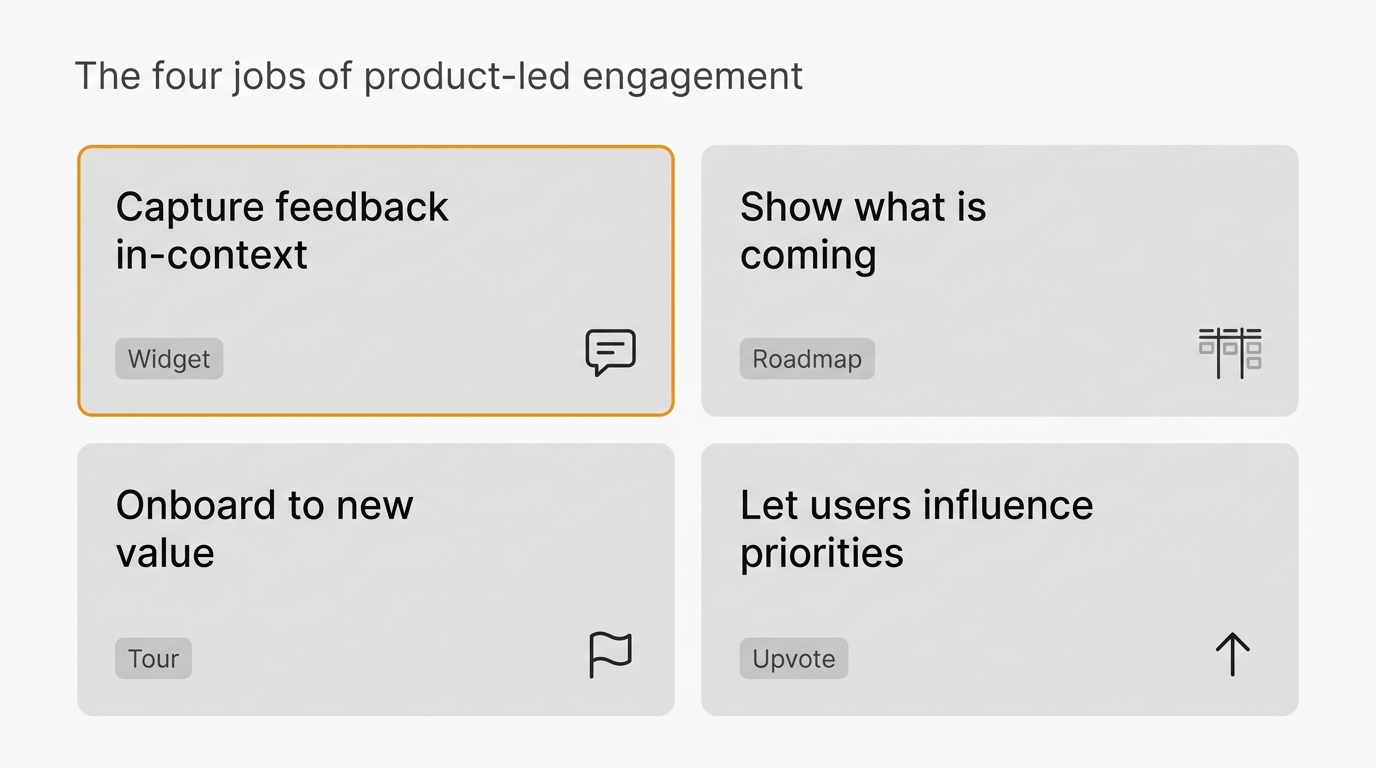
Customer engagement tools for product teams cover four jobs: capture feedback in-context, show users what is coming, onboard them to new capabilities, and let them influence priorities. That is a different stack from the CRMs, live chat, and marketing automation that dominate most "engagement tool" lists. This guide maps each category, names the products, and shows how to assemble a stack without buying an all-in-one.
Pricing last verified April 2026.
Why product teams need their own engagement stack (not marketing's)
Marketing engagement and product engagement sound like the same thing. They are not. A marketing team engages customers to move them through a funnel — awareness, consideration, purchase, retention. The tools for that job are optimized for sending outbound messages to lists. Email campaigns. Push notifications. SMS. Retargeting. The measurement loop is open rate, click rate, attribution.
A product team has a different job. You are not trying to move users through a funnel. You are trying to figure out what to build, ship it, and make sure users notice. The work flows the other direction. Users tell you what is broken. You tell them what is coming. They decide whether the new feature is worth learning. You learn whether it solved the problem you thought it did.
Those two loops use different tools. A CRM does not capture in-context feedback. A marketing automation platform does not run a public roadmap. Live chat is not a changelog. When someone hands a product team a "customer engagement platform" built for marketers, the team ends up using ten percent of it and paying for the rest.
The product-led engagement stack is smaller, cheaper, and closer to the code. It lives in the app. It connects to your issue tracker. It does four specific jobs.
The four jobs of product-led engagement
Every category in this post maps to one of four jobs. If a tool does not do one of these jobs well, it is not a product engagement tool. It is something else.
- Capture feedback in-context. Users have opinions while they are using the product, not three days later when a survey arrives. The job is to catch the thought when it is top of mind and tie it to the screen the user was on.
- Show users what is coming. A changelog and a roadmap answer two different questions. What just shipped. What is next. Both are public commitments that give users a reason to keep paying attention.
- Onboard users to new capabilities. A user who cannot find the feature you shipped might as well be using last month's product. Tours, tooltips, and empty states bridge the gap between shipping and adoption.
- Let users influence priorities. Voting and public roadmaps turn passive users into co-designers. The feedback loop is the thing that makes users feel heard — not the individual ticket response, but seeing their idea move from "submitted" to "in progress" to "shipped."
Those four jobs map to four categories of tools. The sections below cover each one, with specific products you can actually pick. Quackback appears in three of the sections as one option among several. This is a category piece, not a pitch.
In-app feedback and widgets
Of the four jobs, in-context feedback is the one marketing tools miss hardest. A CRM asks you to build a form, put it on a marketing page, and email users a link. By the time a user clicks, the thought is gone. You get back "the thing is slow sometimes" instead of "the export on the invoices page timed out with a 504 at 14:02."
The fix is a widget that lives inside your product. A floating button, a shortcut, or a context-menu item that opens a capture form on the current screen. The form collects what the user wrote plus what the tool can see — URL, browser, session, screen size, maybe a screenshot. It routes that ticket to a place where the product team will actually read it.
The category has four notable entries:
| Tool | What it is best at | Pricing shape |
|---|---|---|
| Quackback | Open source widget with feedback, voting, changelog, roadmap in one stack | Self-hosted free, AGPL-3.0 |
| Canny | Polished voting widget, strong roadmap UI | Per-seat, tiered |
| Usersnap | Visual bug reports with screenshots and annotations | Per-seat, tiered |
| Marker.io | Bug capture wired into Jira and Linear | Per-seat, tiered |
Quackback's widget is the one I build, so treat the mention as disclosed. It is AGPL-3.0, embeds in one script tag, and pipes into a full feedback inbox. It is one option among several. The other three are mature commercial products. If you want a visual-first experience where the user draws on the screen, Usersnap and Marker are stronger. If you want voting and changelog in the same tool, Canny and Quackback cover that.
The deeper question is not which widget to pick. It is whether you have a widget at all. Most teams do not. They rely on support tickets from a help desk that lives outside the app, and the product signal arrives laundered through a support agent two days later. You can read more on the widget category in feedback widget tools, and the broader comparison in the best customer feedback tools. For teams evaluating Canny specifically, best Canny alternatives and Quackback vs Canny are the two posts worth reading.
If you want the case for why in-context feedback beats email surveys in almost every scenario, in-app feedback makes that argument in more detail.
Onboarding and product tours
Onboarding sits adjacent to engagement. It earns a section because product teams often conflate the two — a tour platform gets bought and assumed to cover "engagement," and then nobody captures a single piece of feedback for eighteen months. Tours are a real job, but they are not the whole job.
The category leaders:
| Tool | What it is best at | Pricing shape |
|---|---|---|
| Appcues | Mature tours, surveys, launchers; no-code | Per-MAU, enterprise-priced |
| Userpilot | Flows, experiments, product analytics overlap | Per-MAU, mid-market |
| Chameleon | Polished UI, strong targeting rules | Per-MAU, premium |
| Userflow | Simple checklist-first onboarding | Per-MAU, mid-market |
The job these tools do is narrow and clear. A user lands on a new feature. They need to reach value before they give up. A tour points at the right button, a tooltip explains the second one, a checklist gives them a sense of progress. When the first session ends successfully, the user comes back.
Two rules of thumb for when a tour helps and when it hurts. Use a tour when the value is locked behind a multi-step flow that is not obvious from the UI — inviting teammates, connecting a data source, running the first report. Do not use a tour when a good empty state, a sample dataset, or a one-line tooltip would do the job without hijacking the screen. Tours interrupt. Every interruption is a tax on the user's attention. Spend the tax on moments that matter.
The failure mode I see most often is teams that bolt a tour onto every new feature because the platform makes it easy. Users learn to dismiss tours without reading them. The tour becomes furniture. If you are going to run onboarding flows, audit them once a quarter and delete half.
Onboarding tools are also where "engagement platform" marketing gets slipperiest. Appcues and Userpilot both pitch themselves as engagement tools, and they both have some in-app messaging features. But they do not replace a feedback widget, a changelog, or a voting system. They do one job well. Treat them that way.
Announcements and changelogs
A release nobody knows about did not really ship. This is the job of the changelog and the in-app announcement — to turn every release into a reason for users to come back and look.
The distinction matters. A changelog is a persistent, public record of what changed, searchable and linkable. An announcement is a one-time prompt that surfaces a specific change to a specific user at a specific moment. A good stack does both. The changelog lives at a stable URL. The announcement fires inside the app the next time the user logs in, links to the changelog entry, and disappears once they acknowledge it.
The category:
| Tool | What it is best at | Pricing shape |
|---|---|---|
| Beamer | In-app announcement widget with NPS bolt-on | Per-MAU, mid-market |
| LaunchNotes | Public pages for roadmap and changelog | Per-seat, mid-market |
| Headway | Simple changelog widget with RSS | Per-project, cheap |
| Quackback | Changelog plus roadmap, feedback, voting in one | Self-hosted free |
Beamer is the category default for in-app announcements — if you want a red dot in the corner that opens a slide-out with your last five updates, it is the obvious pick. There is a fuller treatment in best Beamer alternatives if you are trying to leave or avoid it. Headway is the simplest option, almost a drop-in widget. LaunchNotes is the polished public-page choice. Quackback folds the changelog into the same stack as the feedback and voting, so the same users who vote on an idea see the entry when it ships.
The principles behind a good changelog do not change with the tool. Write in the user's voice. Lead with the outcome, not the implementation. Ship on a cadence that trains readers to come back. How to keep a changelog covers the writing mechanics, and product update announcements covers the launch-day side of the job. Treat those as the reading assignment. The tool is the easy part.
Feature voting and public roadmaps
The last job is the one that turns engagement into loyalty. Users who see their own ideas move from "submitted" to "planned" to "shipped" stop acting like customers and start acting like collaborators. They defend you in community channels. They bring you better bug reports. They refer new users.
You get there with two tools that usually live in the same product — a voting board where users submit and upvote ideas, and a public roadmap that shows what you have committed to next.
| Tool | What it is best at | Pricing shape |
|---|---|---|
| Canny | Polished voting UI, roadmap view, integrations | Per-seat, tiered |
| Frill | Clean voting board, simple roadmap, widget | Per-workspace, cheaper |
| Productboard | Voting plus heavy prioritization tooling | Per-seat, enterprise-priced |
| Quackback | Voting and public roadmap, open source | Self-hosted free |
The category has more entries than I listed. If you want the full map, best feature voting tools and best public roadmap tools cover it in more detail, along with feature request tracking for the workflow inside your team.
The pick comes down to two questions. First, do you want a polished commercial tool with a support team behind it, or an open-source stack you can host and modify? Canny and Productboard are the commercial picks. Quackback and Frill sit on the lighter-weight side. Second, how much prioritization logic do you want the tool to run for you? Productboard goes deepest — scoring models, impact metrics, goal alignment. Quackback and Frill keep it simple and assume your prioritization lives in a meeting or a spreadsheet.
The thing all four tools share is the public feedback loop. When a user submits an idea, sees other users vote, watches it appear on the roadmap, and finally gets an email that it shipped, the loop is closed. That loop is the engagement. Customer feedback loop argues this in more detail.
One more note on voting boards. They are not a substitute for talking to customers. They surface the ideas of the loudest ten percent of users and miss the silent eighty percent. Use them as one signal alongside interviews, support tickets, and usage data. Feedback management covers how to weigh those inputs.
How to assemble a stack without buying an all-in-one
Most "customer engagement platforms" that pitch an all-in-one are CRMs in disguise. They started life sending marketing email and grew a set of in-app features to compete. The in-app features are rarely as good as a focused tool, but the price is always bigger. Small teams do better with two or three focused tools that integrate than one bloated platform.
Here are three starter stacks, sized to team maturity. Pick the closest one and bend it to your needs.
Solo product team or early stage
- One feedback tool that covers widget, inbox, changelog, and voting in a single product. Quackback is the open-source option. Canny is the commercial option.
- That is the whole stack. Do not add onboarding yet. Do not add analytics yet. You will know when you need them, and you will know which job they are doing.
Growing team with product-market fit
- Feedback + voting + changelog (one tool, as above)
- Onboarding and tours (Appcues, Userpilot, or Userflow)
- A product analytics tool you already have (PostHog, Mixpanel, Amplitude)
The second tool earns its seat because new features are shipping faster than users are discovering them. The analytics tool is probably already in the stack and I am not counting it as new spend.
Scaling team with multiple products or regions
- Feedback stack (as above, possibly with Productboard if prioritization needs heavy tooling)
- Onboarding (Appcues or Chameleon for deeper targeting)
- A public roadmap at a dedicated URL, not just inside the voting tool
- Integrations into Linear, Jira, Slack, and whatever CRM marketing uses so the feedback is visible to the rest of the company
At this size you are not optimizing for cost. You are optimizing for making sure the feedback signal does not get stuck in one team. The value of the stack is the integrations between the pieces. Pick tools that talk to each other.
A note on integrations. Quackback ships 25 integrations covering Linear, Jira, GitHub, Slack, Notion, and the usual suspects. It also ships an MCP server so you can query and triage feedback straight from an AI coding agent — ask Claude or Cursor what users are asking for without leaving the editor. That is the part most category leaders do not have, and if your workflow lives in an AI-assisted editor it matters more than it sounds. Quackback runs self-hosted for free or as a managed Quackback Cloud if you do not want to run the server. The AI features are built in. Most category leaders cover the same integration set on per-seat plans. Check the specific ones you care about before you commit.
The anti-pattern to avoid is buying an all-in-one platform that does all four jobs at a seven. Four sevens is worse than three nines. Pick the jobs you need now, buy the best tool for each, and add the next one when a specific pain forces the decision.
Common pitfalls
Five concrete failure modes I have watched teams step into. Each one is avoidable if you know to look for it.
Over-messaging. A team ships five features, bolts an announcement tour to each one, sets the changelog to auto-pop on every login, and wonders why engagement drops. Users learn to dismiss interruptions without reading them. Every prompt is a tax on attention. Budget it. If a tour, a tooltip, and a changelog entry all fire on the same session, something has to give.
Fragmented data. A feedback widget that does not connect to the voting board. A voting board that does not connect to the changelog. A changelog that does not connect to the issue tracker. When the pieces do not talk, users report the same idea three times in three places, and the team cannot see the pattern. The value of the stack is the links between the pieces, not the pieces themselves.
Buying an all-in-one that owns none of the jobs well. The platform pitch is seductive. One contract, one vendor, one UI. The reality is that the feedback features are a bolt-on, the changelog is a bolt-on, and the roadmap is a bolt-on, and none of them match what a focused tool does. You end up paying enterprise prices for mid-tier features in every category.
Treating engagement as a marketing problem. This is the framing this whole post rejects. If the only people thinking about customer engagement at your company are in marketing, the product-side jobs will not get done. Users will get more emails and fewer product updates. Ownership of the four jobs has to sit inside the product team, even when the tools overlap with marketing's budget.
Conflating engagement with retention. These are related but not the same. Retention is a lagging metric — did users come back. Engagement is a set of behaviors — did they give feedback, read the changelog, vote on the roadmap, open the new feature. Engagement is upstream of retention. If you measure only retention you will not know what to fix when it drops. Measure the engagement signals separately so you can see the problem before it becomes a churn chart.
One last thought. The point of a product-led engagement stack is not to maximize screen time or prompt count. It is to make the feedback loop short enough that users feel heard. Short loops keep users. Long loops do not. Every tool in this post earns its seat by shortening one part of that loop.
Build the stack that does the four jobs. Skip the ones that do not. When a tool pitches you something that does not map to one of the four jobs, ask what problem it is actually solving — and whether that problem belongs to your product team or somebody else's.
Try Quackback — open source with a managed cloud option. Start free. Get started | View on GitHub
Frequently asked questions
What is a customer engagement tool for product teams?
A customer engagement tool for product teams is software that does one of four jobs — capture in-context feedback, show users what is coming, onboard them to new capabilities, or let them influence priorities. That is different from a marketing engagement tool, which is usually a CRM or automation platform focused on sending outbound messages.
Do product teams need a separate customer engagement tool from marketing?
Yes, because the jobs are different. Marketing engagement pushes messages out to segments. Product engagement pulls signals in from users and closes the loop on what ships. A CRM does not capture in-context feedback, and a feedback widget does not run drip campaigns. Trying to force one tool to do both usually means both jobs are done badly.
What is the difference between customer engagement and customer success tools?
Customer engagement tools help you capture feedback, announce changes, and give users a voice. Customer success tools track account health, usage trends, and churn risk, usually for a CSM team working a list of accounts. There is overlap in usage data, but the workflows and owners are different. A product team wants engagement. A CS team wants success.
Can one tool handle feedback, changelog, and roadmap?
Yes, and for most small teams that is the right call. Tools like Quackback, Canny, and Frill cover all three jobs in one product, so users submit feedback, vote, and see it ship without switching vendors. Onboarding is the fourth job these tools skip — add a tour tool later.
What is the cheapest way to build a product-led engagement stack?
The cheapest path is an open-source tool that bundles feedback, voting, changelog, and roadmap in one self-hosted product. Quackback is free under AGPL-3.0 and runs on a small server. Pair it with a free Notion or GitHub onboarding page and you cover three of the four jobs for hosting cost.
Do I need a customer engagement tool if I have a CRM?
Usually yes. A CRM tracks contacts, deals, and outbound communication. It does not capture in-context product feedback, run a public roadmap, or show users a changelog the next time they log in. Those are different jobs with different interfaces. The CRM and the product engagement stack should share data through integrations, not try to replace each other.
Written by James Morton. Founder of Quackback, the open-source platform for customer feedback and support.
Quackback is open-source software for customer feedback and support
Feedback boards, a public roadmap, a changelog and a support inbox in one place. Free to start, no card needed.
Keep reading
Customer Insights Tools: A Framework for Picking the Right One
Most customer insights tool roundups are one giant list. Here is a framework to pick by insight type: qualitative feedback, research, behavioral, or VoC.
Best Product Management Tools in 2026
A guide to the best product management tools in 2026. From feedback collection to roadmapping to analytics — tools for every stage of the product lifecycle.
Feature Voting: How to Let Users Prioritize Without a Popularity Contest
Feature voting turns user requests into ranked demand data. Learn single vs weighted voting, how to stop gaming and vote fragmentation, and how to act on votes.